MNTRA Instruments

Atma

4.5 (737 Reviews)
$39.00 $99.00

60% off until Dec 09

MNTRA Atma - Main Image
MNTRA Atma - Trailer Youtube Video gallery thumbnail
MNTRA Atma - Teaser Youtube Video gallery thumbnail
MNTRA Atma - Handpan Youtube Video gallery thumbnail
MNTRA Atma - Global FX
MNTRA Atma - Matrix
Buy Now
Product information

An Otherworldly Portal Into Ultrasonic Sound Healing

Atma is a collection of sacred sound instruments obtained by MNTRA's award winning founder & composer, Brian D’Oliveira, during his many pilgrimages to holy sites around the world. Ranging from ritual healing bells to pitched Aztec volcanic rocks, MNTRA creatively sampled these special instruments to explore the potential of the powerful nonlinear sound-design engine MNDALA. By capturing the rich textures of these ancient instruments with their leading-edge ultrasonic sampling process, MNTRA allow you to explore their complex harmonics with a depth and clarity that was previously impossible.

MNTRA's team of expert sound designers have crafted a diverse array of presets that span arpeggiated bell clusters, evolving atmospheric pads, cinematic percussion, and much more, allowing for immediate inspiration right out of the box. Additionally, just under the hood of the intuitive interface, lies the potential to sculpt the sound into whatever you imagine and beyond. Whether you’re creating ambient soundscapes, pulsing electronica, avant-garde explorations, or massive cinematic swells, Atma will become an indispensable instrument in your toolkit.

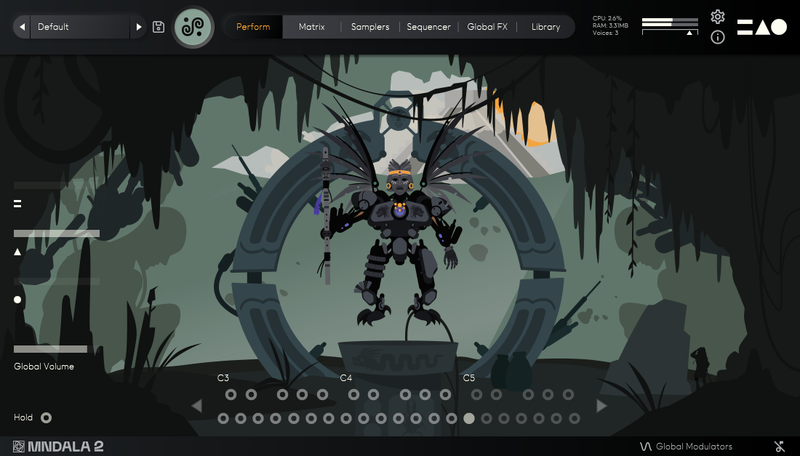
Atma is a sonic gateway into new dimensions of sounds that have been left unexplored until now. The interactive animated performance interface has been carefully crafted to enhance the exploration of these new sonic realms. Featuring a crystalline ocean and an emerging ephemeral being, opening a gateway into these new dimensions.

Instrument Sample Maps

  • Gong 1
  • Gong 2
  • Handbell Bell Hit
  • Handbell Stick Hit
  • Wawa Bell Hit
  • Wawa Bell Long
  • Wawa Bell Short
  • Healing Bell Hit
  • Tubular Bell 1
  • Tubular Bell 2
  • Spirit Bell Hit
  • Spring Bell Hit
  • Tibetan Bell Hit
  • Tibetan Bell Mallet
  • Mini Temple Bells
  • One Kalimba Pluck
  • Two Kalimba Pluck
  • Bendir Hit
  • Bass Temple Drum
  • Treble Temple Drum
  • Singing Bowl Hit
  • Ritual Bowl Short
  • Ritual Bowl Long
  • Hang Drum Finger MF
  • Hang Drum Finger F
  • Hang Drum Shaker 1
  • Hang Drum Shaker 2
  • Hand Drum Hit
  • Metal Shaker Spin
  • Temple Block Treble
  • Temple Block Bass
  • Pitched Rocks Hit
  • Pitched Rock Scrape
  • Temple Conch
  • Glass Tube Short
  • Glass Tube Long
  • Glass Tube Scrape

Features

  • 37 Instrument Sample Maps
  • Up To 30 Round Robbins
  • Recorded at industry-leading 32-bit/384kHz resolution
  • CPU-friendly playback at 24-bit 96khz resolution
  • Extreme resolution CPU efficient in-DAW playback & blazingly fast preset loading 
  • Plugin app and samples watermarked to you
  • 6.5 GB installed

System Requirements

  • 10GB hard drive space required for setup
  • VST / AU plugin for Windows & Mac OS (10.11+) Including M1 Chip
  • Minimum 8GB of RAM and an i5 or better CPU required
  • Supported by all VST/AU/AAX compatible DAW’s*
Testimonials

Panic Girl

“If you need some fresh and unusual sounds for your compositions or want to work with an easy yet powerful user interface, then you should definitely check it out.”

Chris Dudley

“I own every MNTRA instrument and I can honestly say they’re all pushing a limit and filling a niche I didn’t even know was there.”

Takeshi Furukawa

“Brian and the MNTRA team have created truly unique instruments. The recording quality, the musicality of the samples, ease of use of the plug-in, everything is top-notch.”

Installation Instructions

Note: Huracan is used as an example.

Mac

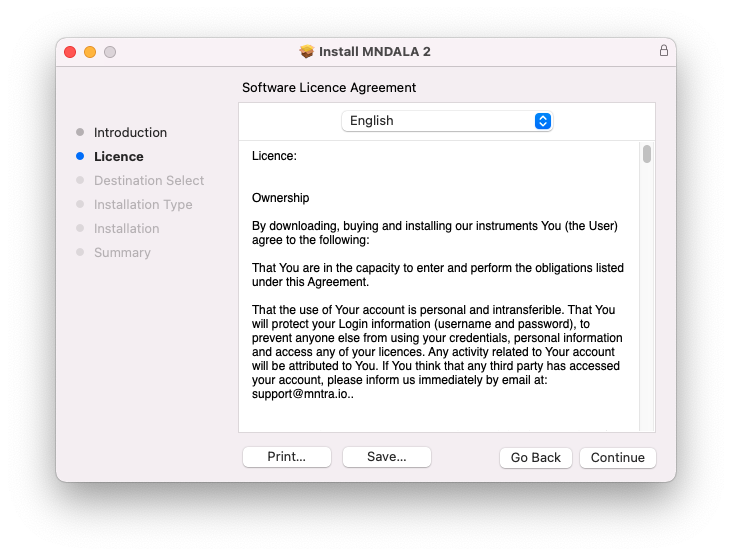
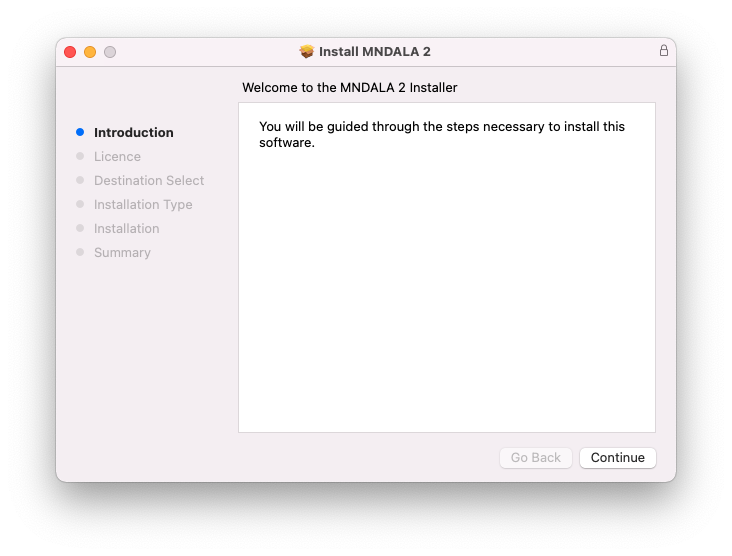
1. Download the MNDALA 2 Engine installer from your Plugin Boutique User Account > Extract the .zip archive > Launch the .pkg installer.

2. Click 'Continue'.

3. Click 'Continue'.

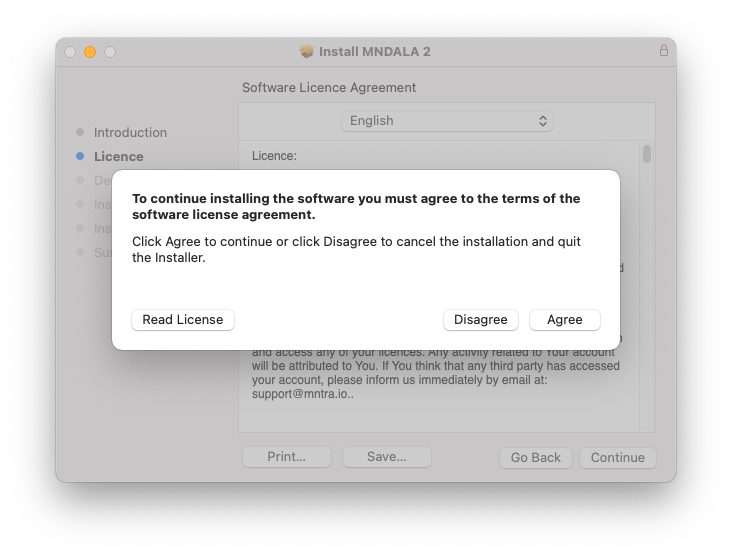
4. Click 'Agree'.

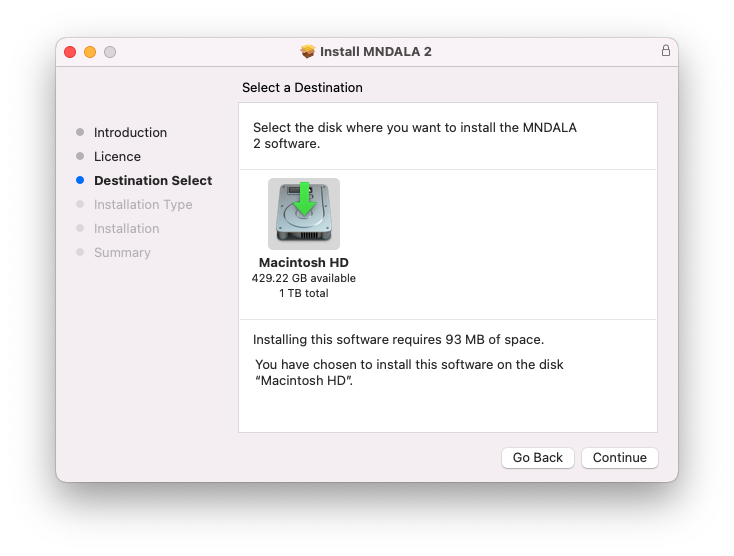
5. Click 'Continue'.

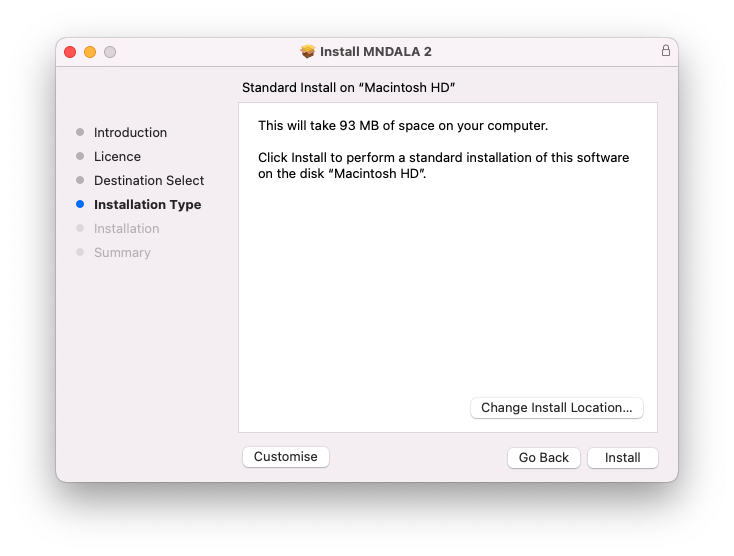
6. Click 'Install'.

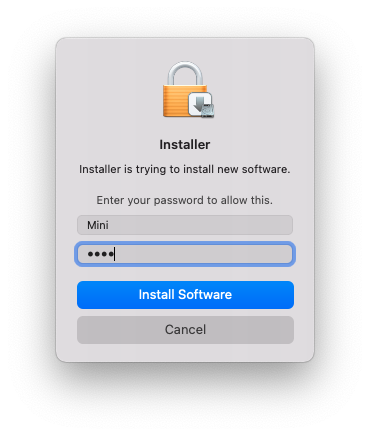
7. Click 'Install Software'.

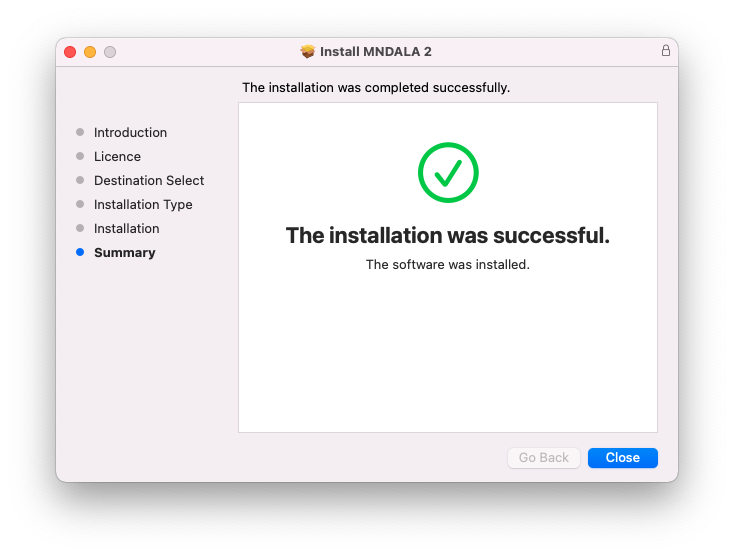
8. Click 'Close'.

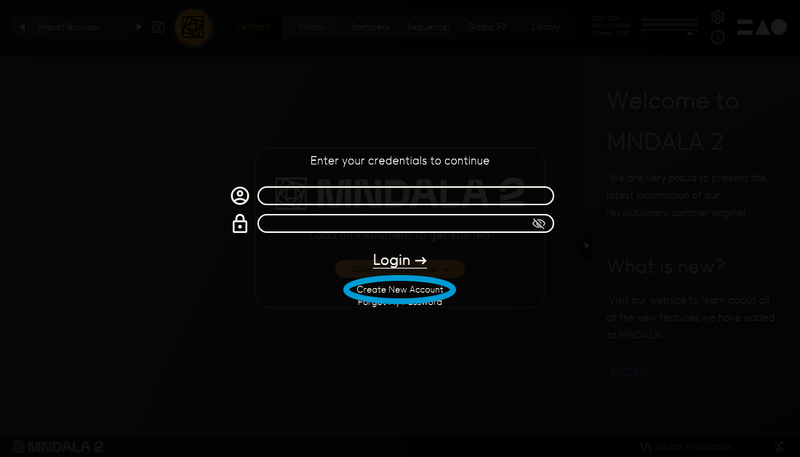
9. Launch your DAW > Insert MNDALA 2 on a new instrument track > Click 'Create New Account' (If you have an existing MNTRA Instruments log in and skip to step 15).

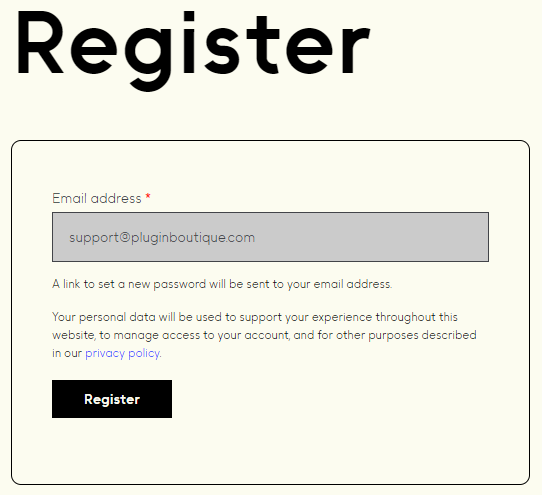
10. Enter your email address and click 'Register'.

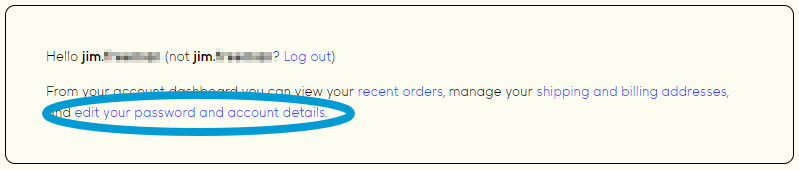
11. A MNTRA account has now been created > Click 'edit your password and account details' to create a password for your MNTRA account.

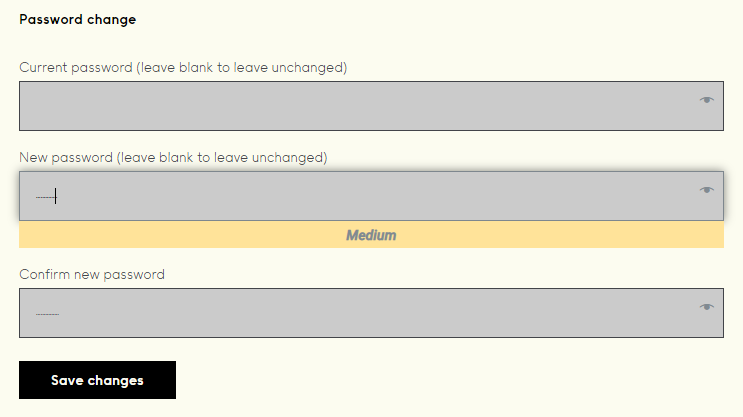
12. Enter your chosen password into the 'New password' box > Enter your password again into the 'Confirm new password' box > Click 'Save changes'.

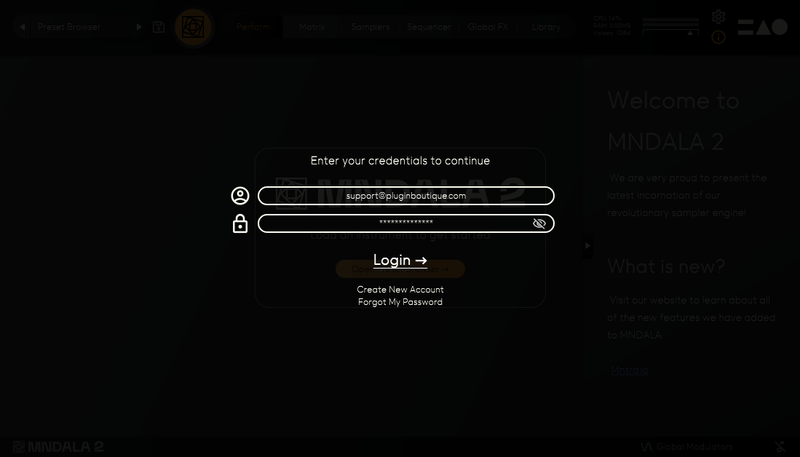
13. Enter your MNTRA account details > Click 'Login'.

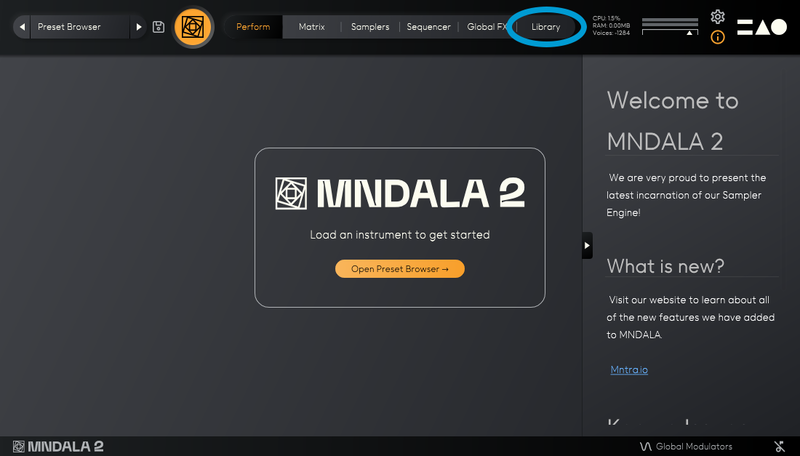
14. You are now logged into the MNDALA 2 Engine > Click 'Library' to continue to activate Huracan.

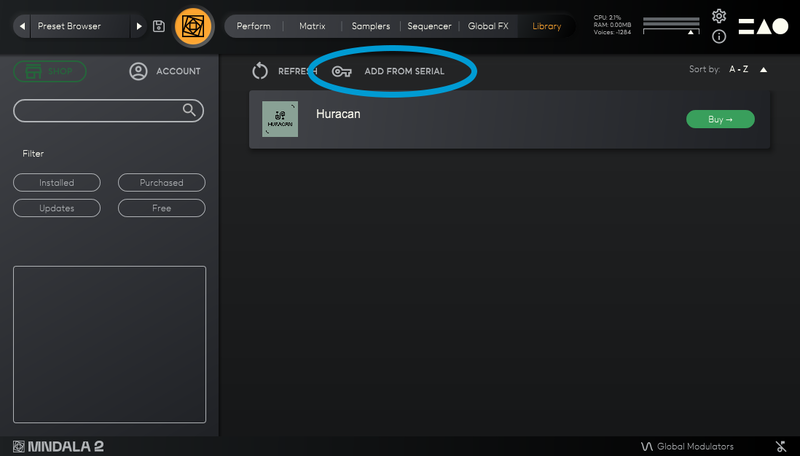
15. Click 'Add From Serial'.

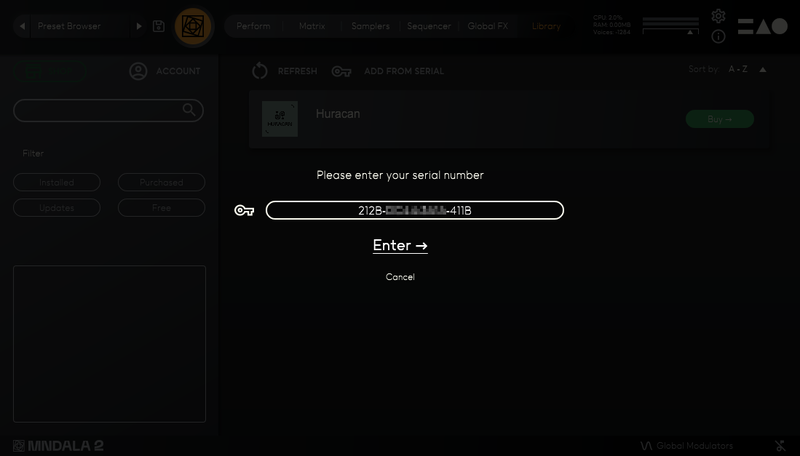
16. Enter your serial number found within your Plugin Boutique User Account > Click 'Enter'.

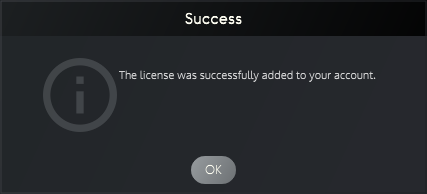
17. Click 'OK'.

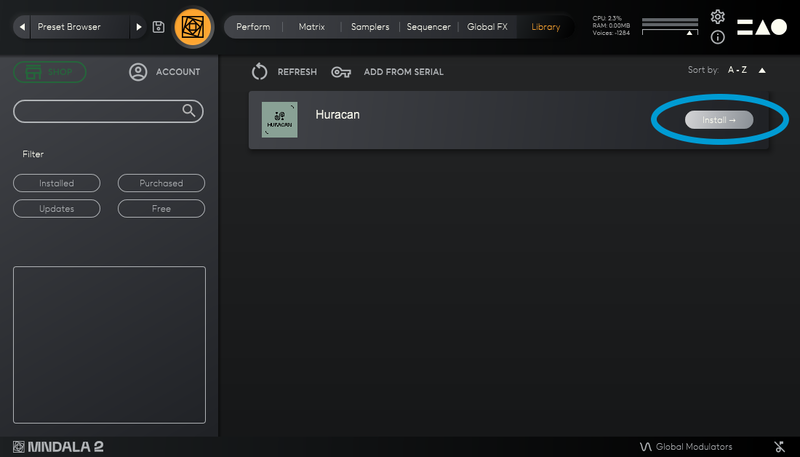
18. Click 'Install'.

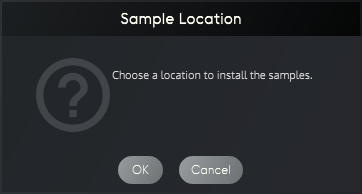
19. Click 'OK' > Choose a location to store the instruments samples.

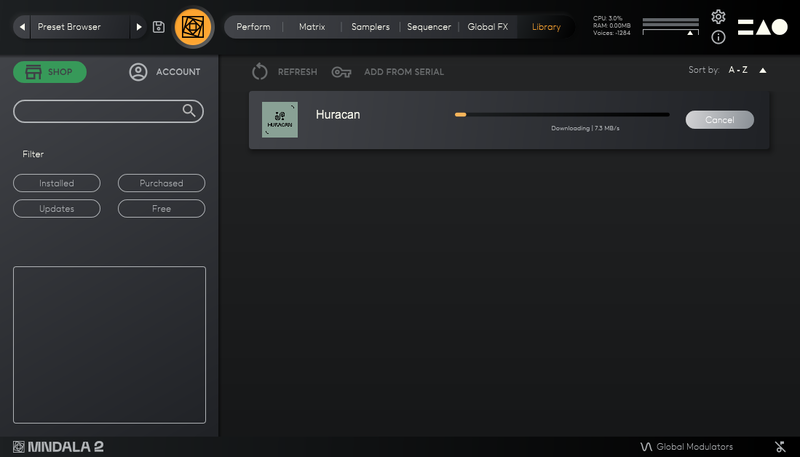
20. Huracan is now downloading (this may take a few minutes).

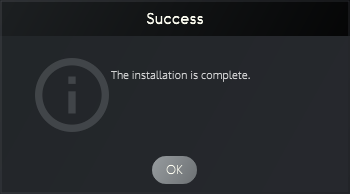
21. Click 'OK'.

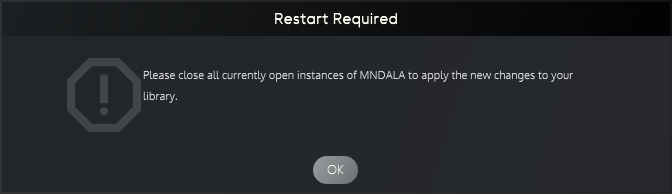
22. Click 'OK' > Close and relaunch your DAW.

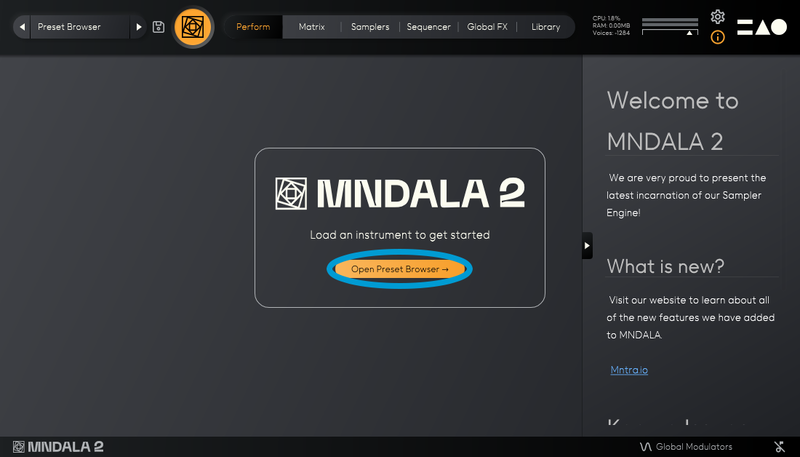
23. Insert MNDALA 2 on a new instrument track > Click 'Open Preset Browser'.

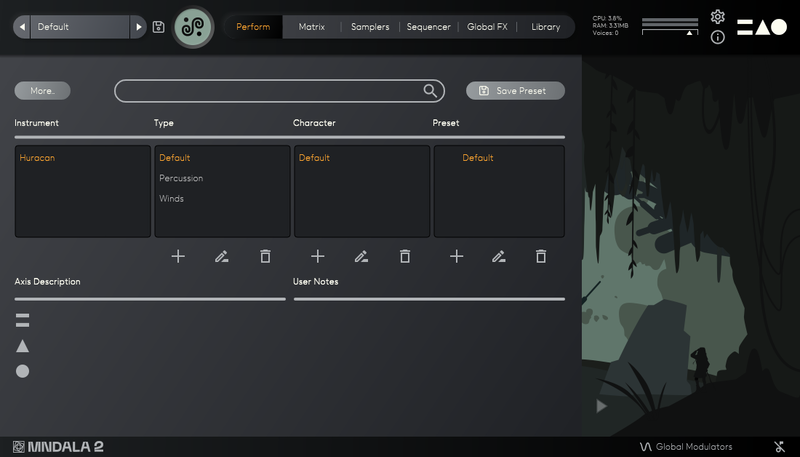
24. Select 'Huracan' then choose a preset.

Huracan is now installed, activated, and ready to use.

Windows

1. Download the MNDALA 2 Engine installer from your Plugin Boutique User Account > Extract the .zip archive > Launch the .exe installer.

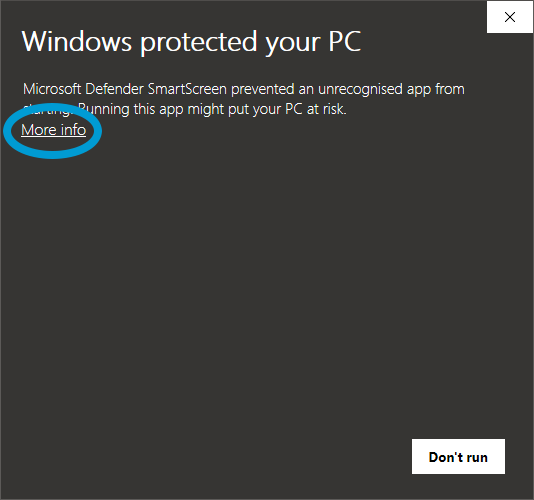
2. Click 'More info'.

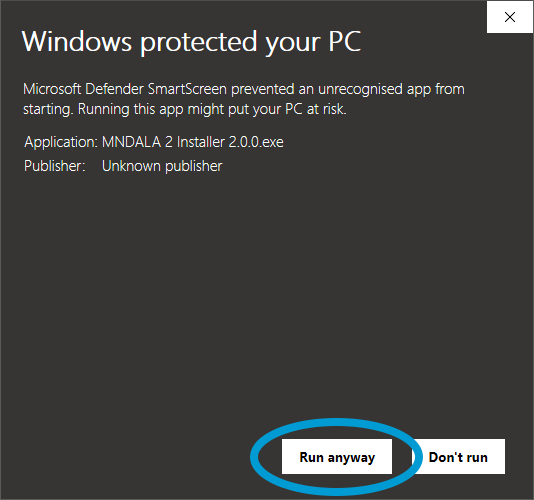
3. Click 'Run anyway'.

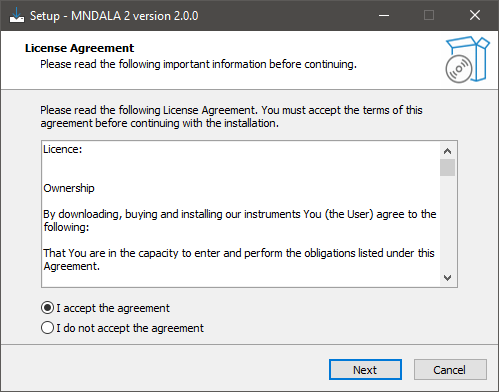
4. Accept the license agreement > Click 'Next'.

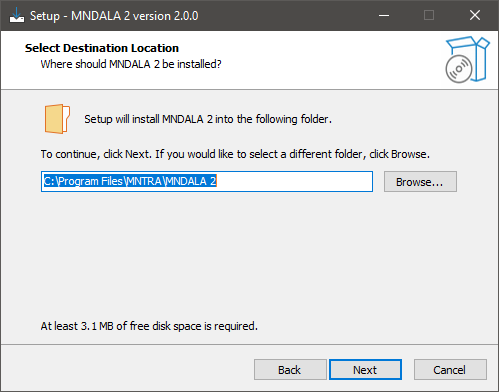
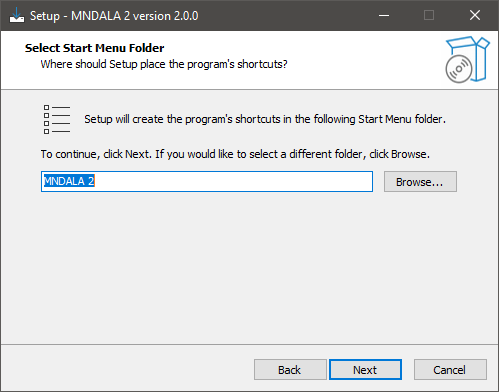
5. Click 'Next'.

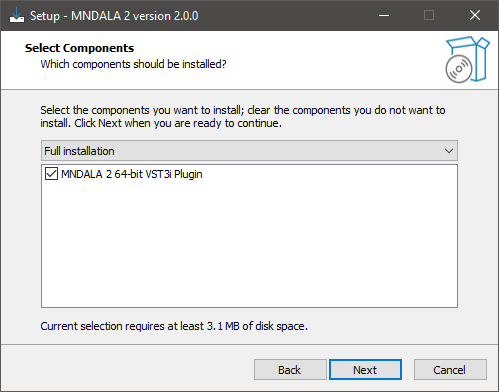
6. Click 'Next'.

7. Click 'Next'.

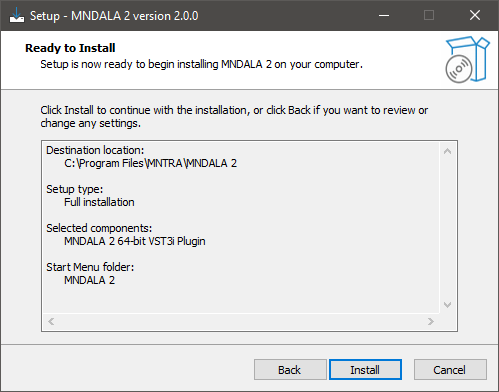
8. Click 'Install'.

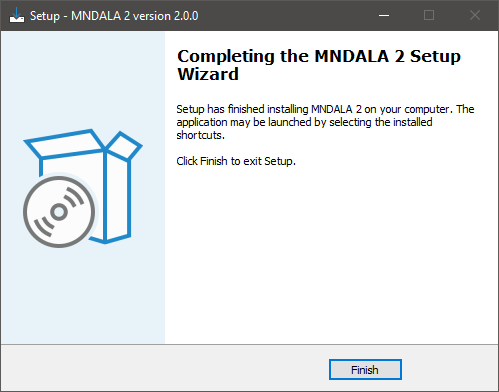
9. Click 'Finish'.

10. Launch your DAW > Insert MNDALA 2 on a new instrument track > Click 'Create New Account' (If you have an existing MNTRA Instruments log in and skip to step 15).

11. Enter your email address and click 'Register'.

12. A MNTRA account has now been created > Click 'edit your password and account details' to create a password for your MNTRA account.

13. Enter your chosen password into the 'New password' box > Enter your password again into the 'Confirm new password' box > Click 'Save changes'.

14. Enter your MNTRA account details > Click 'Login'.

15. You are now logged into the MNDALA 2 Engine > Click 'Library' to continue to activate Huracan.

16. Click 'Add From Serial'.

17. Enter your serial number found within your Plugin Boutique User Account > Click 'Enter'.

18. Click 'OK'.

19. Click 'Install'.

20. Click 'OK' > Choose a location to store the instruments samples.

21. Huracan is now downloading (this may take a few minutes).

22. Click 'OK'.

23. Click 'OK' > Close and relaunch your DAW.

24. Insert MNDALA 2 on a new instrument track > Click 'Open Preset Browser'.

25. Select 'Huracan' then choose a preset.

Huracan is now installed, activated, and ready to use.

Bundle & Save

Plugin Boutique Rewards

Discover the most rewarding loyalty programme among all plugin retailers.

  • Free Loopmasters Samplepacks
  • Discounts on products and courses
  • Extra Virtual Cash claimed immediately at checkout
Find out more

Follow us:

X (Twitter) Facebook YouTube Instagram
Logo Logo

Plugin Boutique Limited, Part of the Beatport Group LLC.

Copyright © 2011-2025 Plugin Boutique. All rights reserved