/ Virtual Instruments / Ultrasonic Death Whistle
MNTRA Instruments

Ultrasonic Death Whistle

4.5 (274 Reviews)
$10.00 $29.00

65% off until Dec 09

MNTRA Instruments Ultrasonic Death Whistle
MNTRA Ultrasonic Death Whistle - Youtube Teaser Video gallery thumbnail
MNTRA Ultrasonic Death Whistle - Inside a track with UDW CE! gallery thumbnail
MNTRA Instruments Ultrasonic Death Whistle - Overview gallery thumbnail
MNTRA Instruments Ultrasonic Death Whistle - Global FX
MNTRA Instruments Ultrasonic Death Whistle - Matrix
MNTRA Instruments Ultrasonic Death Whistle - Samplers
MNTRA Instruments Ultrasonic Death Whistle - Sequencer
Buy Now
Product information

Explore the Dark Sounds of Aztec Death Whistles

Ultrasonic Death Whistle (UDW) was designed as an introduction to MNTRA's powerful MNDALA Sound Sculpture Engine. The combination of these two opens the door for unparalleled creative possibilities with MNTRA's leading-edge ultrasonic quality sampling.

Performed by MNTRA's Founder - Composer & Multi-instrumentalist Brian D’Oliveira, UDW offers a window into their collection of rare pre-Columbian death whistles that were found during their research and development. Some of them were even handcrafted in their studio to expand creative sound possibilities, and many of these death whistles were featured in the production of multiple Award Winning AAA Video Game soundtracks.

UDW’s video-game audio-inspired interactive scene allows for non-linear multidimensional control and patch creation for intuitive yet seamless musical expression.

Each Death Whistle is named to represent its characters. Having been sculpted by hand, their sounds are recognizably unique, each sample map representing a different Death Whistle.

  • Proprietary Engine - VST/AU Plugin included. No additional software required
  • 3-Axis Universal Controls - Simply map your favourite controller once for all plugin instances
  • Intuitive Performance GUI - Custom animation-driven performance interface & mouse hover interactions
  • Industry Leading Audio Quality - 384khz/32-bit extended ultrasonic range sample sources

Instrument Sample Maps

All of the following instruments are different death whistles

  • Yuuali (Night)
  • Yuualtotome (NightBird)
  • Ehecatl (Wind)
  • Tlilcoatl (Viper)
  • Ixehua (Ghost)
  • Coyochoca (Coyote)
  • nIzhuayo (Forest)
  • nIxpoctic (Vision)
  • Cuaxicalli (Skull)
  • Ozomatl (Monkey)
  • Tecuyoa (Howl)
  • Huentlalia (Altar)
  • Tzatzllia (WarCry)

Features

  • 13 Instrument Sample Maps
  • Up To 31 Round Robbins
  • Recorded at industry-leading 32-bit/384kHz resolution
  • Extreme resolution CPU efficient in-DAW playback & blazingly fast preset loading 
  • Plugin app and samples watermarked to you
  • Easy downloads and updates via Pulse Downloader
  • 4 GB installed

System Requirements

  • 5 GB hard drive space required for setup
  • VST / AU / AAX plugin for Windows & Mac OS (10.11+) Including M1 Chip
  • Minimum 8GB of RAM and an i5 or better CPU required
  • Supported by all VST/AU/AAX compatible DAWs
Testimonials

Nemanja Rancic

“I find all the MNTRA instruments to be organic, yet perfectly capable of blending with synths. They feel timeless to me, because I can use them in any project I work on.”

Takeshi Furukawa

“Brian and the MNTRA team have created truly unique instruments. The recording quality, the musicality of the samples, ease of use of the plug-in, everything is top-notch."

Ryan Elder

“In a sea of virtual instruments and sound libraries MNTRA's Instruments really stand out as creative and inspirational tools.”

Installation Instructions

Note: Huracan is used as an example.

Mac

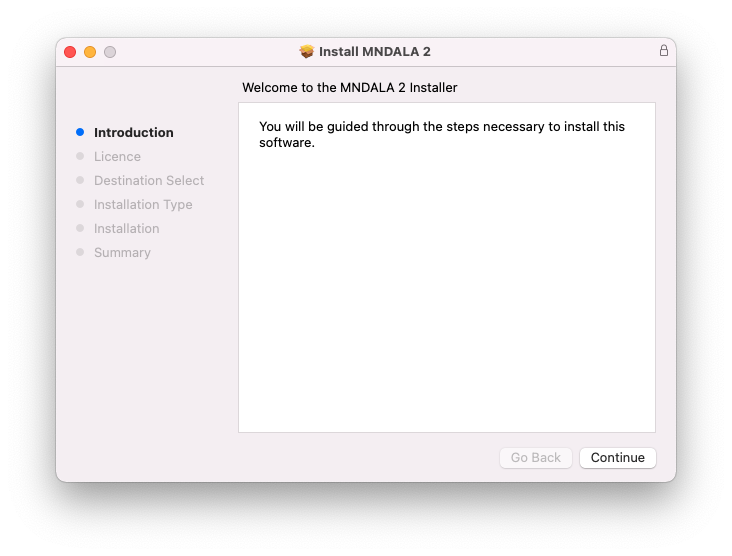
1. Download the MNDALA 2 Engine installer from your Plugin Boutique User Account > Extract the .zip archive > Launch the .pkg installer.

2. Click 'Continue'.

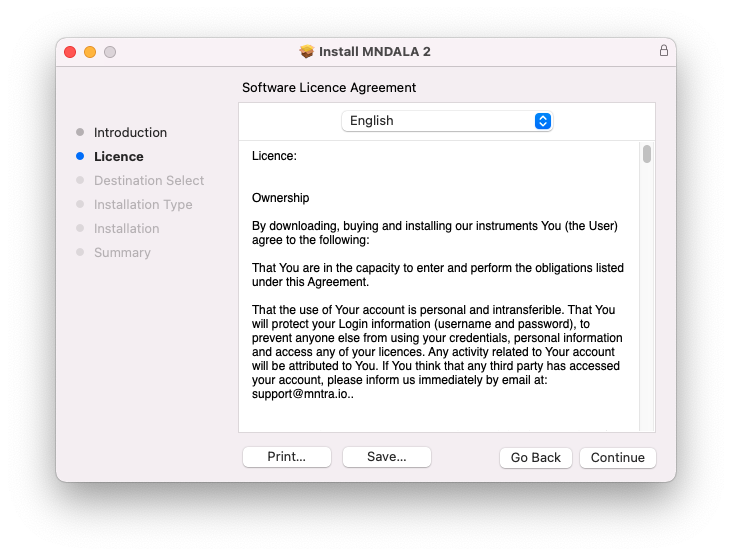
3. Click 'Continue'.

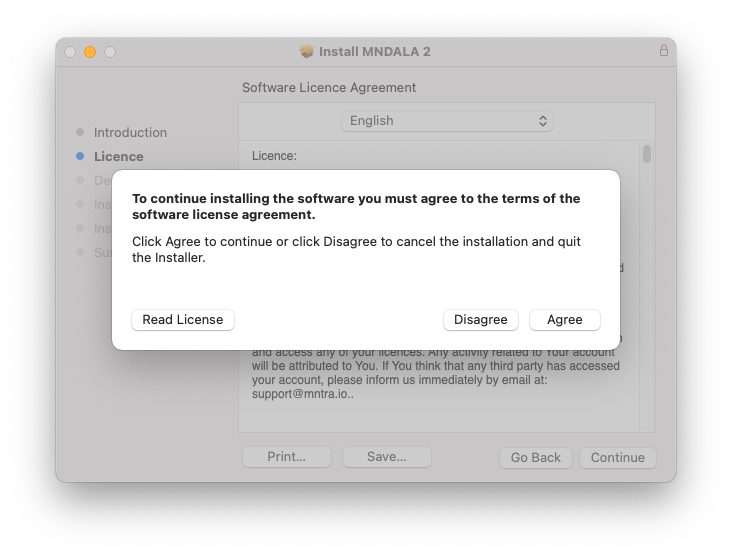
4. Click 'Agree'.

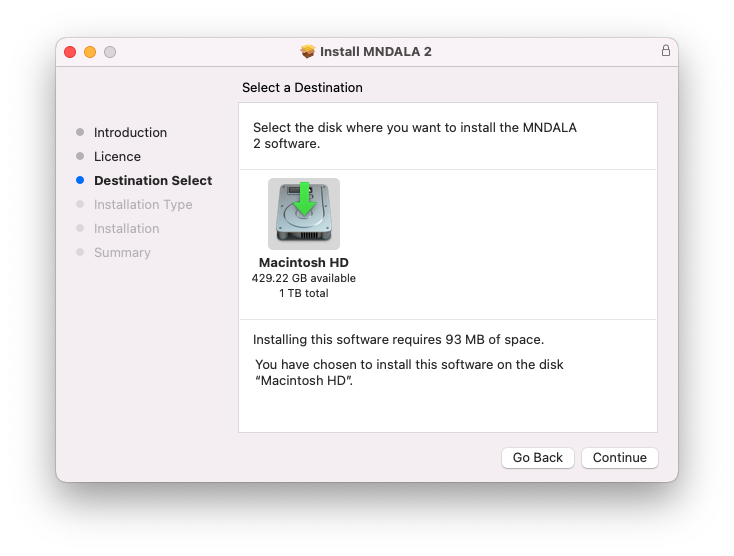
5. Click 'Continue'.

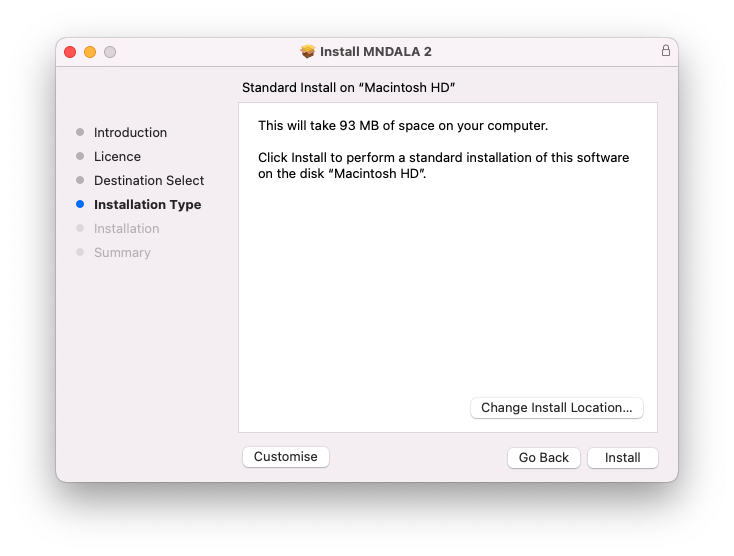
6. Click 'Install'.

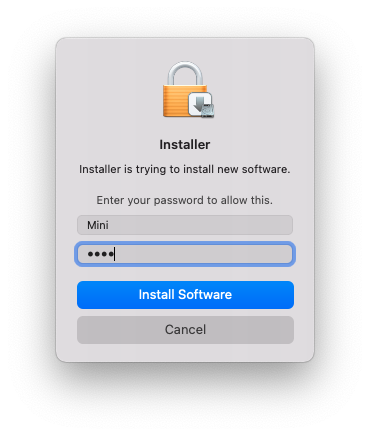
7. Click 'Install Software'.

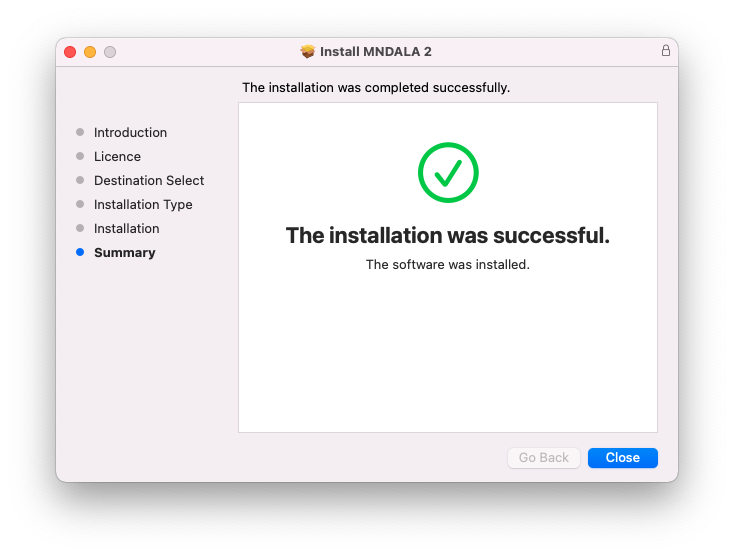
8. Click 'Close'.

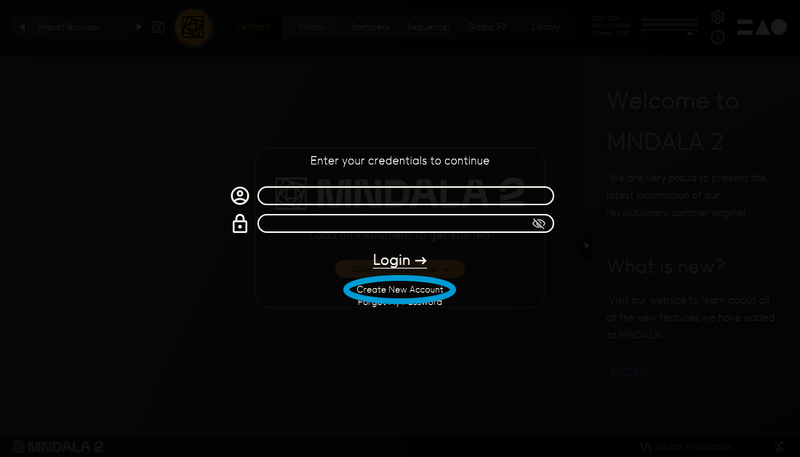
9. Launch your DAW > Insert MNDALA 2 on a new instrument track > Click 'Create New Account' (If you have an existing MNTRA Instruments log in and skip to step 15).

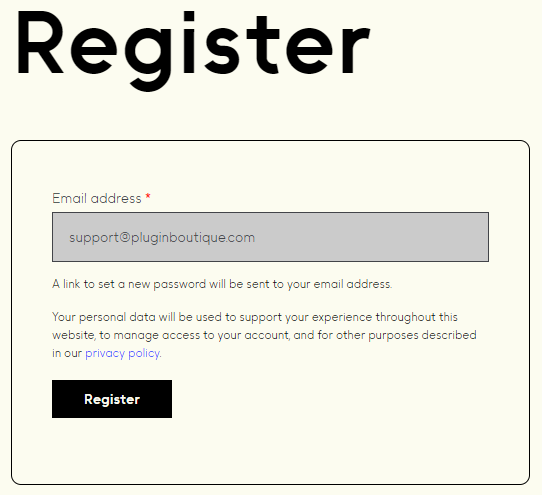
10. Enter your email address and click 'Register'.

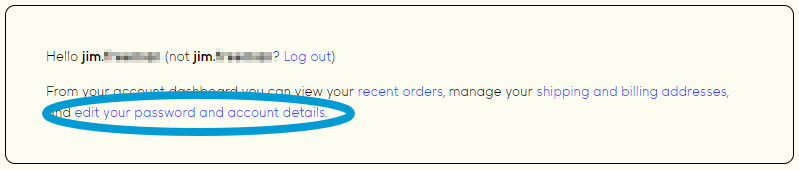
11. A MNTRA account has now been created > Click 'edit your password and account details' to create a password for your MNTRA account.

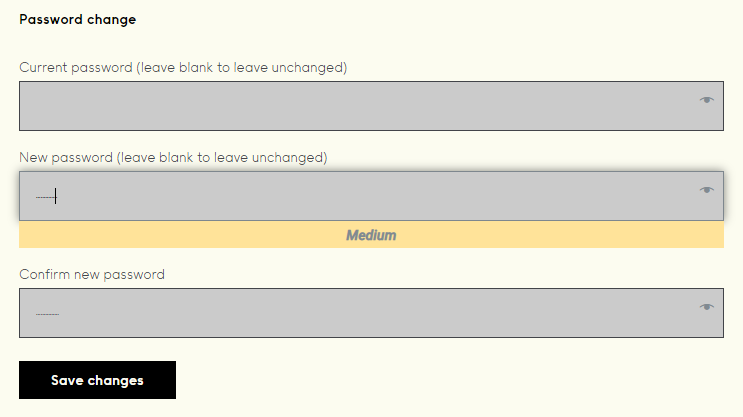
12. Enter your chosen password into the 'New password' box > Enter your password again into the 'Confirm new password' box > Click 'Save changes'.

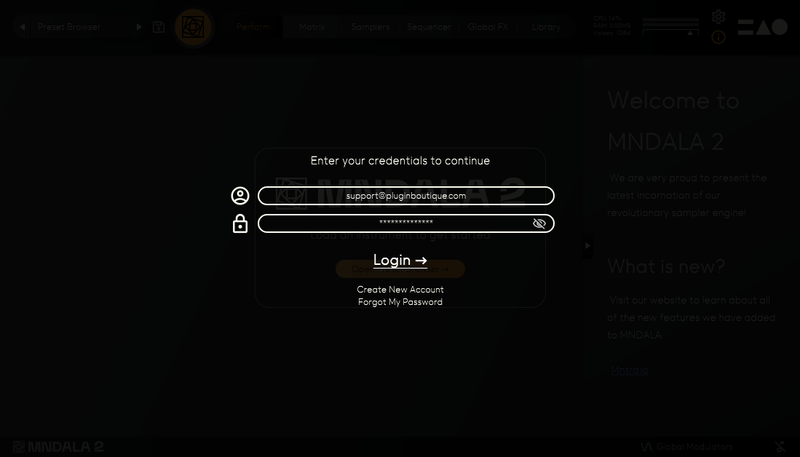
13. Enter your MNTRA account details > Click 'Login'.

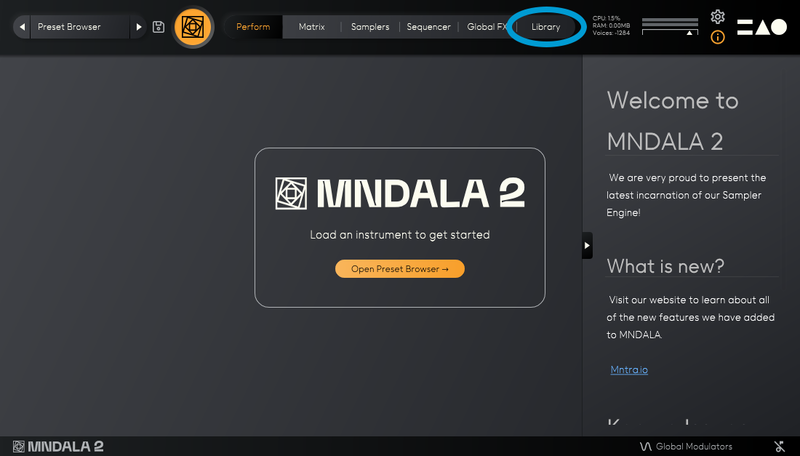
14. You are now logged into the MNDALA 2 Engine > Click 'Library' to continue to activate Huracan.

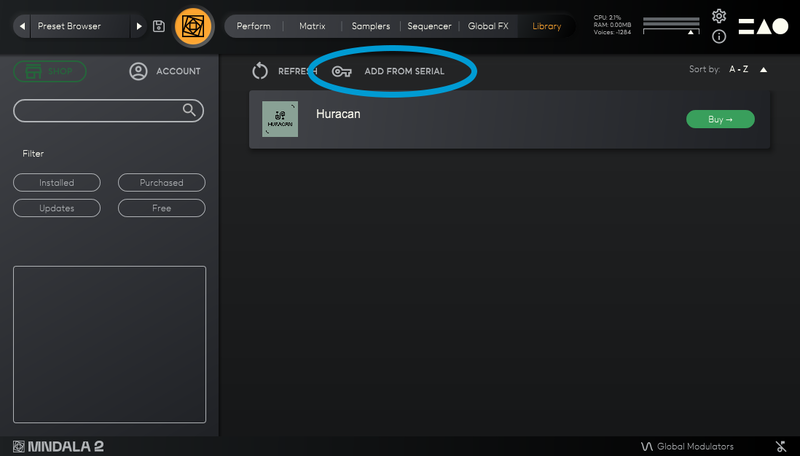
15. Click 'Add From Serial'.

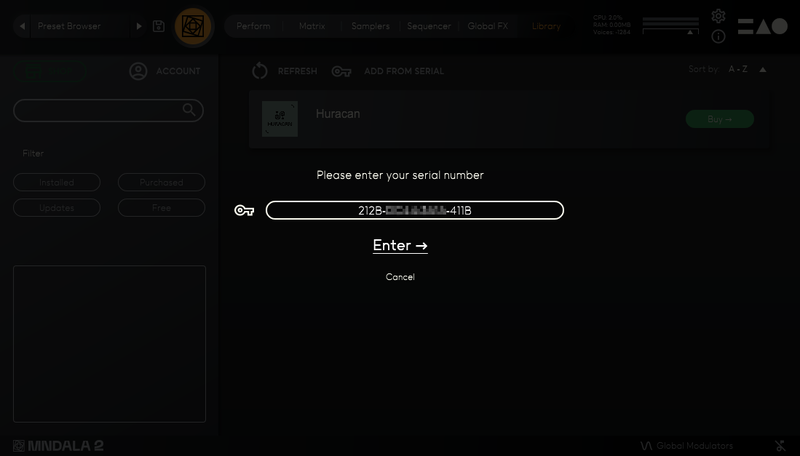
16. Enter your serial number found within your Plugin Boutique User Account > Click 'Enter'.

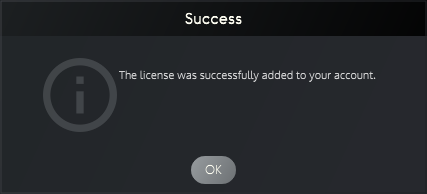
17. Click 'OK'.

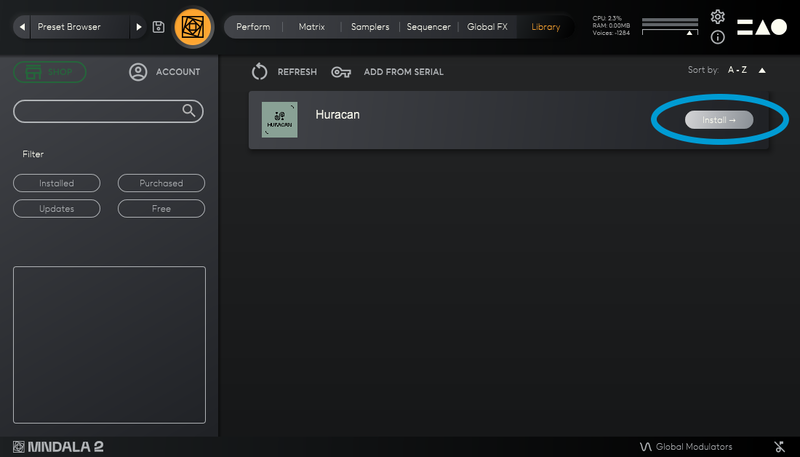
18. Click 'Install'.

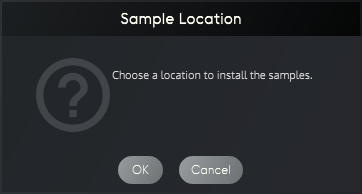
19. Click 'OK' > Choose a location to store the instruments samples.

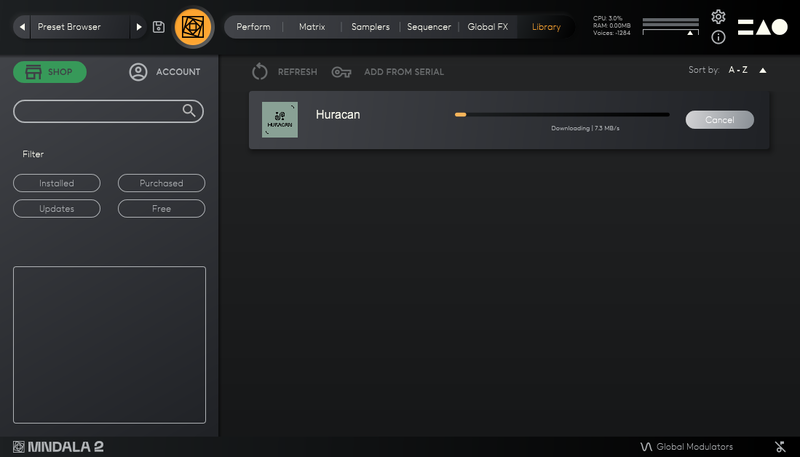
20. Huracan is now downloading (this may take a few minutes).

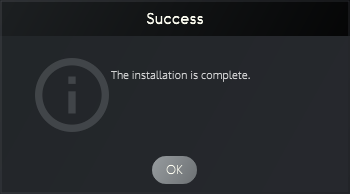
21. Click 'OK'.

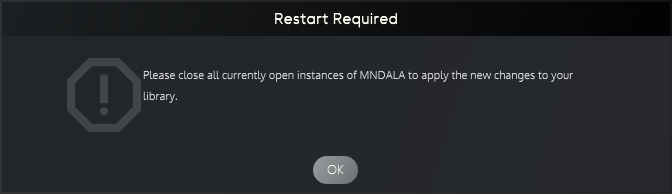
22. Click 'OK' > Close and relaunch your DAW.

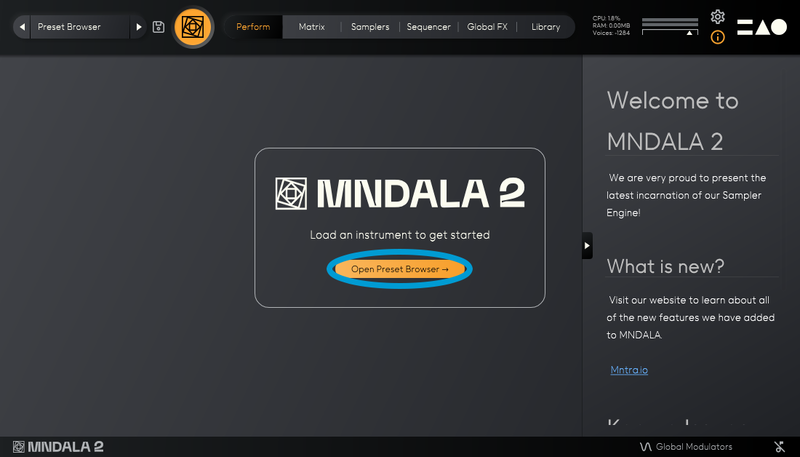
23. Insert MNDALA 2 on a new instrument track > Click 'Open Preset Browser'.

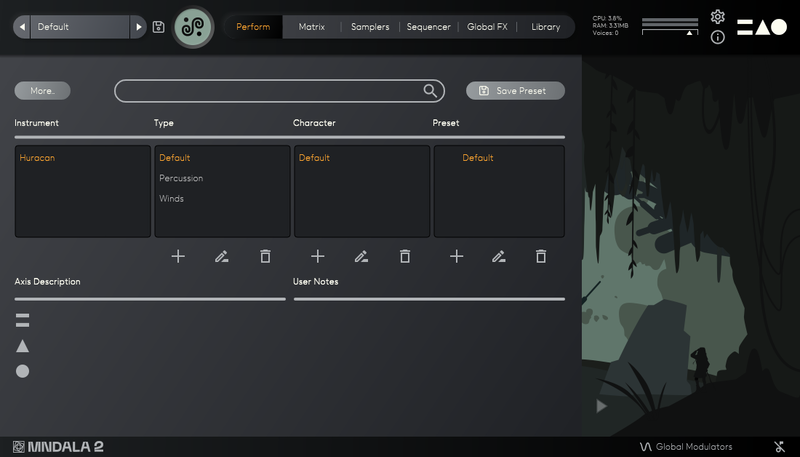
24. Select 'Huracan' then choose a preset.

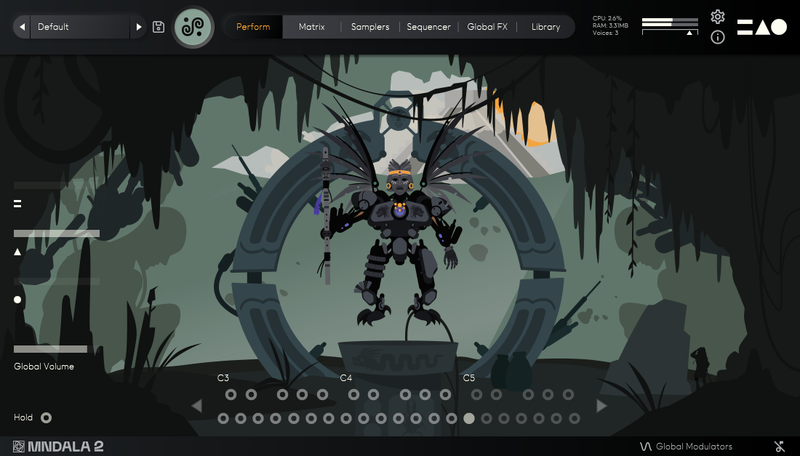
Huracan is now installed, activated, and ready to use.

Windows

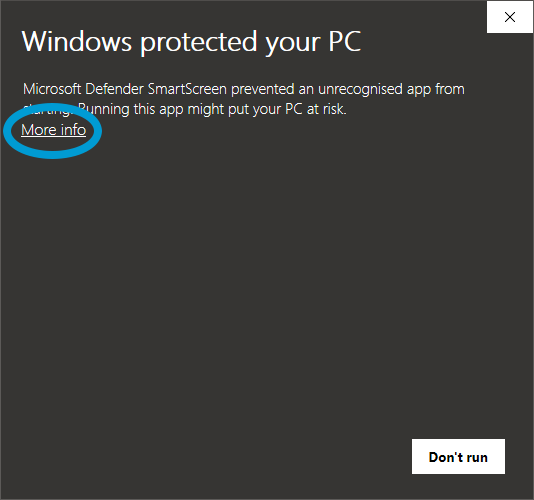
1. Download the MNDALA 2 Engine installer from your Plugin Boutique User Account > Extract the .zip archive > Launch the .exe installer.

2. Click 'More info'.

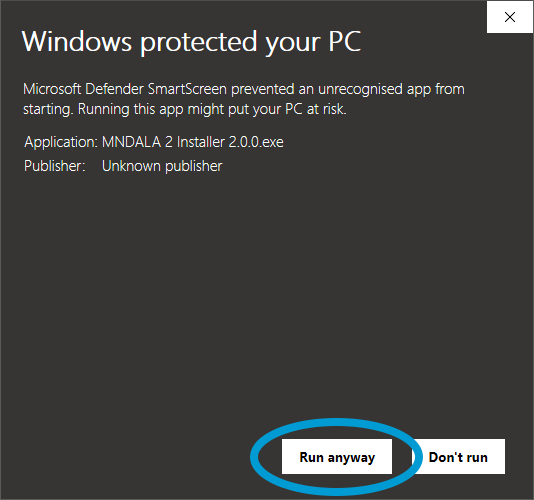
3. Click 'Run anyway'.

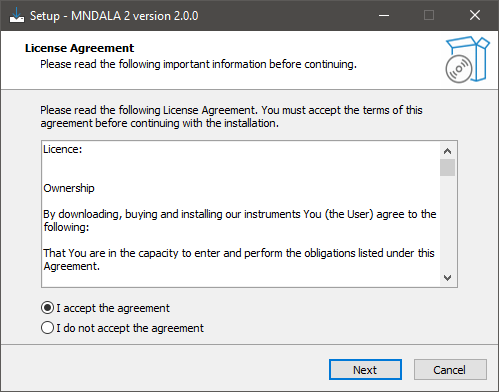
4. Accept the license agreement > Click 'Next'.

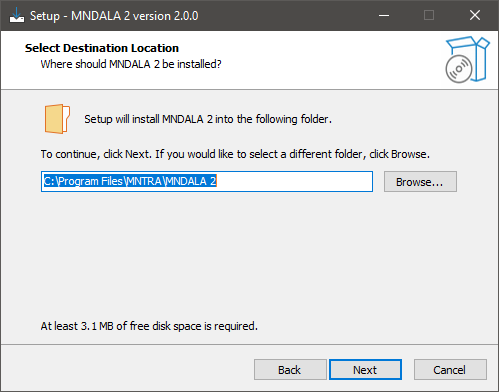
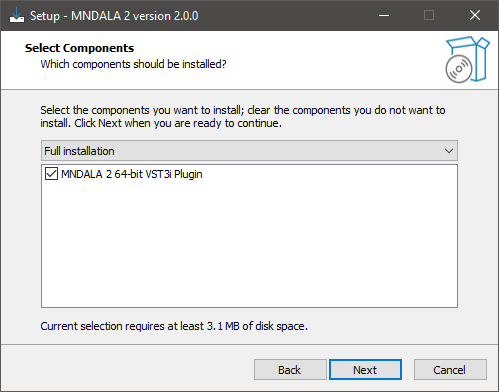
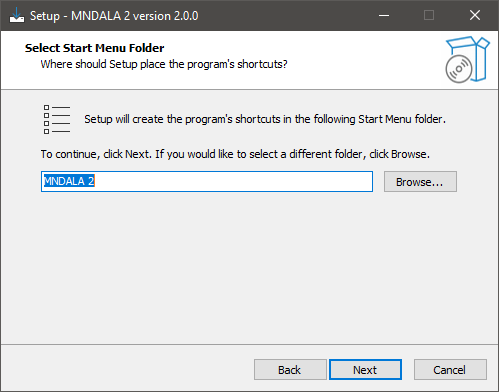
5. Click 'Next'.

6. Click 'Next'.

7. Click 'Next'.

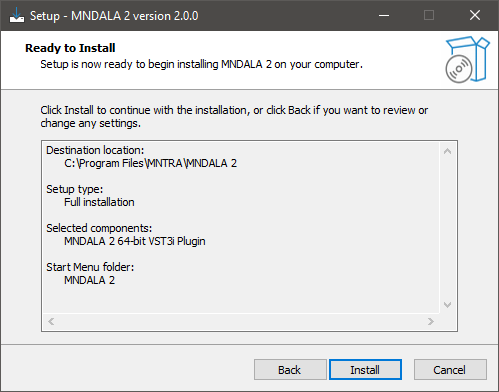
8. Click 'Install'.

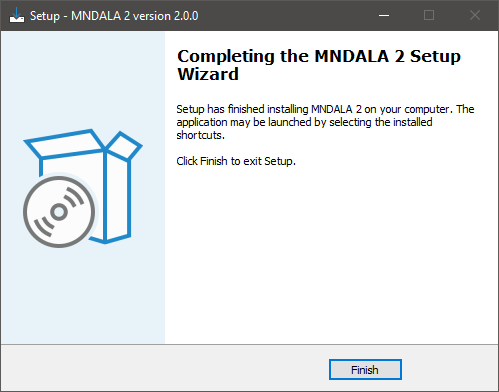
9. Click 'Finish'.

10. Launch your DAW > Insert MNDALA 2 on a new instrument track > Click 'Create New Account' (If you have an existing MNTRA Instruments log in and skip to step 15).

11. Enter your email address and click 'Register'.

12. A MNTRA account has now been created > Click 'edit your password and account details' to create a password for your MNTRA account.

13. Enter your chosen password into the 'New password' box > Enter your password again into the 'Confirm new password' box > Click 'Save changes'.

14. Enter your MNTRA account details > Click 'Login'.

15. You are now logged into the MNDALA 2 Engine > Click 'Library' to continue to activate Huracan.

16. Click 'Add From Serial'.

17. Enter your serial number found within your Plugin Boutique User Account > Click 'Enter'.

18. Click 'OK'.

19. Click 'Install'.

20. Click 'OK' > Choose a location to store the instruments samples.

21. Huracan is now downloading (this may take a few minutes).

22. Click 'OK'.

23. Click 'OK' > Close and relaunch your DAW.

24. Insert MNDALA 2 on a new instrument track > Click 'Open Preset Browser'.

25. Select 'Huracan' then choose a preset.

Huracan is now installed, activated, and ready to use.

Plugin Boutique Rewards

Discover the most rewarding loyalty programme among all plugin retailers.

  • Free Loopmasters Samplepacks
  • Discounts on products and courses
  • Extra Virtual Cash claimed immediately at checkout
Find out more

Follow us:

X (Twitter) Facebook YouTube Instagram
Logo Logo

Plugin Boutique Limited, Part of the Beatport Group LLC.

Copyright © 2011-2025 Plugin Boutique. All rights reserved