Iamlamprey

Portal

4.4 (22 Reviews)
$10.00
Iamlamprey Portal
Iamlamprey Portal
Iamlamprey Machine Tribes
Iamlamprey Portal - Video Demo gallery thumbnail
Buy Now
Product information

Portal is a versatile loop-based library containing rhythmic tempo-synced synth loops, otherwise known as "Auras". These special melodic samples are designed to create space and movement to a track and are great for adding a splash of colour to an otherwise stale or dry arrangement.

It contains 16 Major and 16 Minor chord loops, with each key containing a muted or low-velocity variant (plays single-notes instead of full chords). The custom transposition keys allow users to change the pitch of the chords on the fly, allowing access to major and minor chords all tempo-synced to your host workstation.

Features

  • 32 Minor Auras (16 open and 16 muted)
  • 32 Major Auras (16 open and 16 muted)
  • Tempo-Synced to host software.
  • Transposition script to re-pitch any chord.
  • Professionally produced and processed samples.
  • Playback controls to halve or double playback rate.
  • Built-in Filter, Width, Delay, Reverb, Trash, Crush and Phase FX.
  • Fully automatable interface.

System Requirements

  • Full Version of Kontakt 5.8 or later is required
  • Third-Party Amp Simulation Software.
  • 4 GB of RAM (8 GB Recommended)
  • Stable internet connection (for download).
  • 200 MB HDD Space

Please Note: Please ensure you have the FULL version of Kontakt as this product will not work within the FREE Kontakt Player.

Installation Instructions

Important Notes:

  • This software requires the Full Version of Native Instruments Kontakt to be installed on your system.
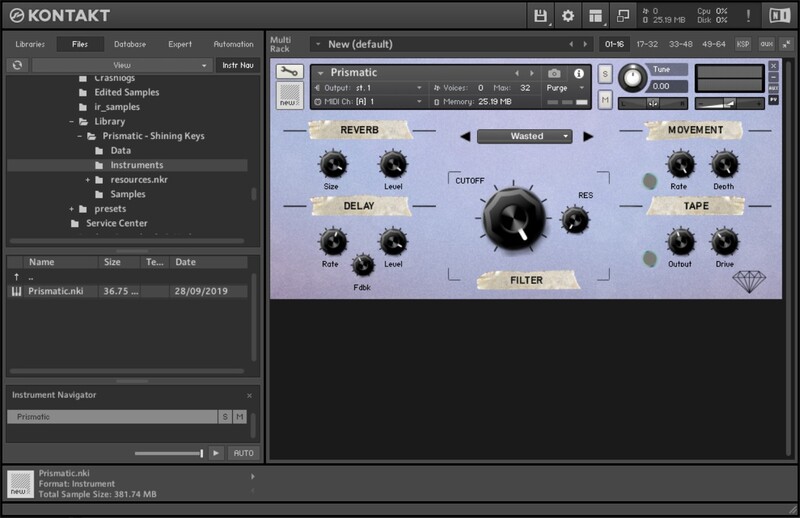
  • Prismatic is used as an example.

Kontakt Installation (for Mac & Windows formats)

1. Download the Kontakt Instrument from within your Plugin Boutique User Account. (Be sure to remember the download location as you will need this when locating your Kontakt Library in Step 3).

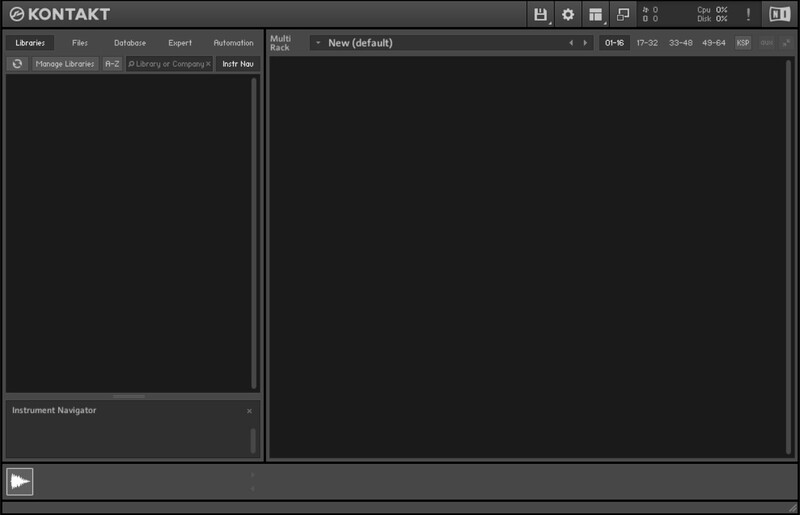
2. Open Kontakt, either as a standalone application or as a plugin within your DAW.

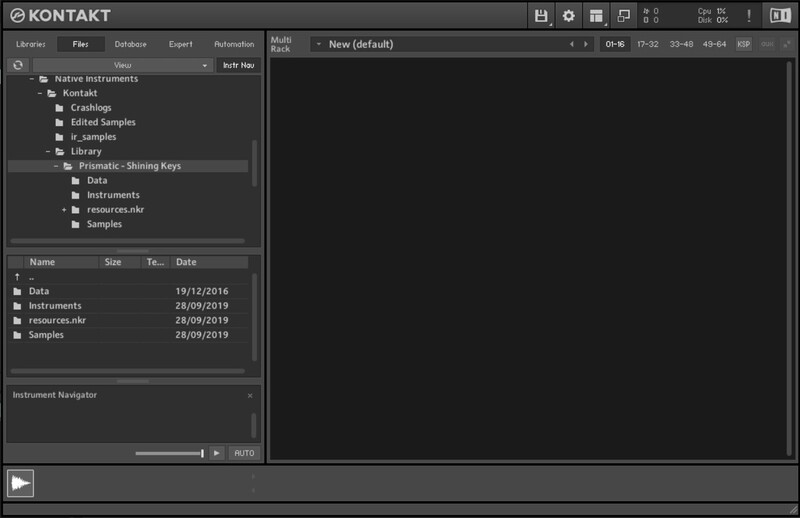
3. Click the 'Files' tab in the top left corner of the Kontakt window > Navigate to the location of your downloaded Kontakt Library.

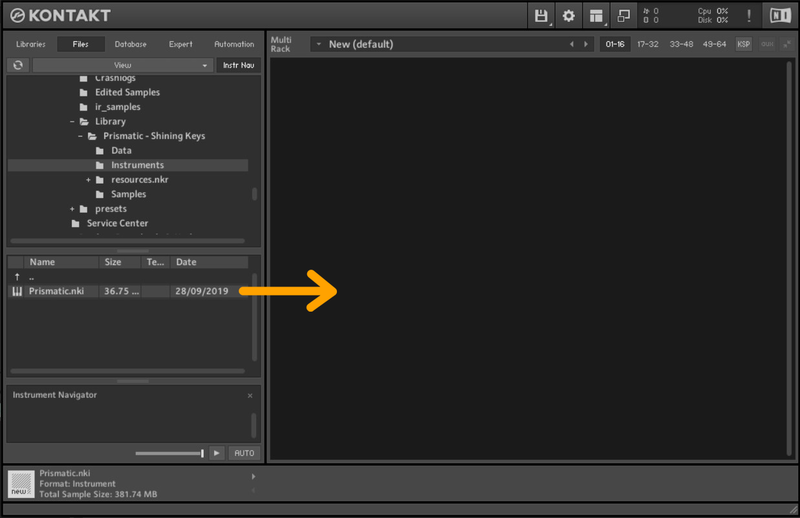
4. Click 'Samples' and drag the .nki file from the left-hand window of Kontakt into the main window of Kontakt.

Your software is now installed and ready to use.

Bundle & Save

Designer Bundle
$140.00

Plugin Boutique Rewards

Discover the most rewarding loyalty programme among all plugin retailers.

  • Free Loopmasters Samplepacks
  • Discounts on products and courses
  • Extra Virtual Cash claimed immediately at checkout
Find out more

Follow us:

X (Twitter) Facebook YouTube Instagram
Logo Logo

Plugin Boutique Limited, Part of the Beatport Group LLC.

Copyright © 2011-2025 Plugin Boutique. All rights reserved