/ Sequencer / HY-SEQ32
HY-Plugins

HY-SEQ32

4.8 (118 Reviews)
$50.00
HY-SEQ32 - Main GUI
HY-SEQ32 - Main GUI
HY-SEQ32 - Pitch Sequencing gallery thumbnail
HY-SEQ32 - Parameter Sequencing gallery thumbnail
HY-SEQ32 - Chords FX gallery thumbnail
HY-SEQ32 - MIDI Recording gallery thumbnail
HY-SEQ32 - GUI 2
HY-SEQ32 - GUI 3
Buy Now
Product information

32 Step Sequencer

HY-SEQ32 is a 32 step sequencer inspired by analogue sequencers. It can create constantly changing patterns with the help of the fully-featured parameter modulators. There are 5 sequencer modules available (Pitch SEQ, Param SEQ, CC SEQ, CC Rack and Oct/Tp SEQ). Each sequencer/rack unit has 8 dedicated modulation controls for in-depth tweakability.

Features

  • 5 modules available (Pitch SEQ, Param SEQ, CC SEQ, Oct/Tp SEQ and CC Rack)
  • 8 dedicated modulation controls per unit
  • Drag & drop modulation assignment
  • 8 Macro knobs
  • 8 snapshots per unit
  • Pattern sequencer for chaining unit snapshots
  • Chord and Scale FX 
  • 5-track MIDI Recorder
  • Resizable interface

System Requirements

Mac

  • macOS 10.12 or higher (Intel / M1 Apple Silicon supported (64-bit only)
  • VST2, VST3, AUv3

Windows

  • Windows 7 or higher (32 / 64-bit)
  • VST2, VST3

Important Notes:

  • AUv3 is for Logic Pro users only
  • This product doesn't work with GarageBand or Reason
Installation Instructions
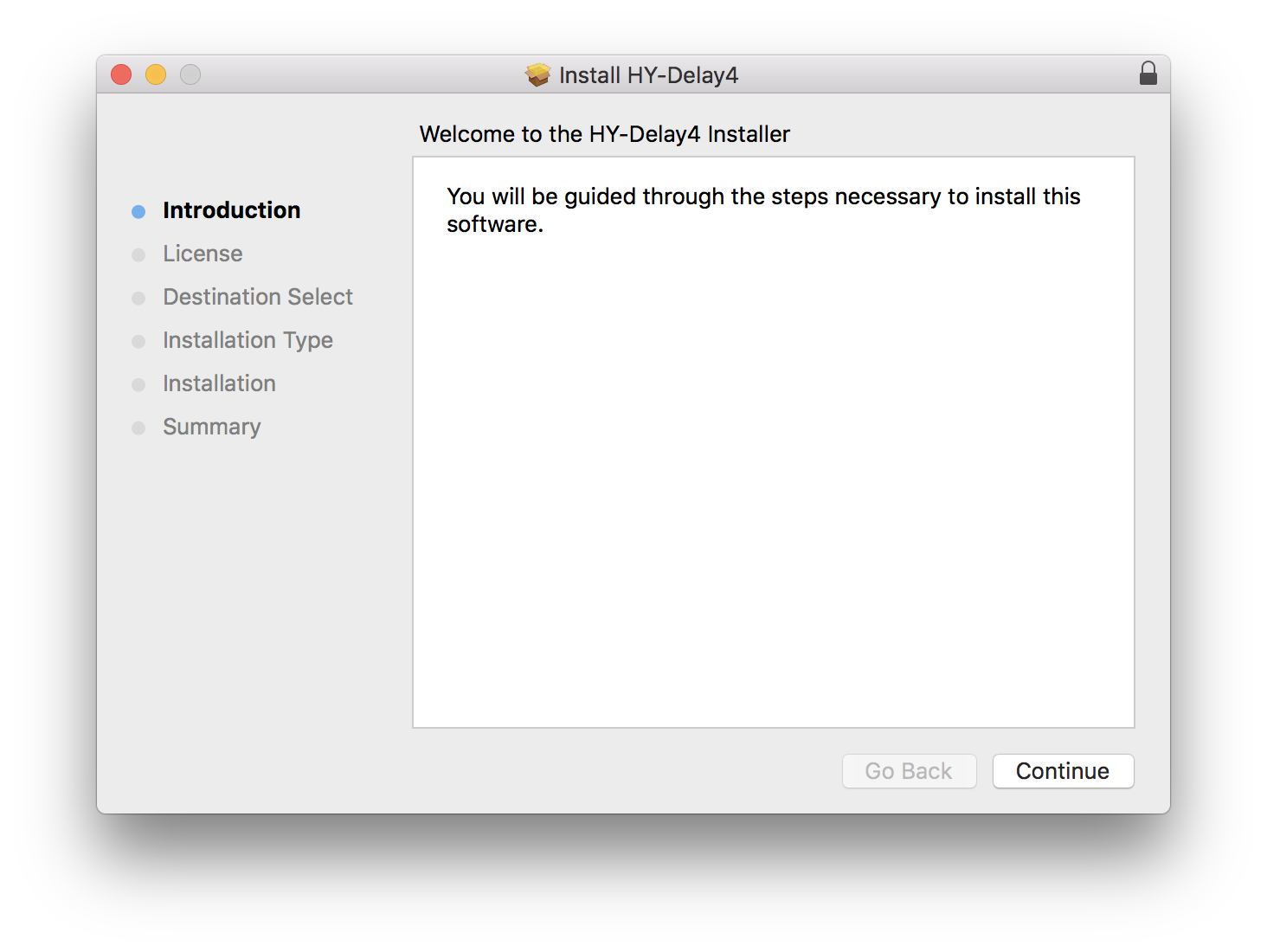
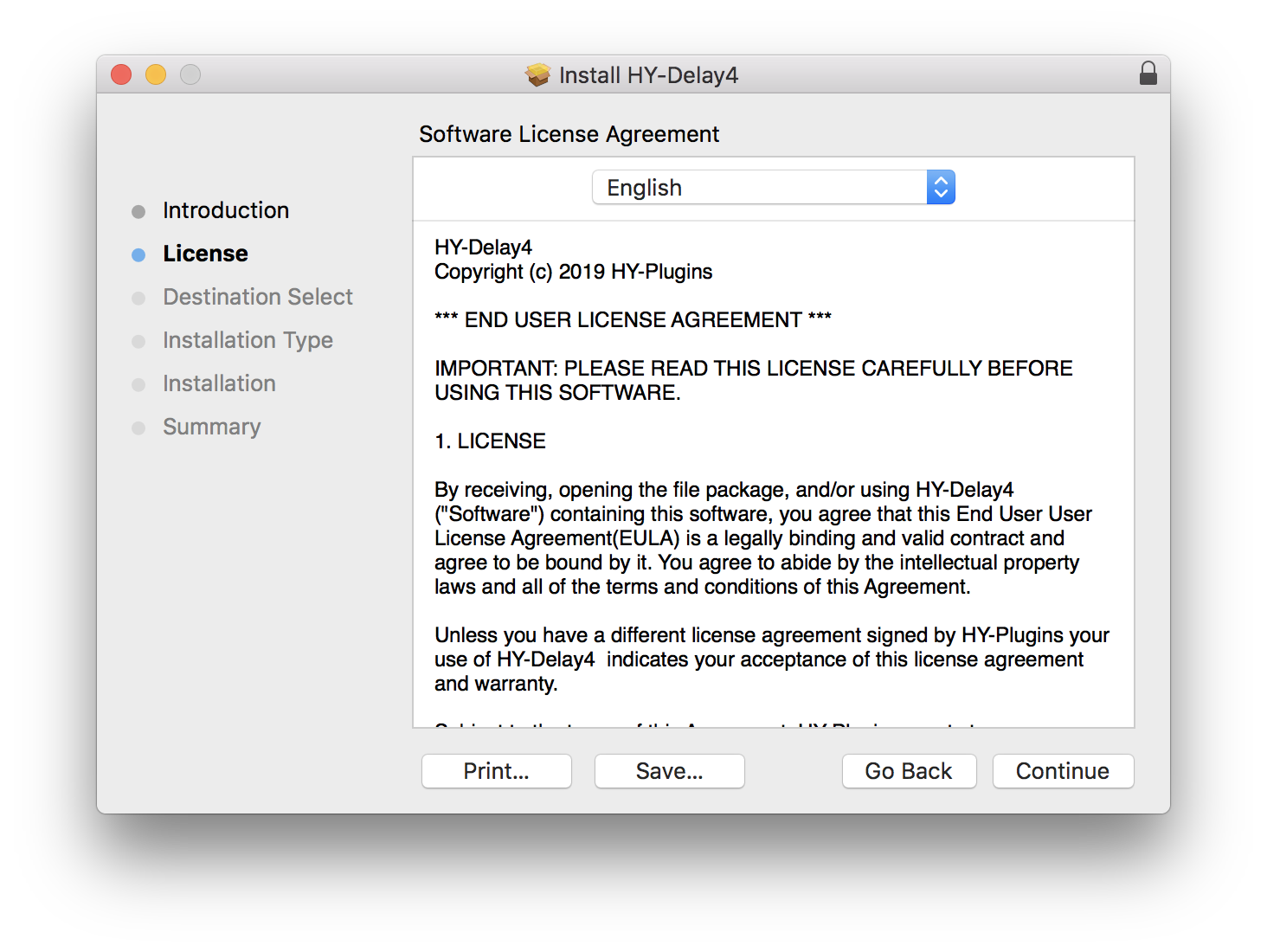
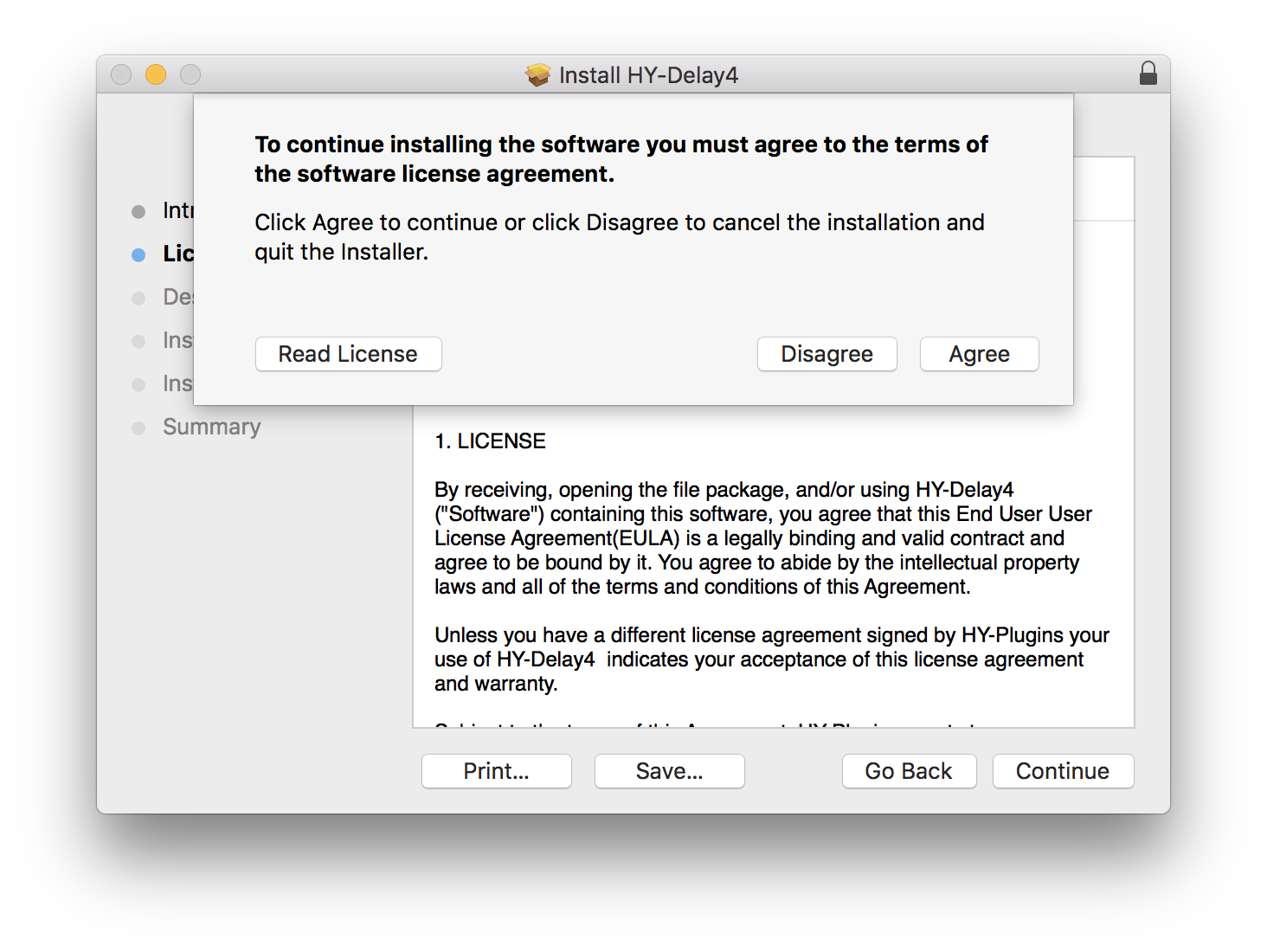
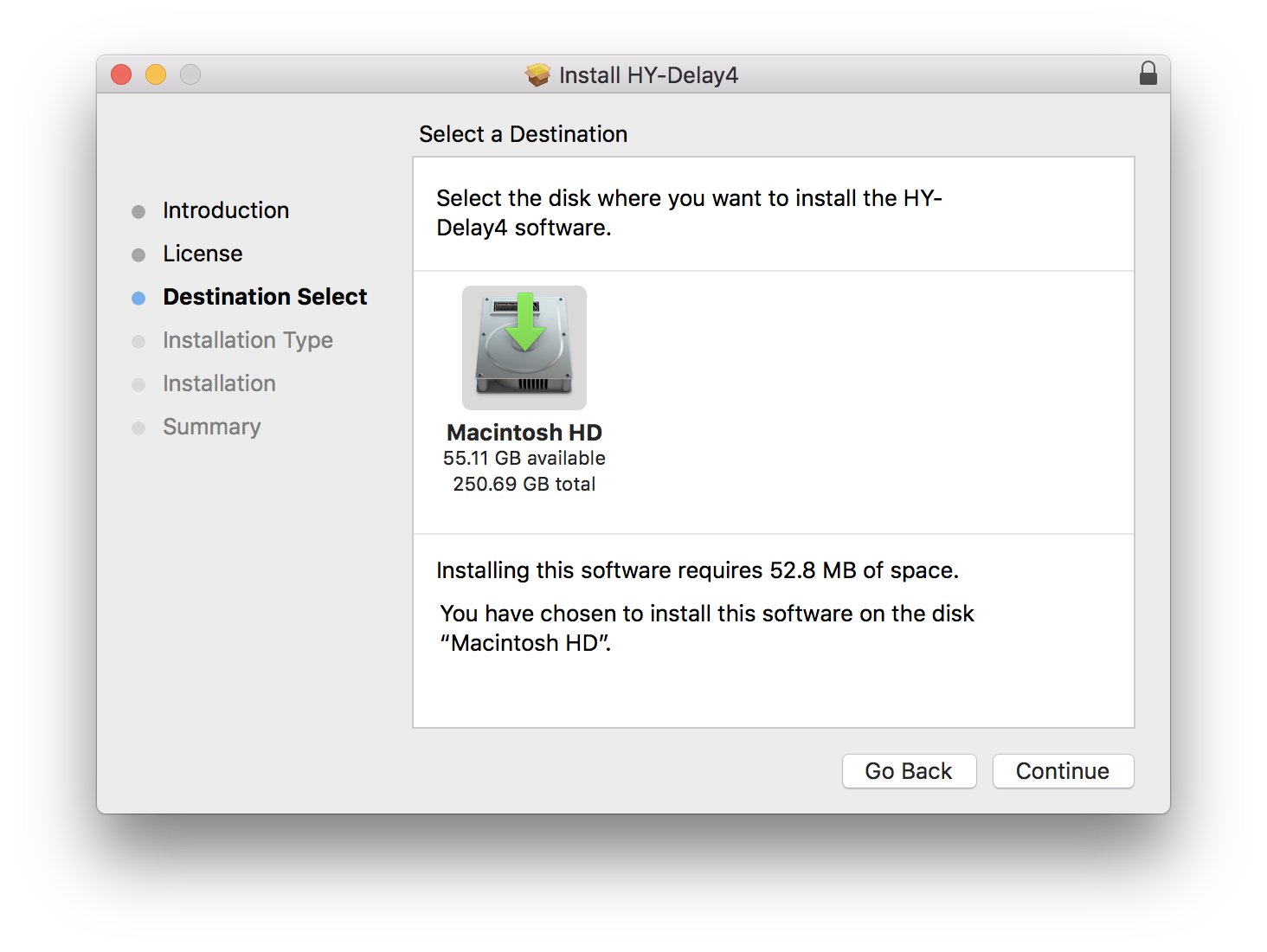
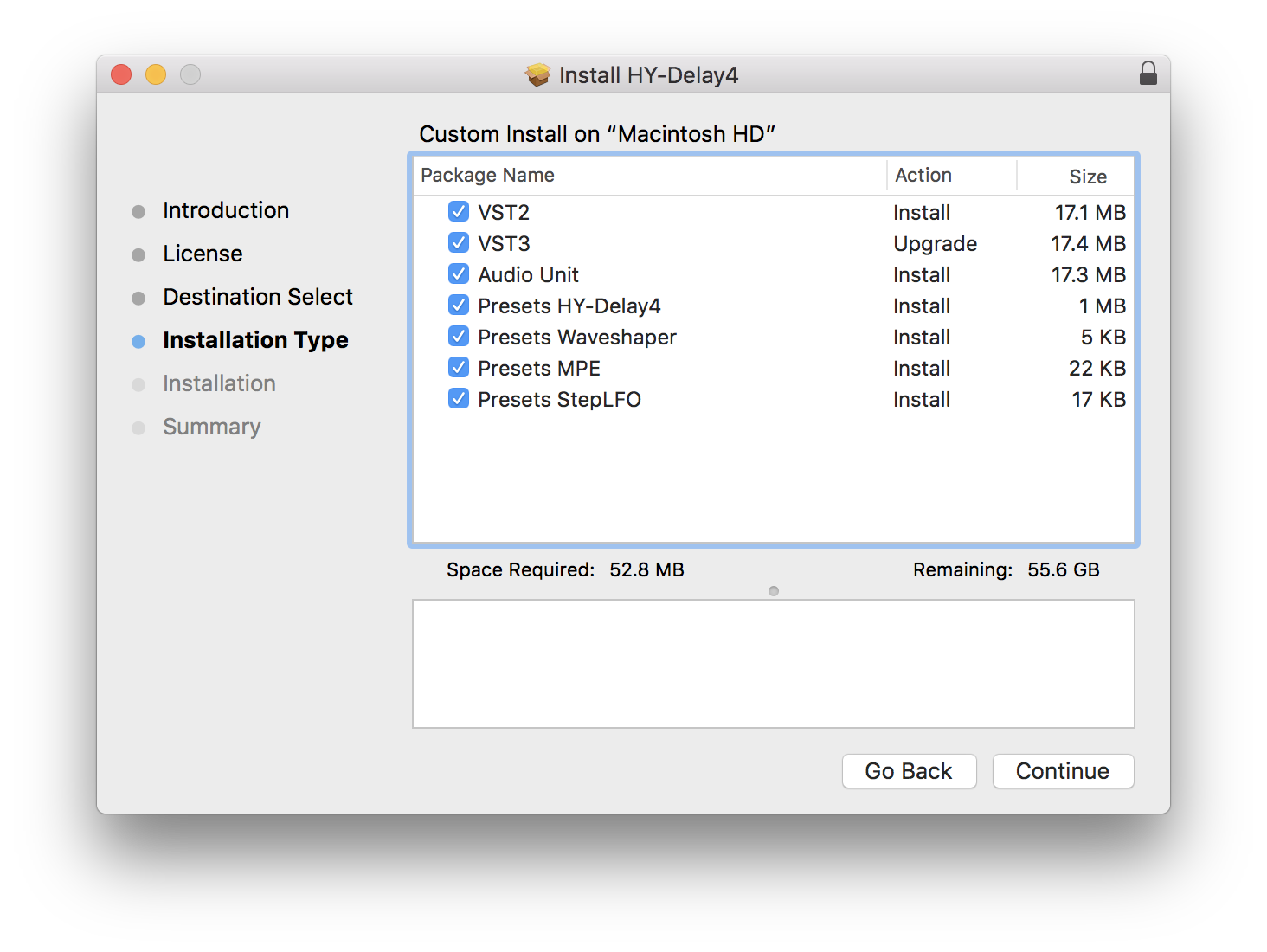
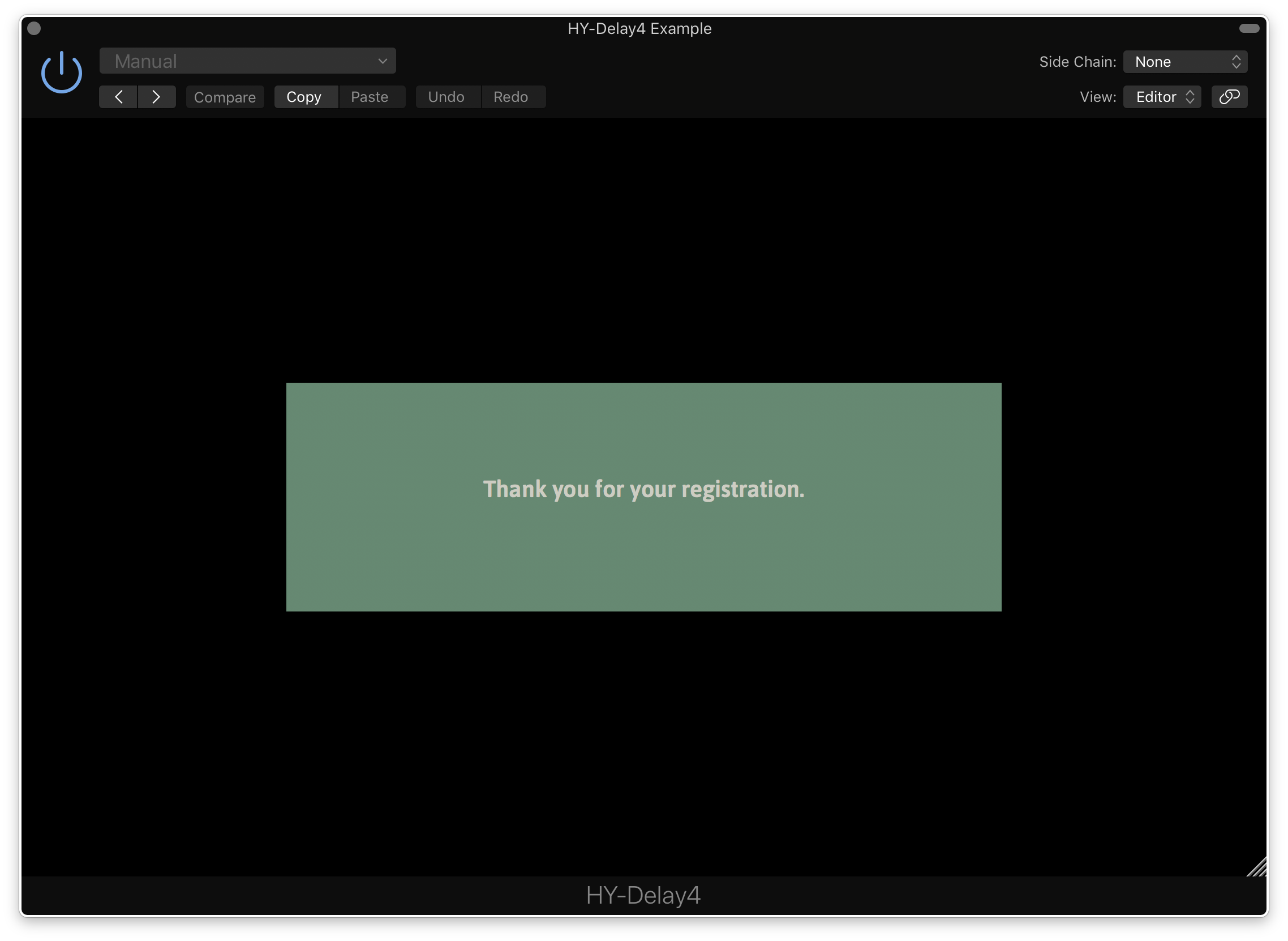
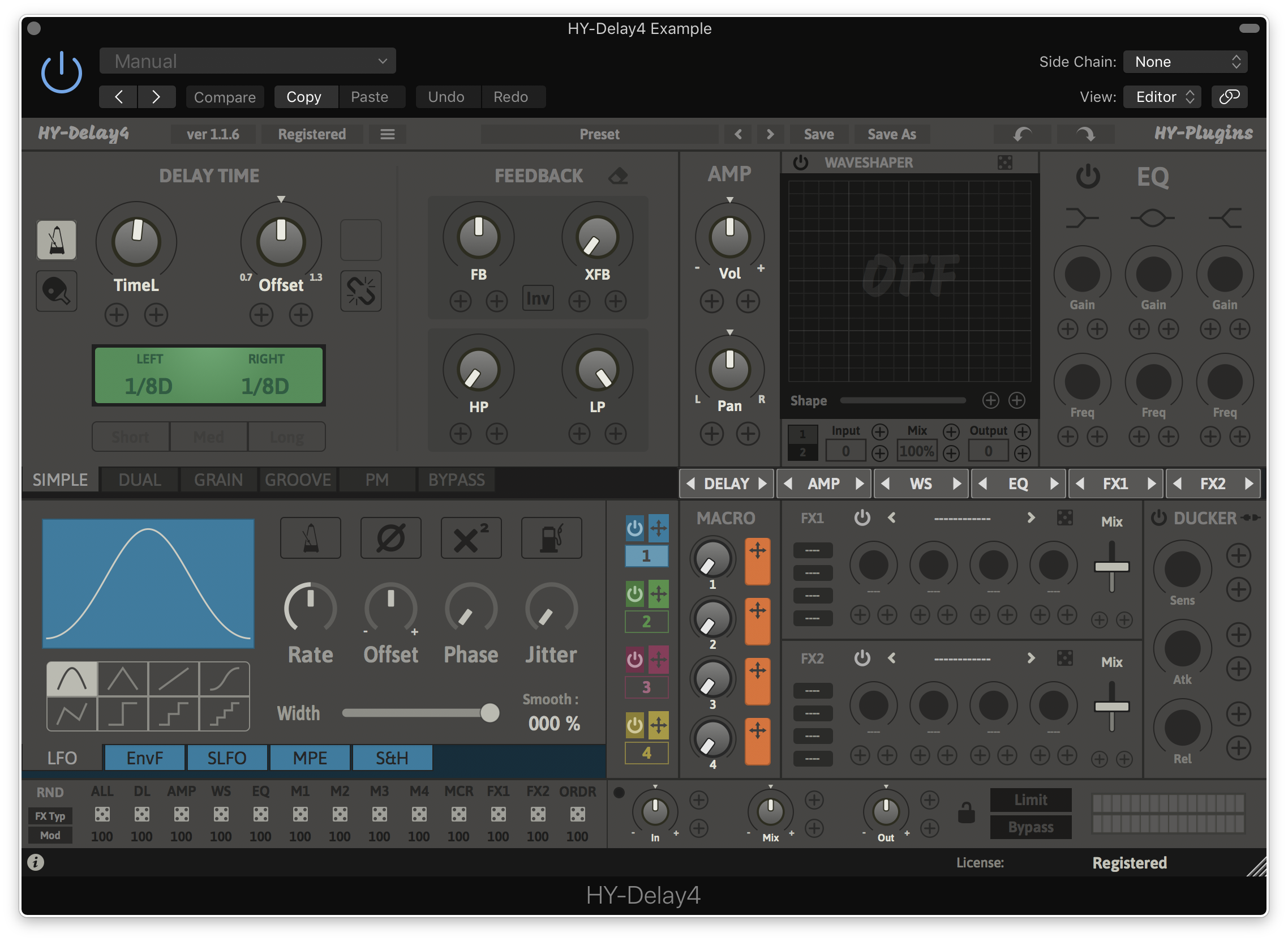
Note: HY-Delay4 is used as an example.

Mac

Installation

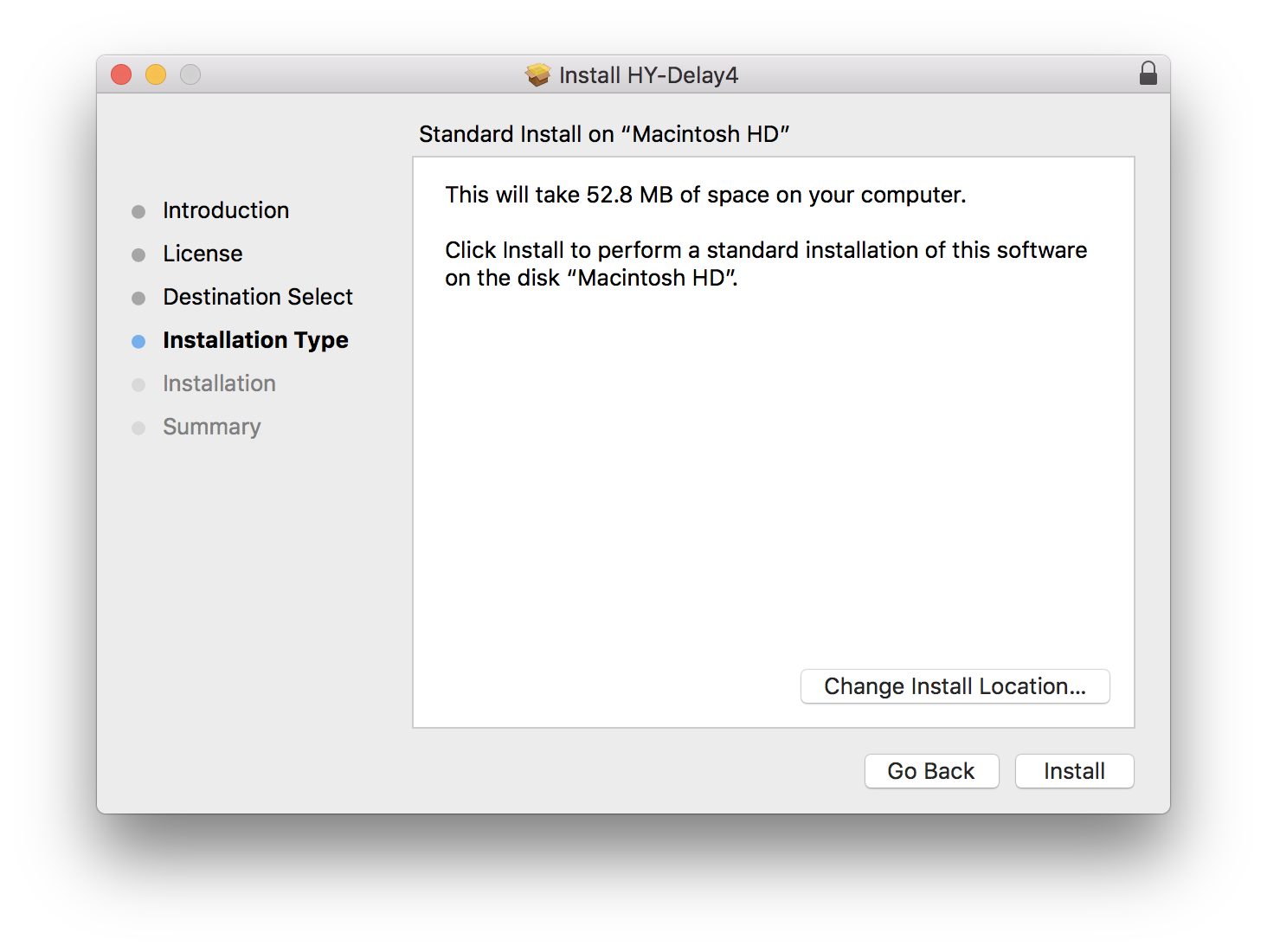
1.  Download the .zip folder from your Plugin Boutique User Account and double-click it to extract the .dmg file.

2. Double-click the .pkg file to begin the installation process.

3. Click 'Continue'.

4. Read the License Agreement and click ‘Continue’.

5. Click 'Agree'.

6. Select the disk you want to install HY-Delay4 on, then click 'Continue'.

7. Choose which packages to install, then click 'Continue'.

8. Click 'Install'.

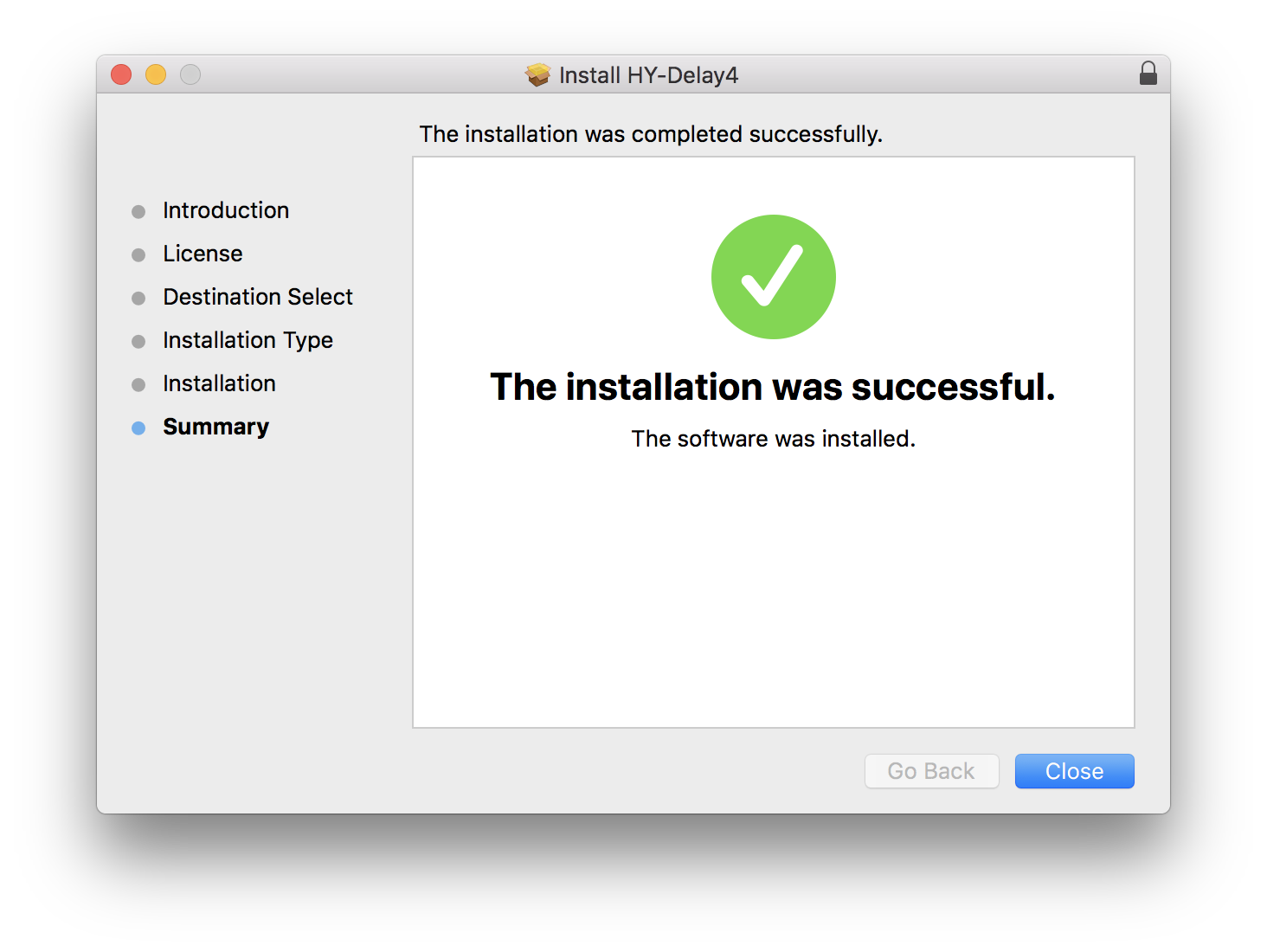
9. Click 'Close'

Activation

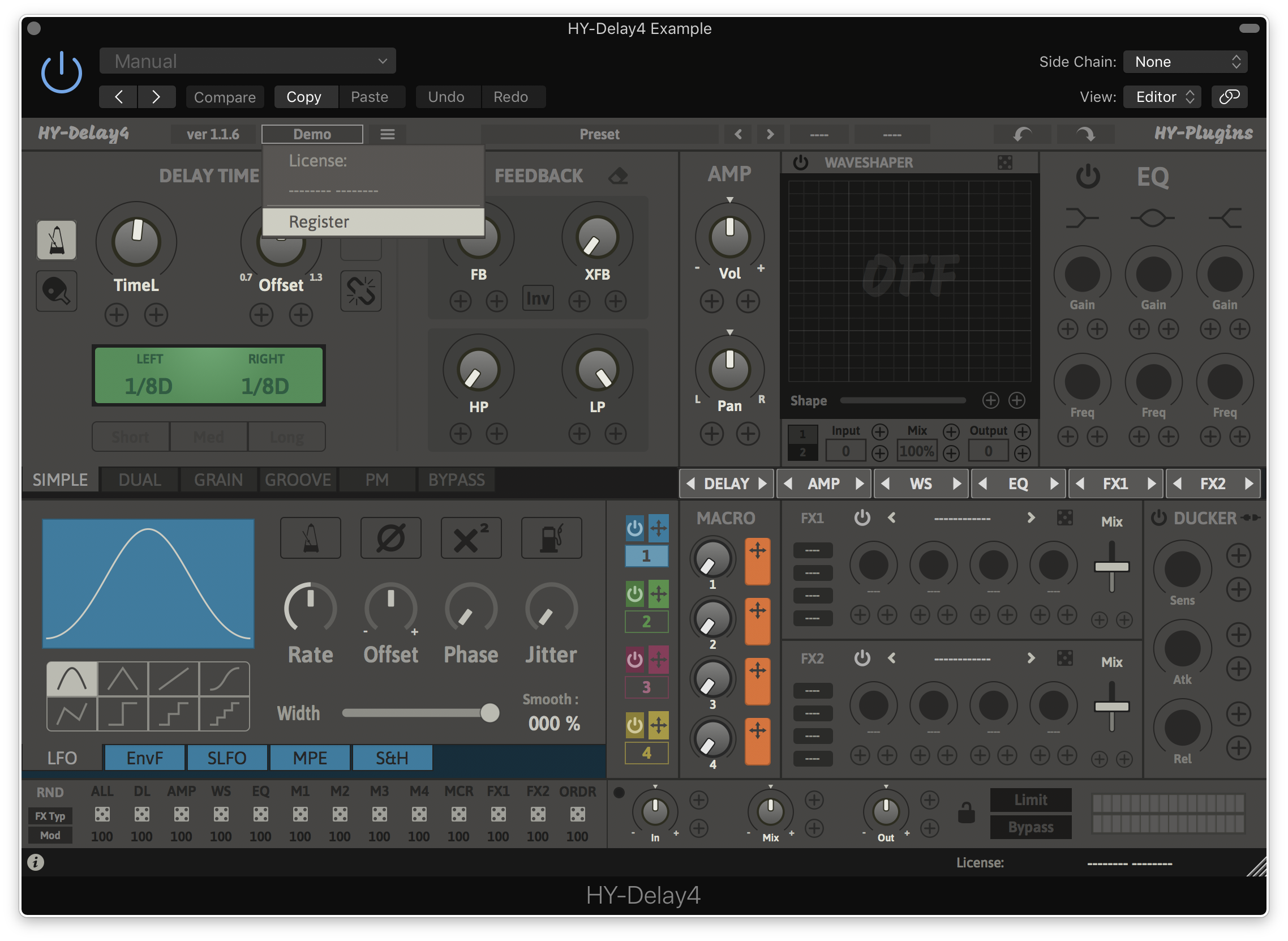
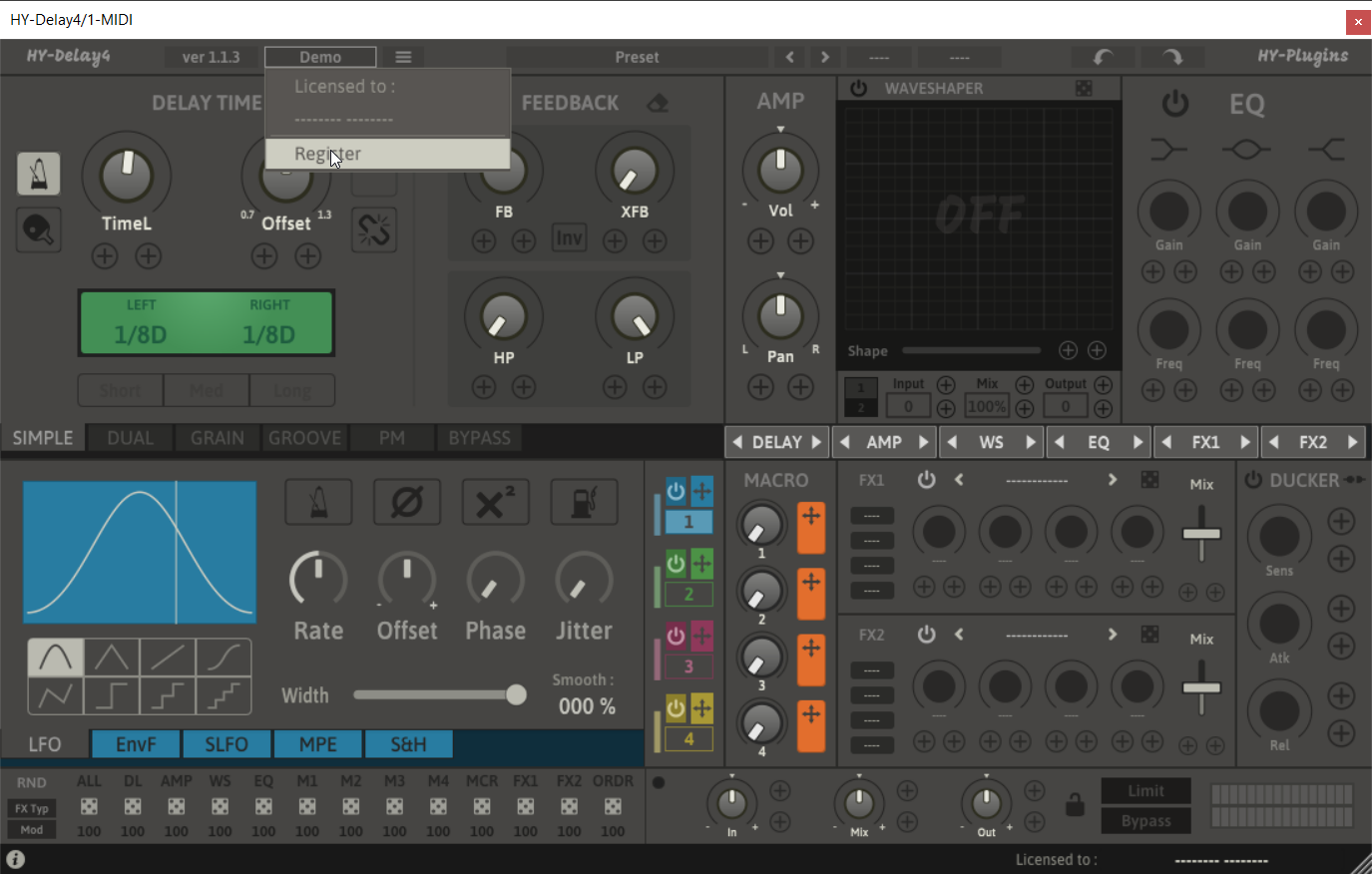
1. Open HY-Delay4 in your DAW > Click the 'Demo' dropdown and then click 'Register'.

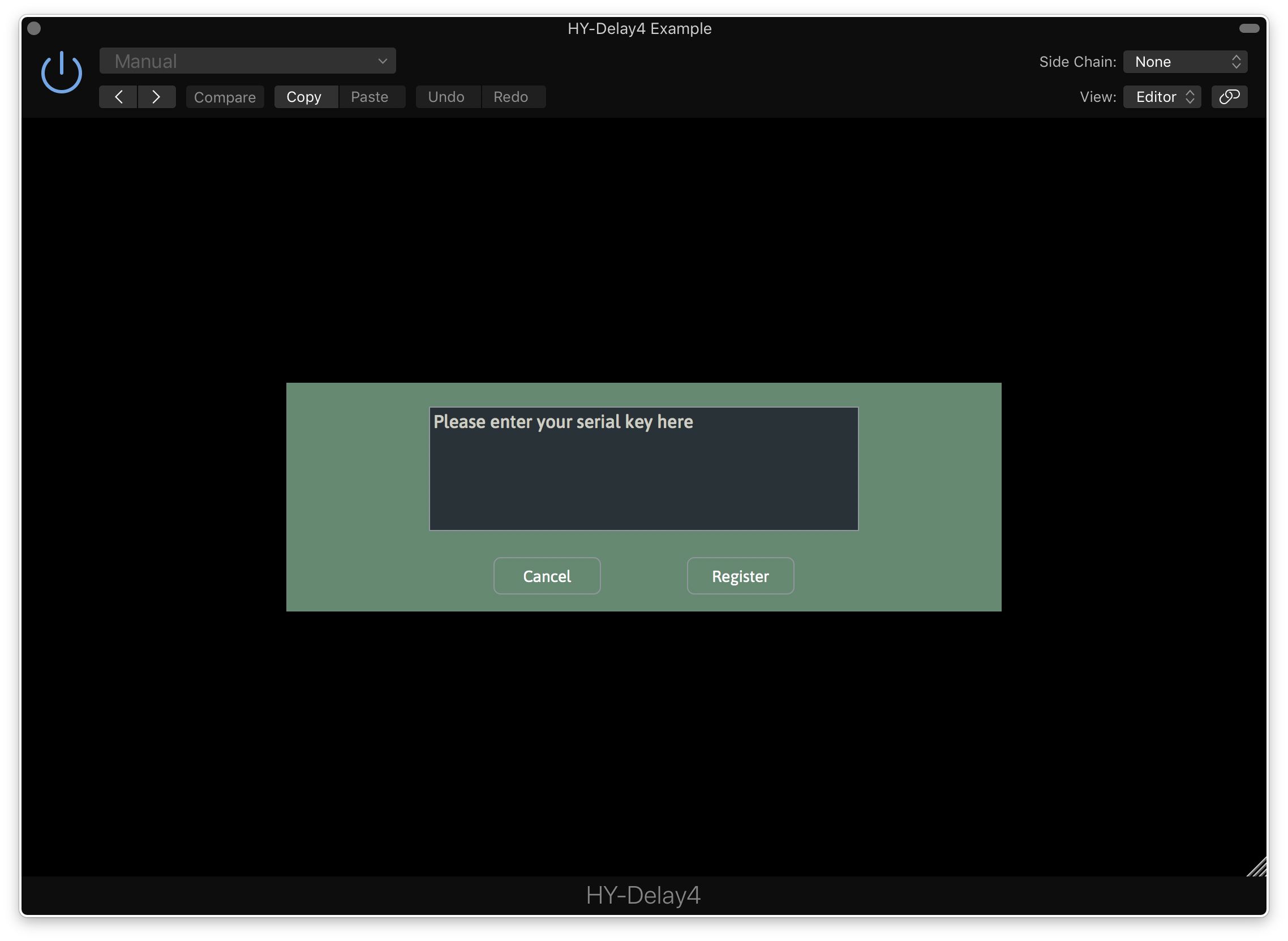
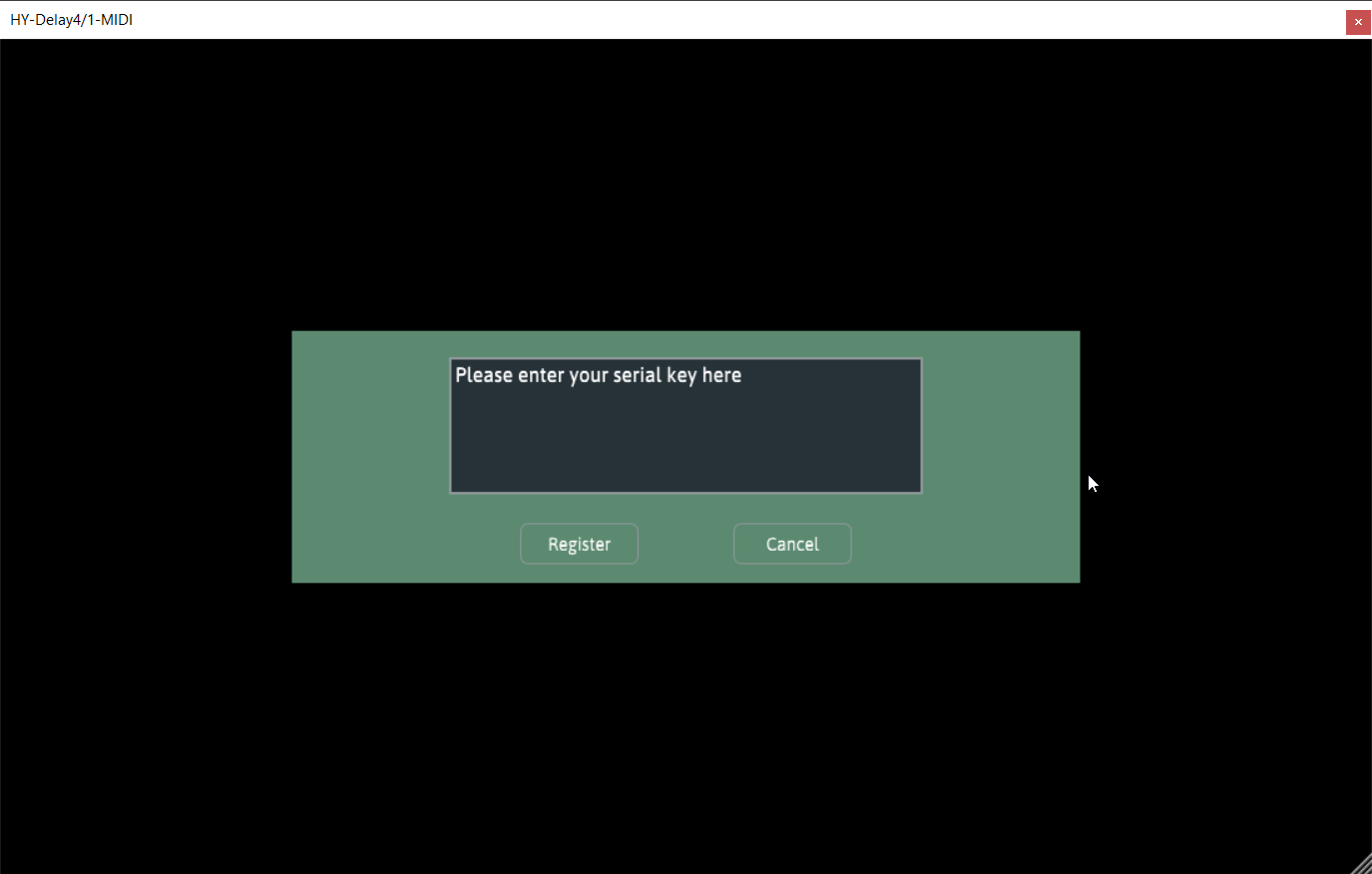
2. Enter your serial from your Plugin Boutique User Account > Click 'Register'.

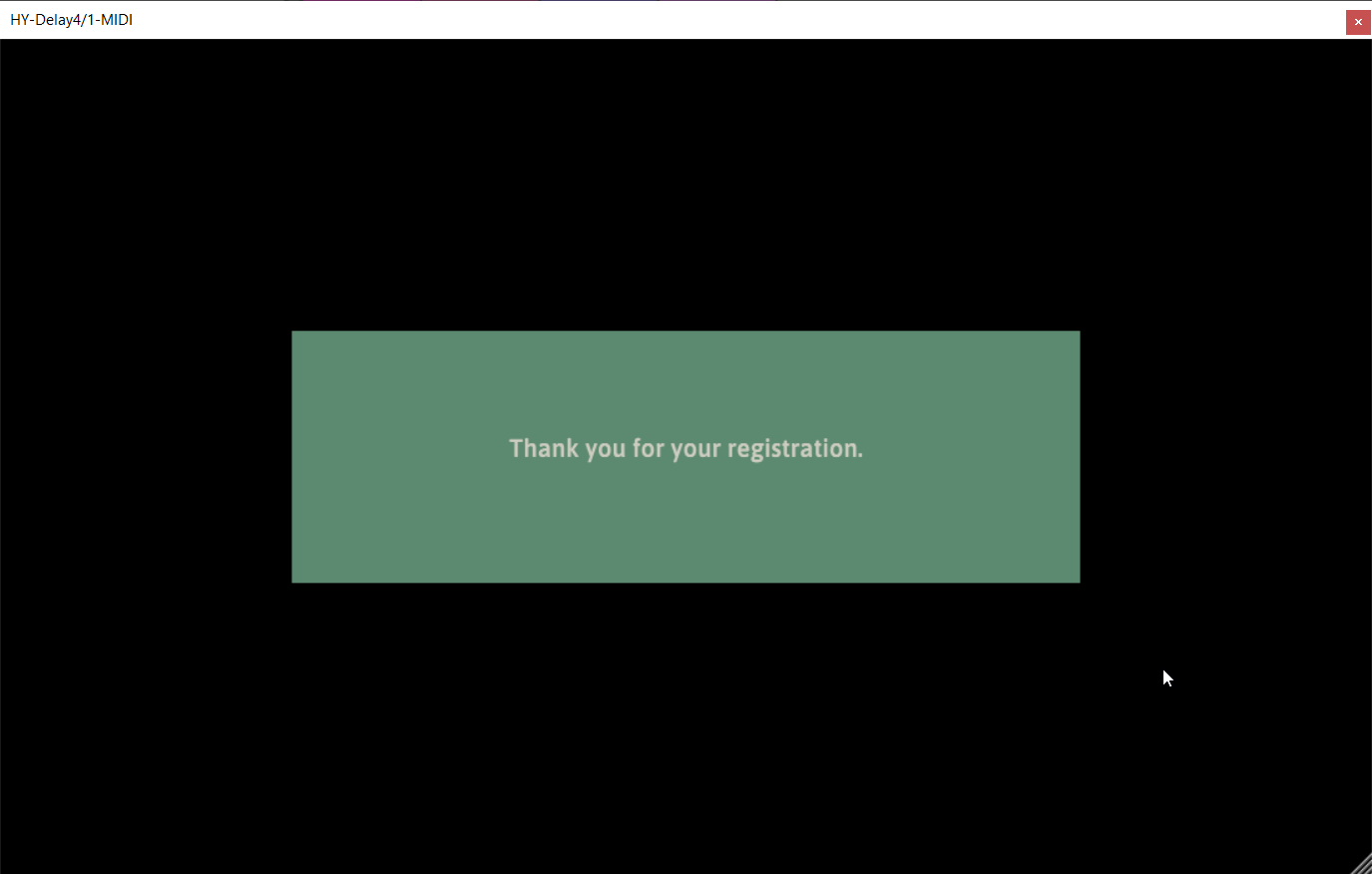
3. Your serial will have now been registered.

Your software is now activated and ready for use in your DAW.

Windows

Installation

1.  Download the .zip folder from your Plugin Boutique User Account and double-click it to extract the .exe installer file.

2. Double-click the .exe installer file to begin the installation process.

3. Select which folder you'd like to install and click ‘Next’.

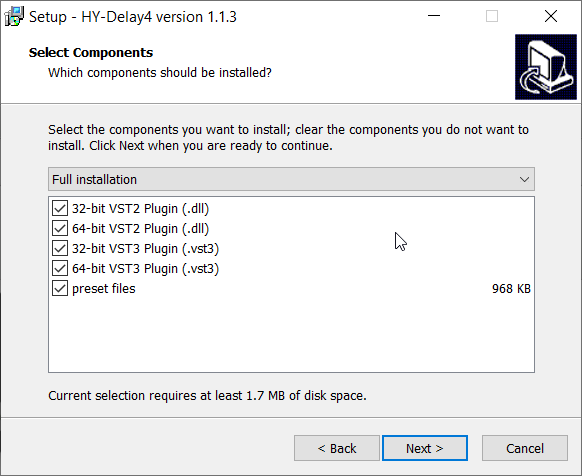
4. Select which components you would like to install.

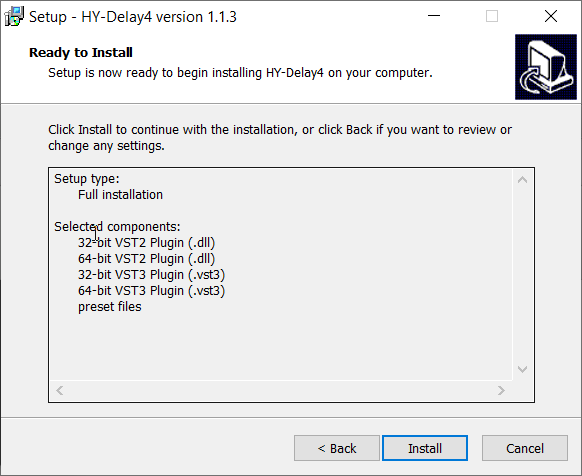
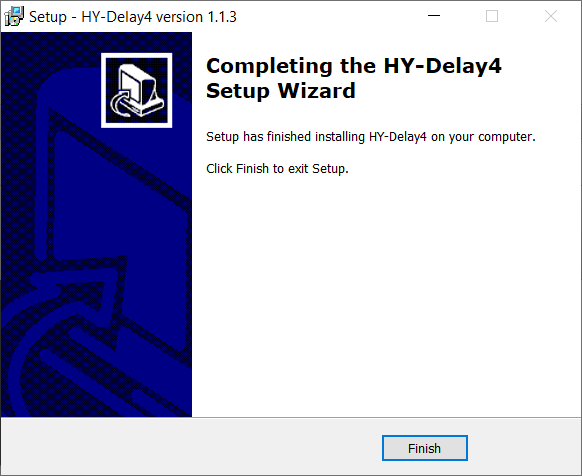
5. Click 'Install'.

6. Click 'Finish"

Activation

1. Open HY-Delay4 in your DAW > Click the 'Demo' dropdown and then click 'Register'.

2. Enter your serial from your Plugin Boutique User Account > Click 'Register'.

3. Your serial will have now been registered.

Your software is now activated and ready for use in your DAW.

Bundle & Save

HY-SEQ32 & HY-MPS3 Bundle
$68.00
HY-SeqCollection2, HY-RPE2, HY-SEQ32 & HY-MPS3 Bundle
$116.00

Plugin Boutique Rewards

Discover the most rewarding loyalty programme among all plugin retailers.

  • Free Loopmasters Samplepacks
  • Discounts on products and courses
  • Extra Virtual Cash claimed immediately at checkout
Find out more

Follow us:

X (Twitter) Facebook YouTube Instagram
Logo Logo

Plugin Boutique Limited, Part of the Beatport Group LLC.

Copyright © 2011-2025 Plugin Boutique. All rights reserved