/ Utility / Blue Cat's Hot Tuna
Blue Cat Audio

Blue Cat's Hot Tuna

4.6 (222 Reviews)
$9.00
Blue Cat's Hot Tuna - Main UI
Blue Cat's Hot Tuna: The Tuner Plug-In gallery thumbnail
Blue Cat's Hot Tuna - Tuning Bass Guitars gallery thumbnail
Buy Now
Product information

Tuning with Cat-Ears

Blue Cat's Hot Tuna is a high precision chromatic tuner plug-in that can dim or mute the signal when active. The reference frequency can be adjusted to support any type of tuning. Hot Tuna is a very simple yet powerful plug-in: you can freely adjust the amount of dimming, an indispensable feature for live gigs!

The reference frequency can be changed (from 430 to 450 Hz), when non-standard tuning is required. Most of the processing is performed in the background so that the tuner does not impact the performance of the real-time audio engine of the host.

All in all, it is a very simple plug-in that will keep you safely in tune!

Features

  • High precision tuner plug-in.
  • Dim or mute the signal when active.
  • Adjust the reference frequency from 430 to 450 Hz.
  • Processing performed in the background, not impacting real-time audio.

Blue Cat Audio Standards:

  • Available in most plug-in formats for Mac and Windows.
  • Full MIDI control and automation support, MIDI Learn.
  • No CPU load on idle: processing shuts down when fed with silence (optimal the CPU usage).
  • Customizable user interface with transparency & zoom.
  • Smooth Bypass: noiseless plug-in activation / deactivation.
  • Undo/Redo.
  • Full-featured integrated presets manager.
  • Copy/paste the state of the plug-in between instances.
  • Any sample rate supported.

System Requirements

Windows

  • Windows Vista, Windows 7, 8 or 10 (32 or 64-bit)
  • An SSE2-enabled processor (Pentium 4 or newer).
  • Any VST / AAX compatible host software (32 or 64-bit).

Mac

  • macOS 10.9 or newer (Intel or M1 Apple Silicon processor) (64-bit only)
  • Any VST / Audio Unit / AAX compatible application (64-bit)
Installation Instructions
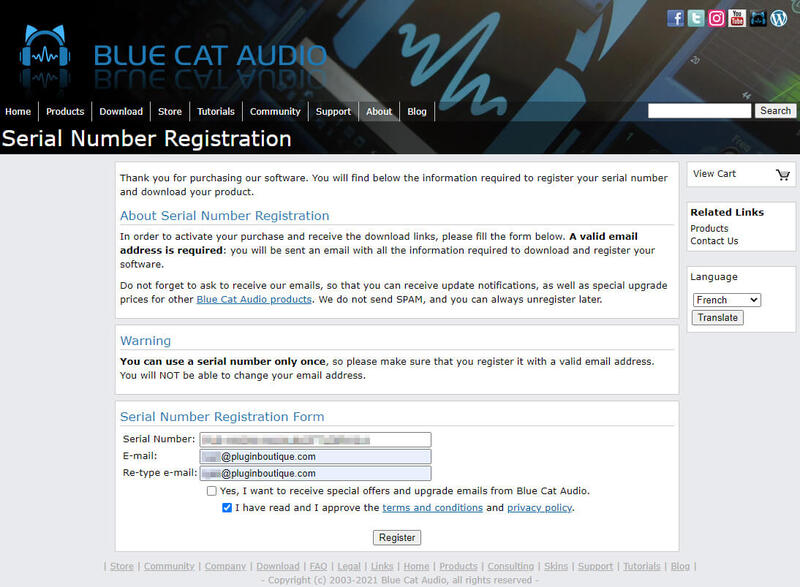
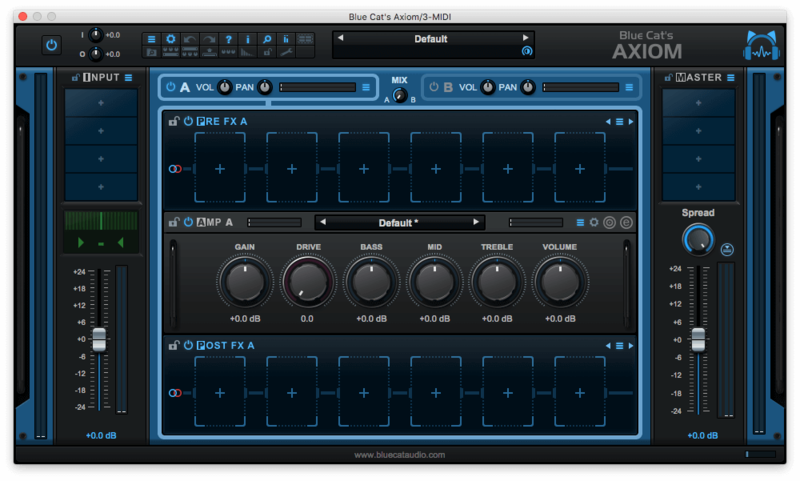
Please note: Blue Cat Axiom is used as an example

Registration

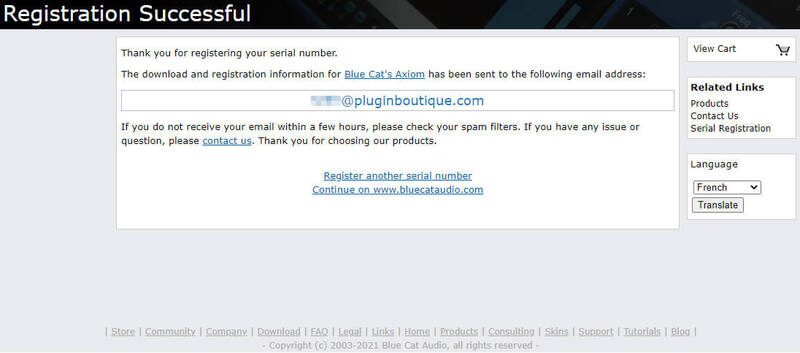
1. Click DOWNLOAD in your Plugin Boutique account or go to https://www.bluecataudio.com/register/serial/.

2. Enter your details > Click 'I have read and I approve of the terms and conditions and privacy policy > Click 'Register'.

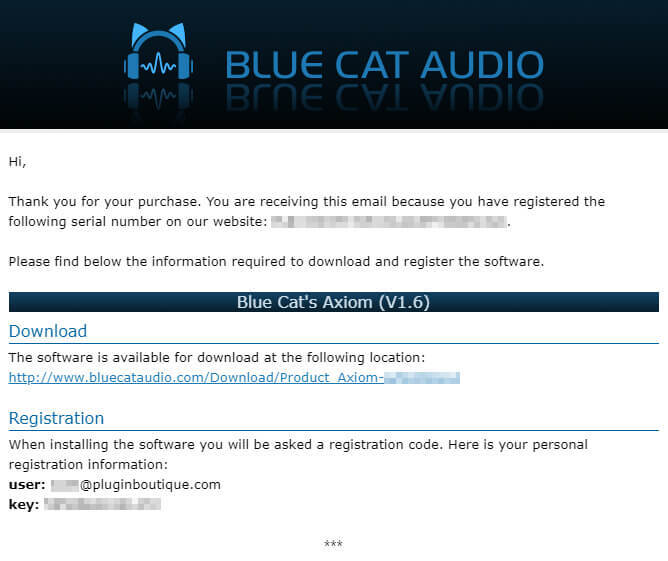
3. Your serial is now registered > Find the email that was sent to you from Blue Cat Audio.

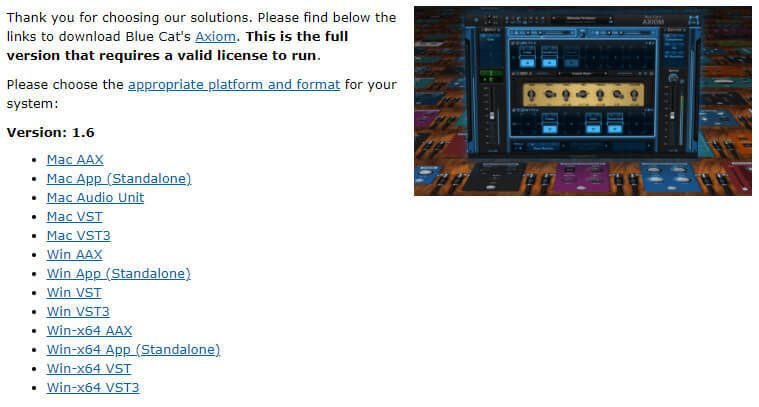
4. Here you can find the product link and your registration details > Click the blue download link.

5. Select the appropriate format for your OS & DAW (if you're unsure which format you need, check out our Help Centre guide - Plugin Formats Explained (VST, AU, AAX, etc).

Mac Installation

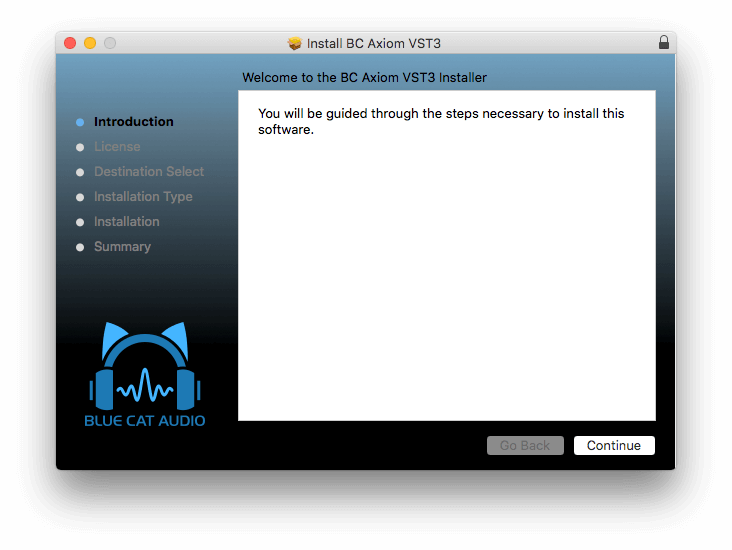
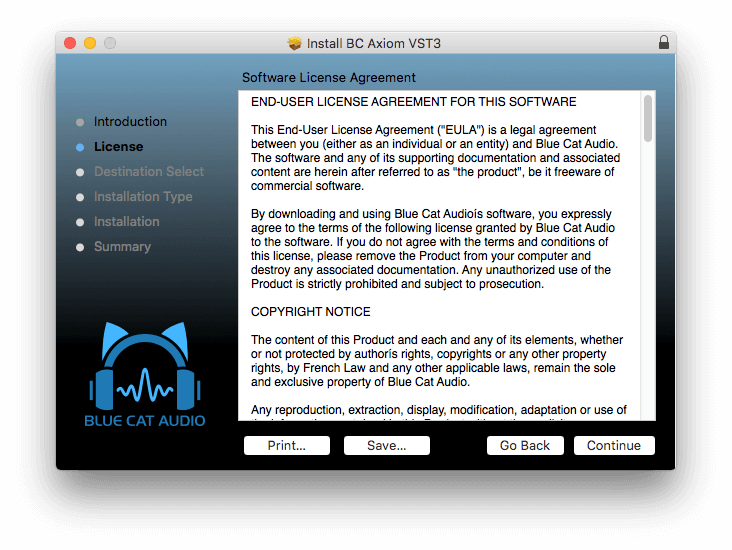
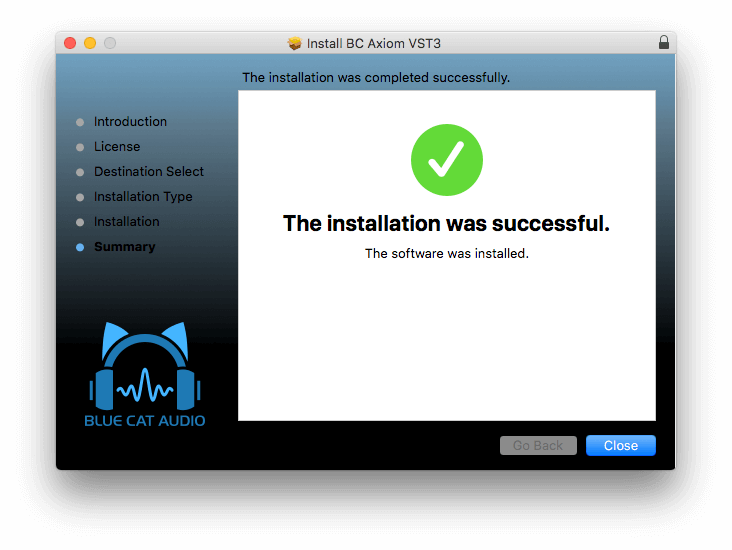
1. Run the .dmg file that you downloaded > Double click the .pkg installer > Click 'Continue'.

2. Read the Software License Agreement > Click 'Continue'.

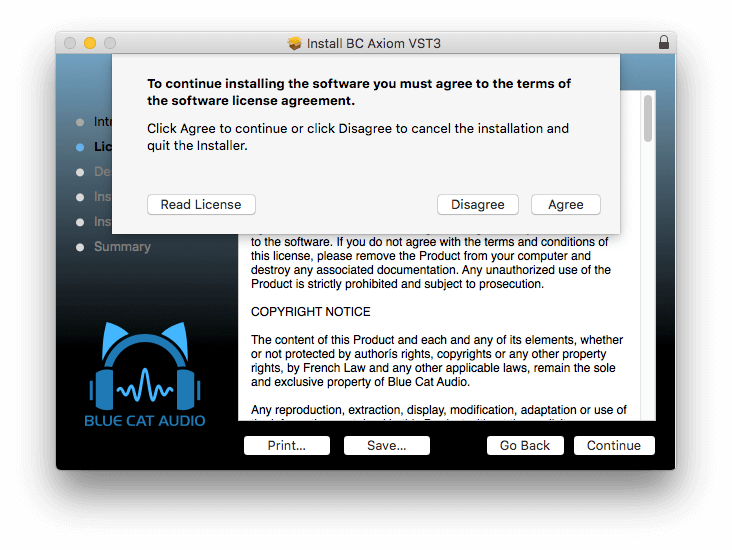
3. Click 'Agree'. 

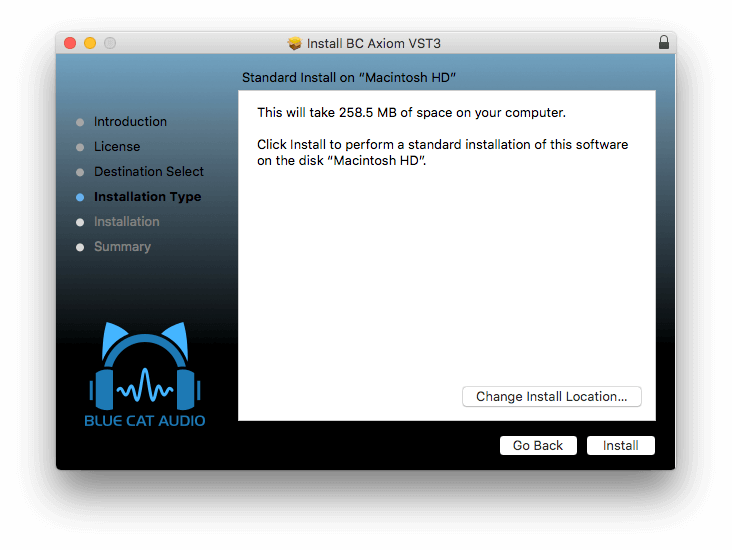
4. Click 'Install'. 

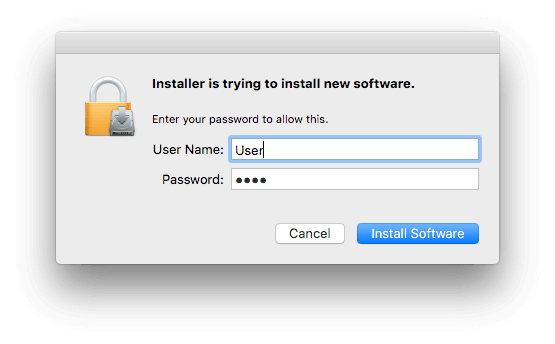
5. Enter your password > Click 'Install Software'.

6. Click 'Close'.

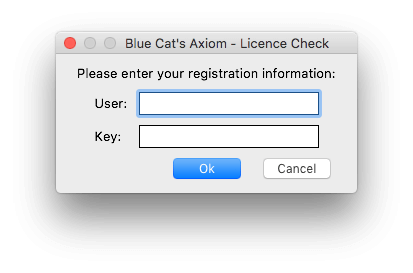
7. Open your new plugin in your DAW > Enter your email address and key that was sent to you via email > Click 'OK.

Your software is now activated and ready to use in your DAW.

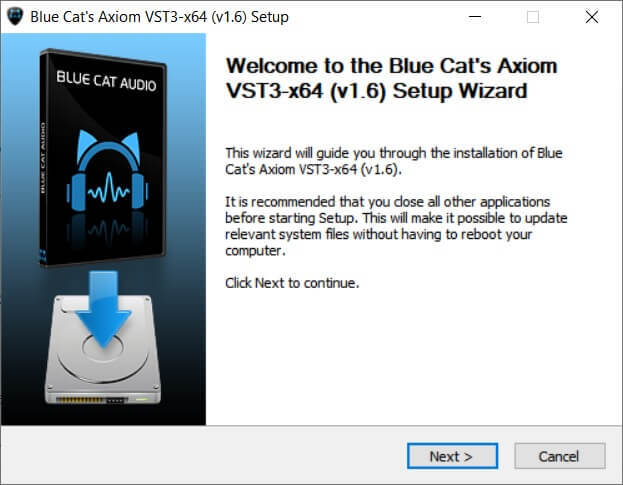
Windows Installation

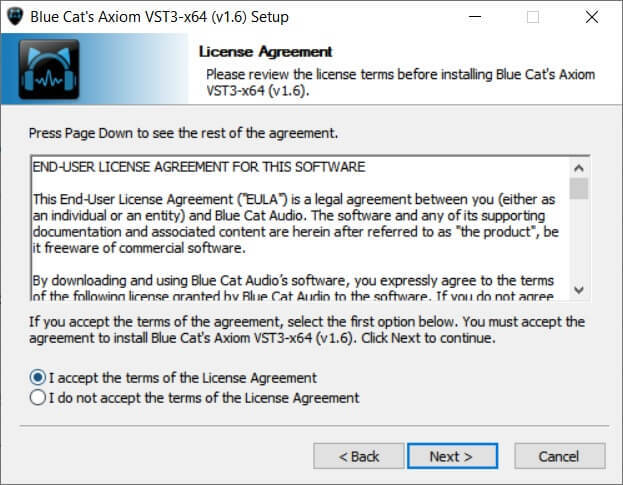
1. Run the installer that you downloaded > Click 'Next >'.

2. Read the License Agreement > Click 'I accept the terms of the License Agreement' > Click 'Next >'.

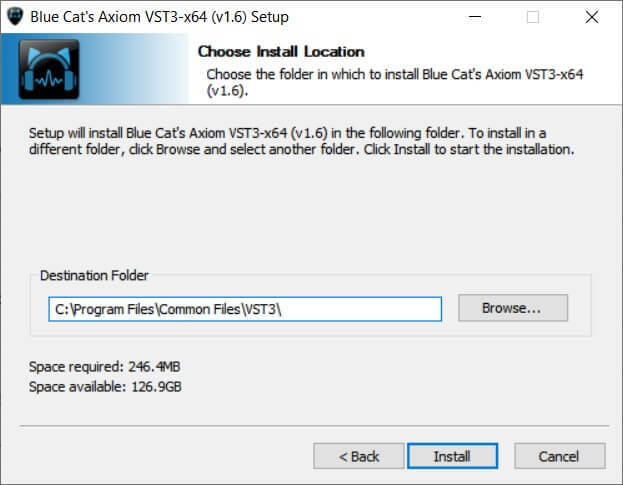
3. Choose the install location (we recommend leaving this at the default) > Click 'Install'. 

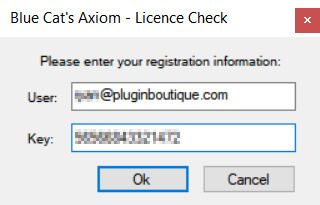
4. Enter your email address and the key that you received via email from Blue Cat Audio > Click 'Ok'.

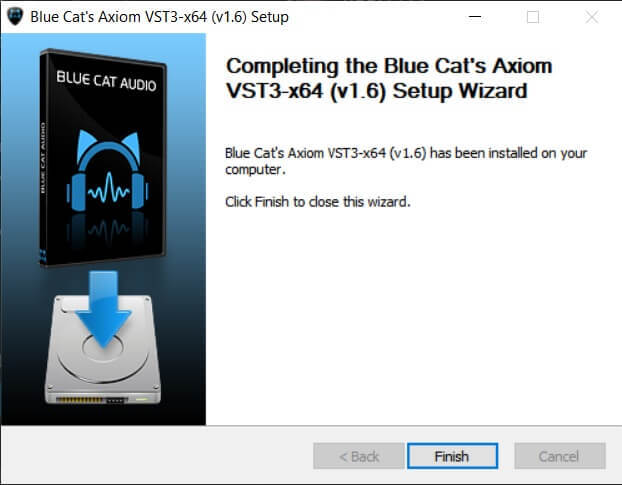
5. Your software is now installed > Click 'Finish'.

Your software is now activated and ready to use in your DAW.

Plugin Boutique Rewards

Discover the most rewarding loyalty programme among all plugin retailers.

  • Free Loopmasters Samplepacks
  • Discounts on products and courses
  • Extra Virtual Cash claimed immediately at checkout
Find out more

Follow us:

X (Twitter) Facebook YouTube Instagram
Logo Logo

Plugin Boutique Limited, Part of the Beatport Group LLC.

Copyright © 2011-2025 Plugin Boutique. All rights reserved