


 Log In

Free gifts available with your purchase
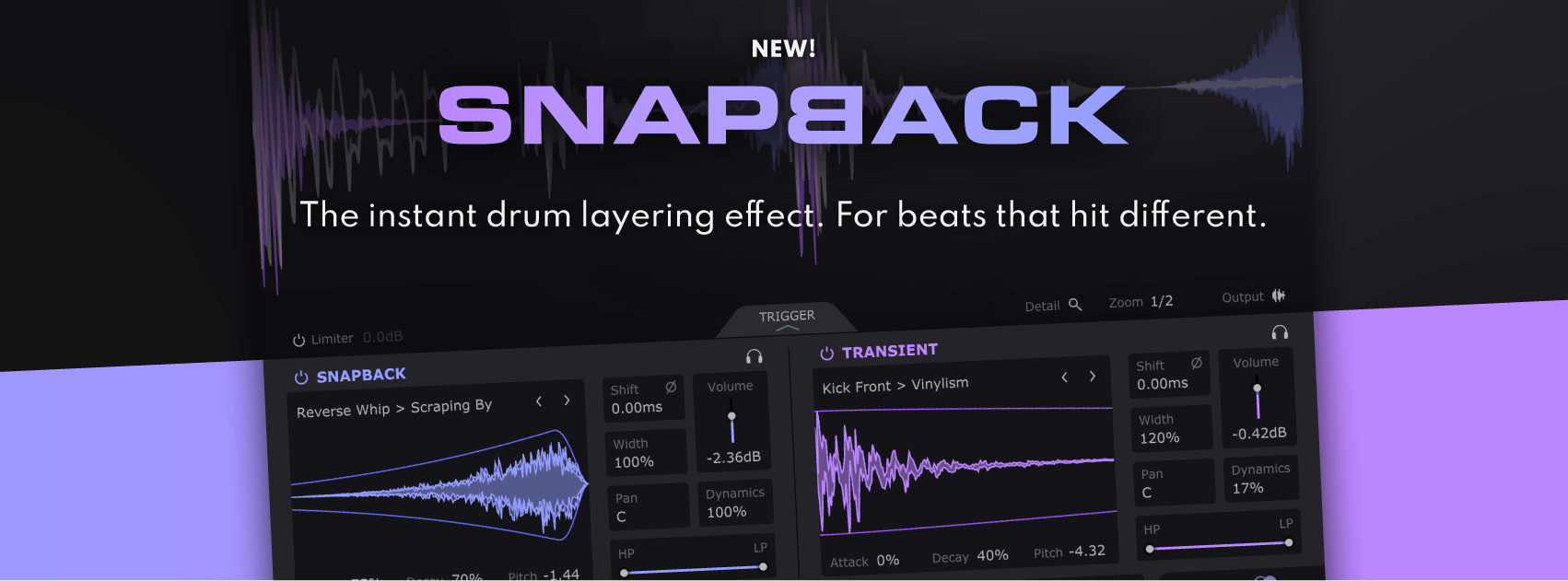
The instant drum layering effect. For beats that hit different.
What is Snapback?
Cableguys and electronic music pioneer BT bring the art of drum layering into one fast, focused effect.
Just put Snapback on any drum track and it detects each hit, layering new samples on top in perfect time. Now you can add punch, style and flair that EQ, compression and distortion cannot.
Still missing that magic? Layer special snapback samples before the transient – a secret trick of pro producers for "living" grooves, available for the first time in an easy plugin.
Discover the pro drum secret
For the first time in a plugin, you get the pros' secret drum trick for bringing magic to grooves and life to digital hits: special snapback samples that go in front of each hit.
Get pre-shifted claps in a click. Add unique texture to kicks and snares. And avoid boring, over-quantized grooves with exciting between-the-beats motion.
Start layering in seconds
Forget juggling samples across multiple tracks – with Snapback, you add drum layers in one click.
Stack a click on a dull kick for instant punch. Layer stereo sizzle onto thin snares. Enliven flat claps with natural tails. Beef up boring hits with special analog sauce samples, vinyl air and foley FX.
Shape your sound
Filter, envelope, pitch and align your layers with easy controls. See how they combine on a high-precision waveform display. And zoom right in with Detail View – your audio microscope for phase-locked hits.
Layer like a pro
Explore 200+ mix-ready transient and snapback layers from BT, Goldbaby, Virtual Riot and Cyclick.
No more stacking full drum hits and hoping for the best – now you've got the pros' secret drum sauce: the separate components that are actually used to design top-tier drums.
Features
- Instant Drum Layering: Automatically detects drum hits and layers samples in perfect timing.
- Enhances Drum Tracks: Adds punch, style, and flair beyond EQ, compression, or distortion.
- Pre-Transient Layering: Allows layering of snapback samples before the transient, a pro producer technique for "living" grooves.
- Pro Drum Secrets: First-ever plugin to offer pre-shifted clap samples and the ability to bring life to digital hits.
- Easy Layering: Layer drum samples in one click, avoiding the hassle of juggling multiple tracks.
- Quick Sound Enhancements: Add punch to kicks, stereo sizzle to snares, and natural tails to claps. Use special analog sauce samples, vinyl air, and foley FX to enrich sounds.
- Sound Shaping Tools: Includes filters, envelopes, pitch adjustment, and precise alignment for drum layers.
- High-Precision Waveform Display: Visualize how layers combine with a detailed waveform display for phase-locked hits.
- Detail View: Zoom in for precise control over each drum hit.
- Over 200 Mix-Ready Layers: Includes transient and snapback layers from renowned producers like BT, Goldbaby, Virtual Riot, and Cyclick.
- Pro-Level Components: Use individual components typically used to design top-tier drums for more tailored sound design.
System Requirements
Windows
- Windows 7, 8, 10 or 11
- 64-bit
- VST 2, VST 3 or AAX host DAW
Mac
- Mac OS X 10.13 or later
- Intel or Apple Silicon processor
- VST 2, VST 3, AU or AAX host DAW

David Guetta
French DJ and record producer.
"Incredible concept!!!!! Really good library, fast access easy placement envelope and leveling. I love that I can use my samples, but add a little extra magic to it"

Djs From Mars
Italian DJ and production team.
"The plugin is awesome as usual!"

DECAP
American record producer (Talib Kweli, Joyner Lucas, Hit-Boy, Locksmith, Zion I, Spose, Watsky)
"This plugin is genius!"
Reviews Summary
While it aims to provide a helpful overview, it may not capture every perspective or detail. We encourage you to read individual reviews to make an informed decision.
Users widely praise Cableguys' Snapback as an easy-to-use, massive time-saver for drum layering, transient shaping, and adding punch and groove to samples. While recognized as a specialized, single-purpose tool rather than a broad multi-effect, it excels at quickly enhancing drums and gluing sounds together. Minor criticisms and feature requests include occasional sensitivity with the trigger threshold at lower input levels, as well as desire for custom sample loading, round-robin support, and a sound randomizer.


