Log In

Free gifts available with your purchase
This is an expansion pack for Hertz Drums, and to use this pack, you need to have Hertz Drums installed.
The Hertz Drums Grand Rock Expansion Pack draws inspiration from the golden era of alternative rock music, influenced by legends of the scene such as Foo Fighters, Red Hot Chili Peppers, Rage Against the Machine, Nirvana, AC/DC, Toto, Rolling Stones, and many others.
Grand Rock Pack offers a whole palette of mix-ready rock drum tones, from the smooth and vibey sounds to the raw punch and energy of the 90s and 2000s.
Grand Rock Pack is not just a collection of samples, as it also provides you with 20 distinctly different drum kit presets mixed and balanced to perfection at Hertz Studio. Pick a kit, tweak it to your taste, and drop it into your project – it will perfectly complement your mix without any further processing, giving it the sense of texture and space that defines rock music.
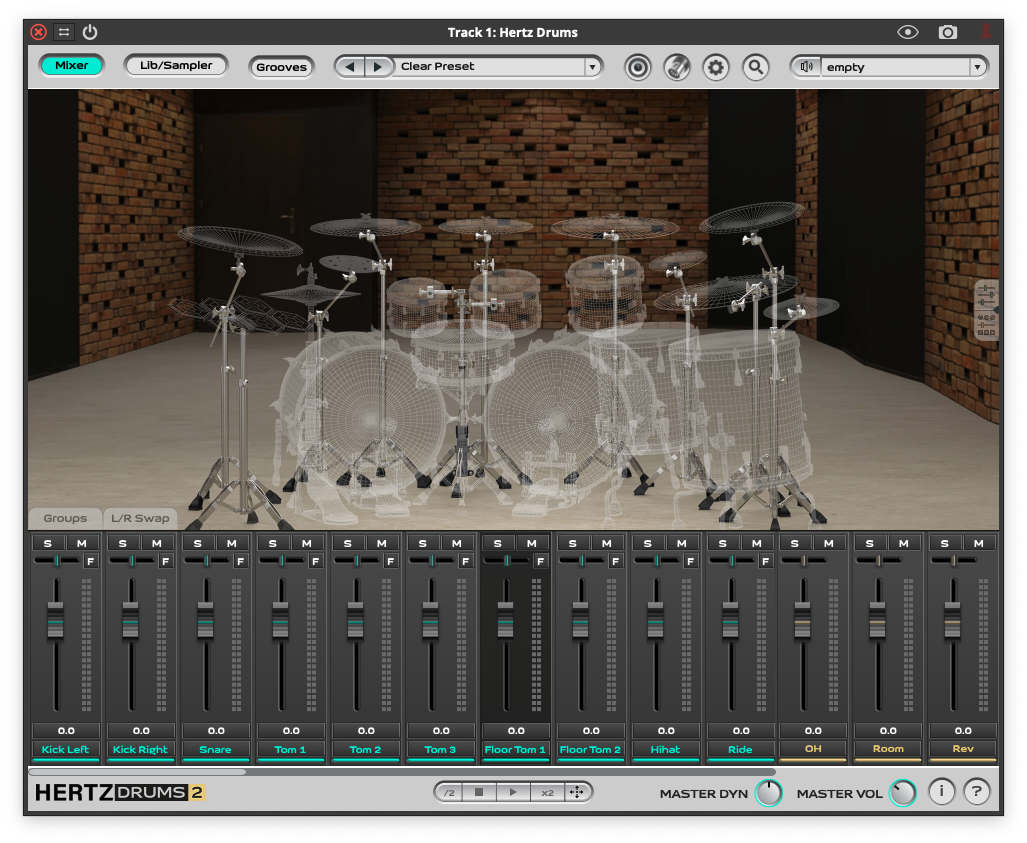
All of the Grand Rock samples were captured in one of the greatest drum rooms in Europe with amazing ambience, but it doesn’t stop you from adding even more space and depth to your drums! Uniquely in this library, by right-clicking a mic-selector, you can pick one of the 3 massive-sounding space simulation effects and blend in just the right amount of it using the dedicated FX control.
Replicate the feel and dynamics of a real drummer’s playing with 13 hi-hat articulations and 7 types of snare strokes played independently by the left and right hand.
You can’t rock without the drums, so you need THE DRUMS THAT ROCK!
A smooth and vibey drum sound influenced by the golden era of '90s and 2000s rock music. DEDICATED TO: Rock, Indie, Alternative Rock, Classic Rock, Hard Rock
Kit Pieces
5 x Bass Drums
– Fire 22″x18″
– Red 22″x18″
– Thunderstream 22″x18″
– Tight 22″x18″
– Oak 22″x18″
4 x Snares
– Star 14″x5″
– Sphere 14″x5″
– Titan 14″x6.5″
– Massive 14″x6.5″
5 x Toms
– Universal 10”
– Universal 12”
– Universal 13”
– Universal 14”
– Universal 16”
1 x Hi-Hat
– Alpha 14”
1 x Ride
– Hammer 20”
2 x Crashes
– Sirius 16”
– Vega 18”
1 x Splash
– Polaris 12”
1 x China
– Antares 18”
Presets
- The add-on 20 Drum Presets:
- Back in Black
- Born to Drum
- Californian Rock
- Drum Atom
- Drumfire
- Drummer’s Delight
- Highway to California
- Killing in the Name
- Livin’ on a Prayer
- Rock in the Wall
- Rock Pulse
- Rock You Like a Hurricane
- Smells Like Rock Spirit
- Smoke on the Drums
- Studio at the Seaside
- Sweet Drums O’ Mine
- Thunderstruck
- Under the Bridge
- Welcome to the Drum Jungle
- Zestful Drums
System Requirements
- A full copy of Hertz Drums 2 is required to use this product