Log In

Free gifts available with your purchase
The ultimate tool for extreme sonic destruction—think distortion on steroids. Featuring three modes: colossal heavy distortion, vicious digital bit-crushing, and post-apocalyptic broken fuzz. MicroFX Obscene isn't just an effect—it's a sonic assault, ready to obliterate your instruments with unparalleled intensity.
Controlled Mayhem
The ultimate tool for extreme sonic destruction—think distortion on steroids. Featuring three modes: colossal heavy distortion, vicious digital bit-crushing, and post-apocalyptic broken fuzz. MicroFX Obscene isn't just an effect—it's a sonic assault, ready to obliterate your instruments with unparalleled intensity.
Destructive Distortion
With three distinct distortion flavors—from the high-gain power of Blaster, to the digital chaos of Crusher, and Nuke with a broken fuzz that delivers a wild asymmetrical distortion—every angle of extreme sound manipulation that pushes the boundaries of sonic destruction is covered.
Dynamic Modulation
Offering dynamic interaction, the X|Y modulation allows you to draw intricate modulation paths directly on the X|Y pad. Customize the modulation rate and playback direction, and experiment with up to 15 nodes for evolving, complex soundscapes.
Fluid Shaping
The X|Y Pad controls two key parameters: X for Drive, determining the effect's intensity, and Y for Frequency, shaping the response to different signals. Additional controls like Tone, Movement, Feedback, and Ring Modulation add further depth, enabling you to sculpt and manipulate your sound with precision.
Analog Abuse, Digital Power
Inspired by the character of analog distortion, we’ve pushed this classic effect to its limits with modern DSP technology. Each mode channels the essence of traditional distortion, delivering a fierce, cutting-edge take on one of audio’s most powerful effects.
Powerful Presets
With over 30 custom presets, dive in and immerse yourself in diverse tonal possibilities. Don't let the streamlined interface fool you—these presets offer vast creative depth. Experiment with modulation directions, speeds, and tonal controls to craft and save your own unique sounds.
Creative Playground
The MicroFX engine redefines how you interact with effects, offering focused tools that invite expansive creative exploration. With its deceptively deep functionality, each plugin offers a creative experience that challenges you to push your sonic boundaries.
Features
- 33 Expertly-Crafted Presets in Two Categories – Static and Animated
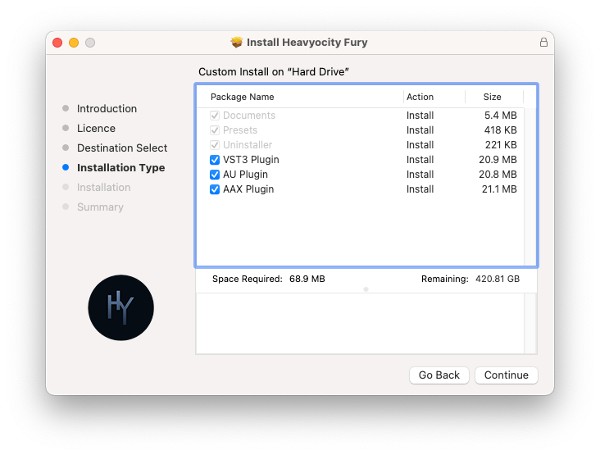
- 3 Distortion Modes – Blaster (High gain pedal), Crusher (Heavy drive and Bit Crush), and Nuke (Broken Fuzz)
- Tone, Feedback, Movement, and Ringmod provide additional control of your sound
- Intuitive XY Grid to easily sculpt your sound with a single click
- XY Grid Controls to fine tune the animation of up to 15 points
System Requirements
Mac
- MacOS 12 or later (Intel and Silicon compatible)
Windows
- Windows 10 or later
Supported Host Applications
- Pro Tools 2020+, Live 10+, Cubase 12+, Logic Pro X, DP10+, Bitwig