/ Delay / inDelay
Sound Particles

inDelay

5.0 (8 Reviews)
$99.00 $199.00

50% off until Dec 10

Sound Particles In Delay
Sound Particles In Delay - Box
Buy Now
Product information

inDelay is a modern delay plugin with groundbreaking advanced features never seen before. Particle-ize your delays with a click, add Air simulation to create more realism or go under the hood and customize independent channel sources for each of the 16 taps available. Fast. Easy. Unlimited creative options.

Features

  • Dynamic Particles System - Experience the power of Sound Particles' 3D engine, loved by Hollywood, Bollywood & beyond, running in your delay. Add a touch of magic to your sounds.
  • Up to 100 Delays - Create up to 100 delays simultaneously for unparalleled depth and complexity in your audio projects.
  • Delay Movements - Bring life to your mixes by adding movement to your delays.
  • Intuitive Time Editor - Easily shape your delays using the visual time editor. Click and drag to adjust multiple parameters effortlessly, managing present and past delays with precision.
  • Air Simulation - Achieve the most natural-sounding delays with air absorption, simulating the depth and distance of each delay particle for realistic audio effects.
  • Soundscape Mode - Discover the secrets of crafting the perfect soundscape with inDelay, turning your audio into an immersive experience.
  • Channel Customization - Gain maximum spatial control by positioning your delays exactly where you want them within your audio environment.
  • Random Presets - With a click of a button, get the creative gold mine in your search for “happy accidents”.
  • Craziness - Transform your mix with the "Craziness" knob, turning your delays into rich, lush reverbs with a simple twist.
  • 30+ output formats - Acquire complete flexibility by supporting all major output formats, from mono to stereo, 5.1, High Order Ambisonics, Sony 360 or Dolby Atmos.

System Requirements

Operating System

  • Mac OSX 10.15 or higher (Intel and native Apple Silicon Macs supported)
  • Windows 10 or higher

Minimum Requirements

  • CPU - 2-core or higher
  • RAM - 4 GB or higher
  • Disk Space 600 MB

Recommended Requirements

  • CPU - 4-core or higher
  • RAM - 8 GB or higher
  • Disk Space - 600 MB

Formats

  • AAX Native
  • AU
  • AUv3
  • VST
  • VST3

Note: Pro Tools 64-bit compatible (PT11 and above) required for AAX

Installation Instructions
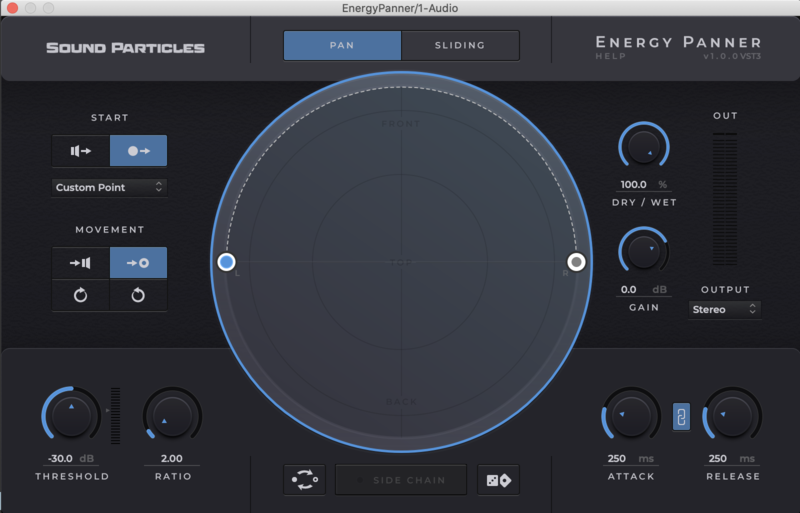
Important note: Energy Panner is used as an example as the installation process is the same for all Sound Particles products.

Windows

Registration

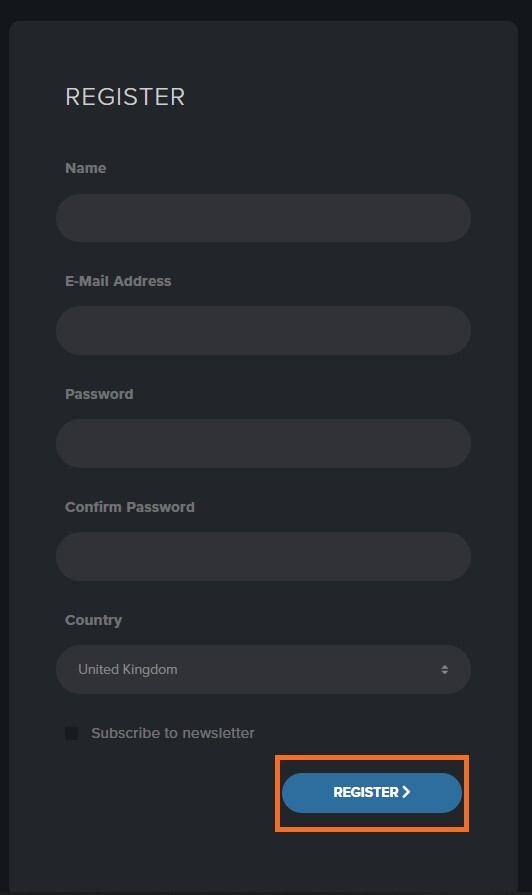
1. Go to https://soundparticles.com/register > Enter your Name, Email Address, Password and Country > click 'REGISTER'.

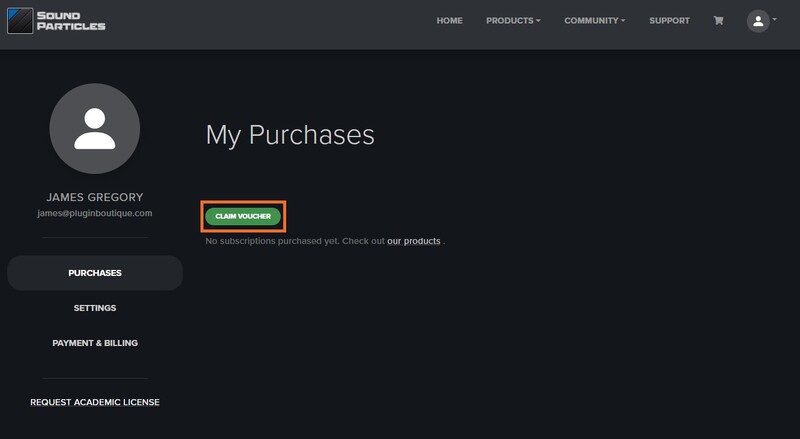
2. Click 'CLAIM VOUCHER'.

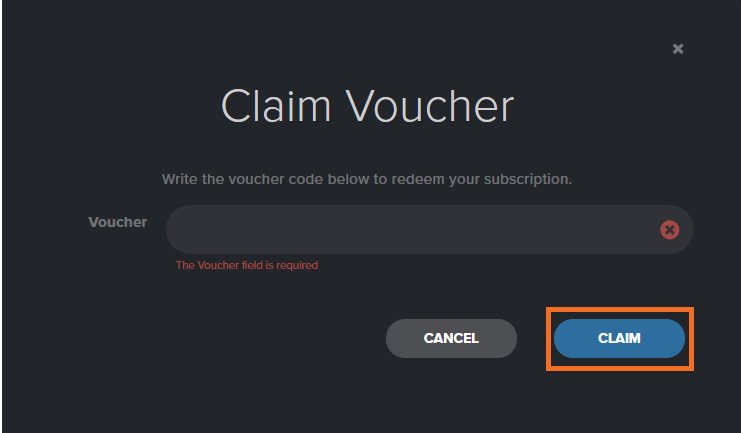
3. Enter your voucher code, found in the serial number section of your Plugin Boutique Account > click 'CLAIM'.

Installation

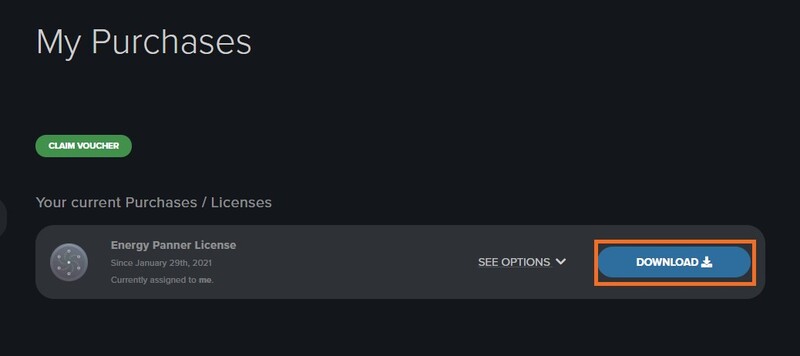
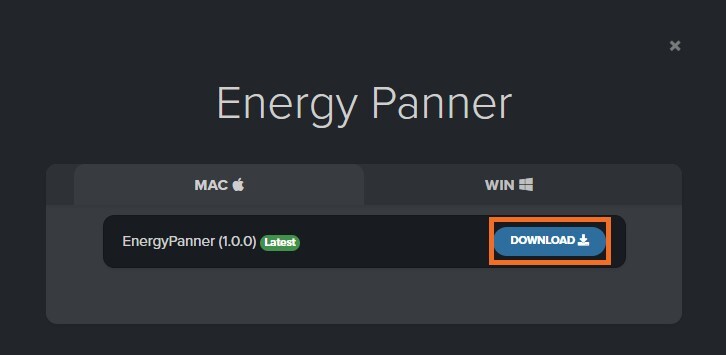
1. Click 'DOWNLOAD'.

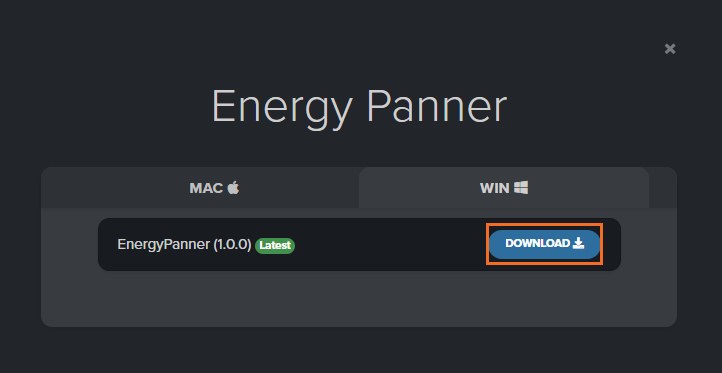
2. Select the version of the product you wish to install > click 'DOWNLOAD'.

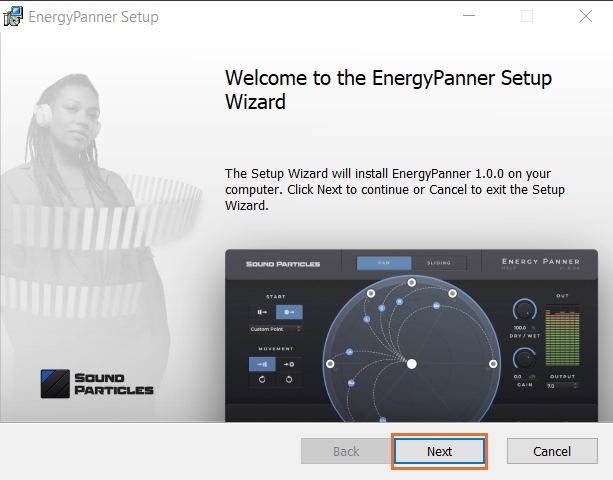
3. Open the downloaded .zip folder and click > the .msi file. To begin the installation process > Click 'Next'.

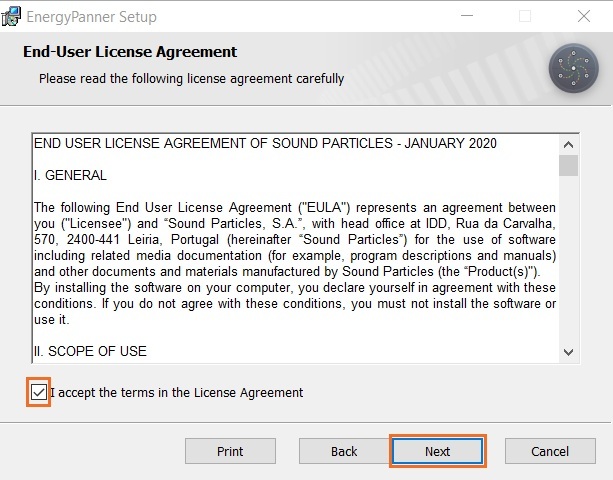
4. Select 'I accept the terms in the License Agreement' > Click 'Next'.

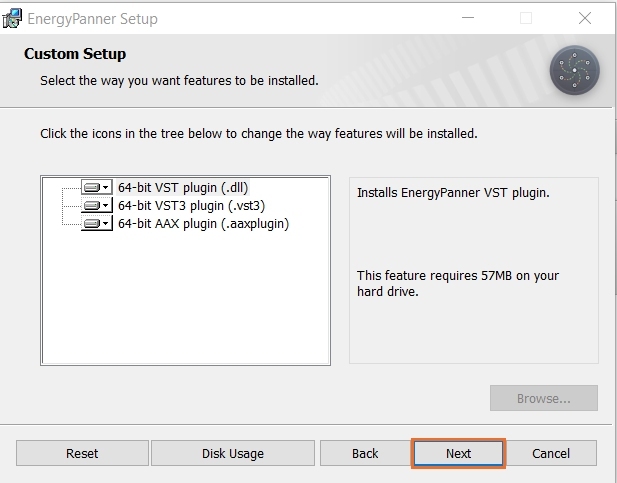
5. Choose the plugin formats you would like to be installed > Click 'Next'.

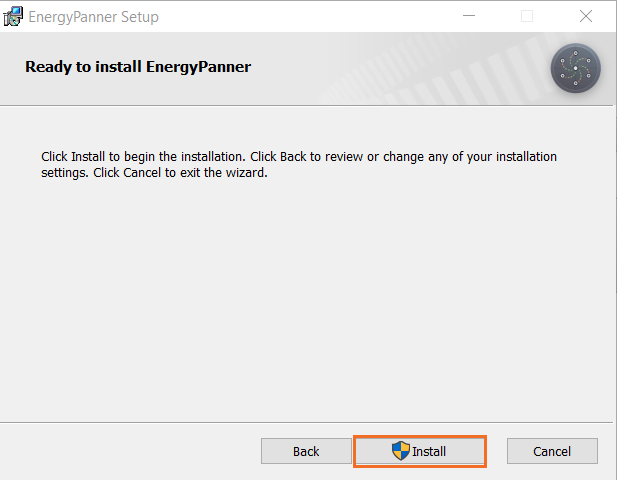
6. Click 'Install' > click 'Allow' to begin the installation process.

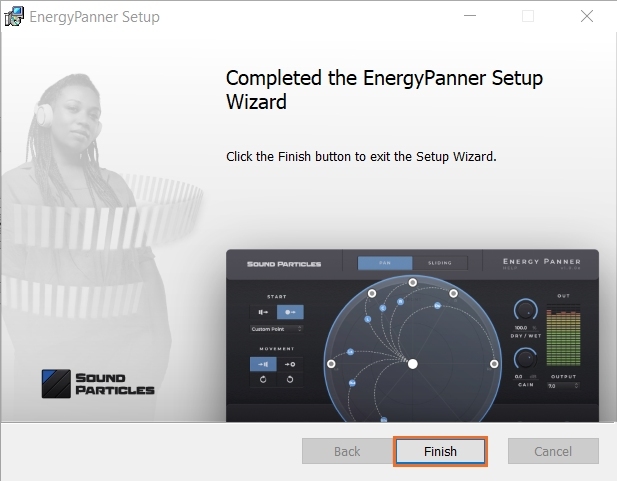
7. Click 'Finish'.

Your software is now activated and ready to use.

Mac

Registration

1. Go to https://soundparticles.com/register > Enter your Name, Email Address, Password and Country > click 'REGISTER'.

2. Click 'CLAIM VOUCHER'.

3. Enter your voucher code, found in the serial number section of your Plugin Boutique Account > click 'CLAIM'.

Installation

1. Click 'DOWNLOAD'.

2. Select the version of the product you wish to install > click 'DOWNLOAD'.

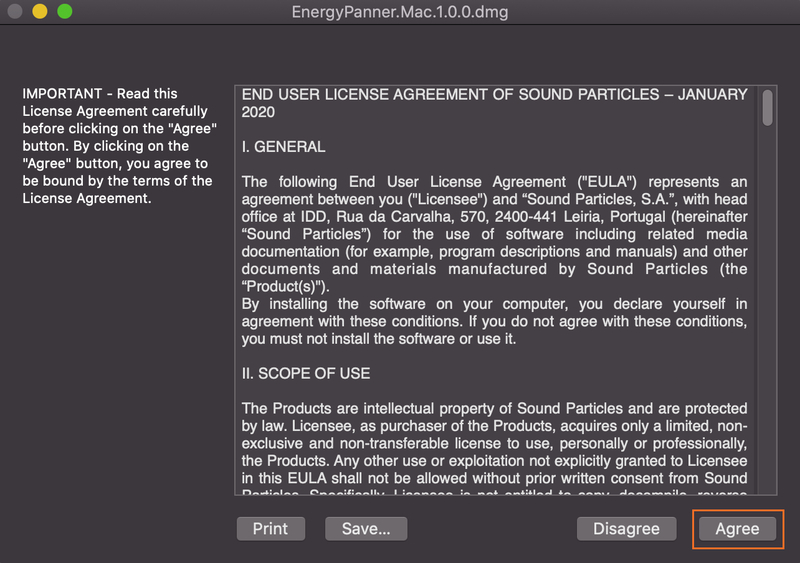
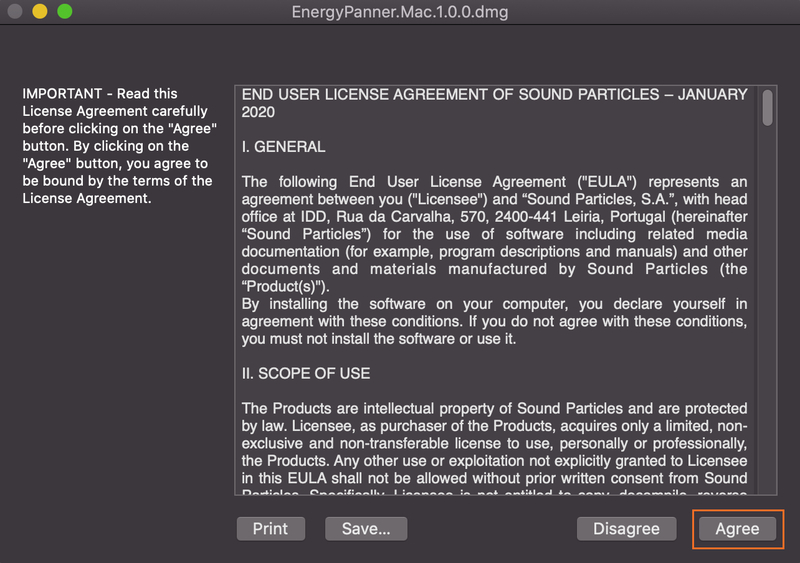
3. Open the downloaded .dmg file > click 'Agree' on the User Agreement to begin the installation process.

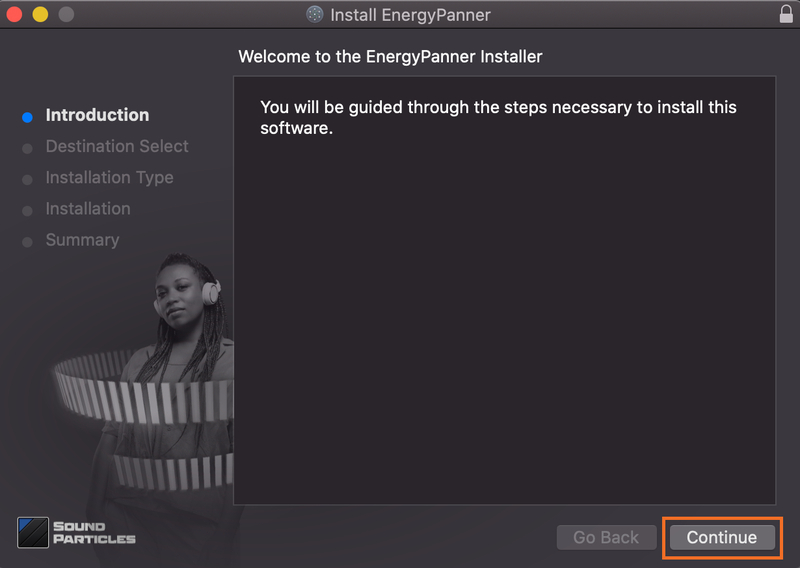
4. Select 'Install'.

5. Click 'Continue'.

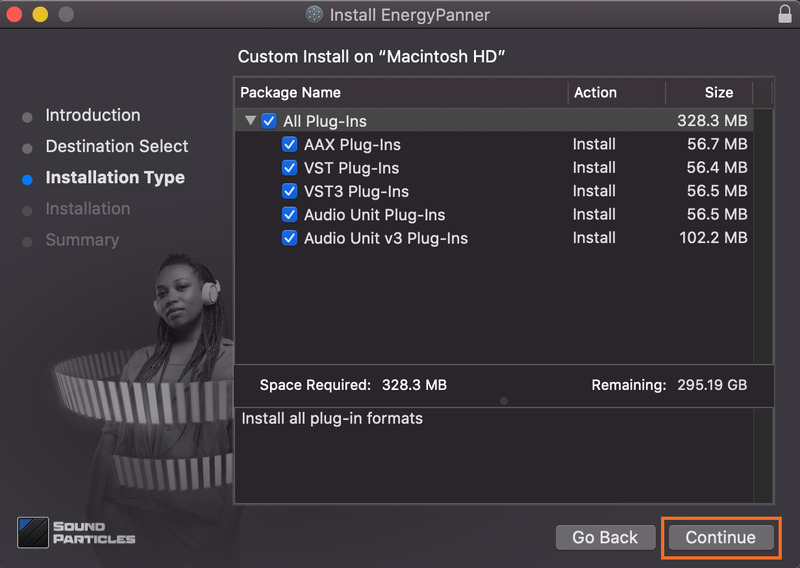
6. Choose the plugin formats you would like to be installed > click 'Continue'.

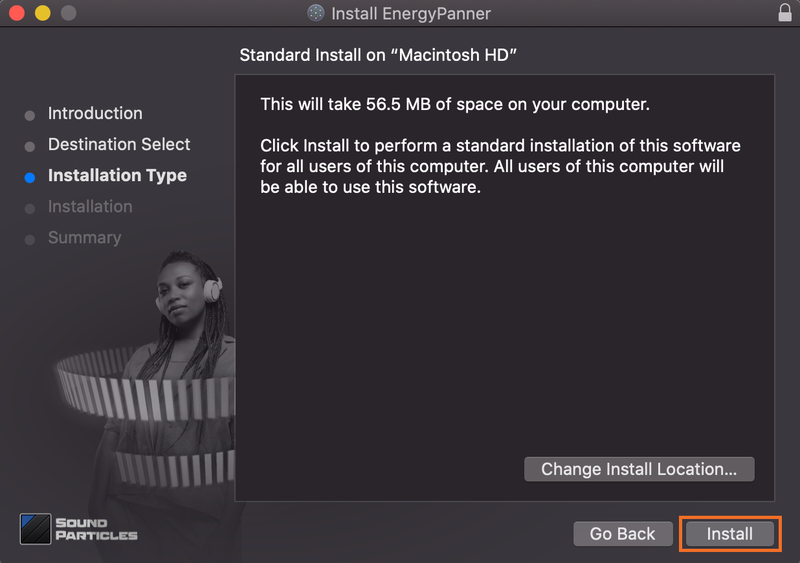
7. Choose your preferred 'Install Location' > click 'Install'

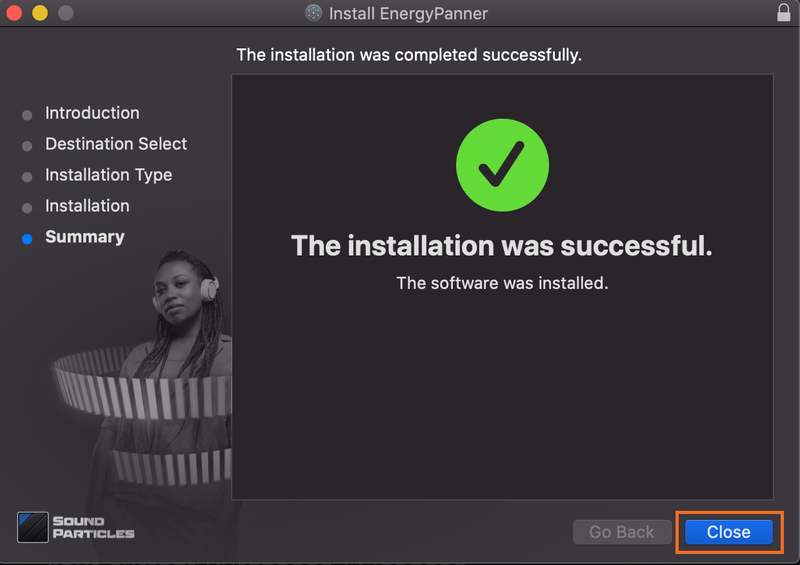
8. Once the software is installed > click 'Close'.

Your software is now activated and ready to use.

Plugin Boutique Rewards

Discover the most rewarding loyalty programme among all plugin retailers.

  • Free Loopmasters Samplepacks
  • Discounts on products and courses
  • Extra Virtual Cash claimed immediately at checkout
Find out more

Follow us:

X (Twitter) Facebook YouTube Instagram
Logo Logo

Plugin Boutique Limited, Part of the Beatport Group LLC.

Copyright © 2011-2025 Plugin Boutique. All rights reserved