


 Log In
.jpeg)
Free gifts available with your purchase
Punchy Sound That’s Always In Style
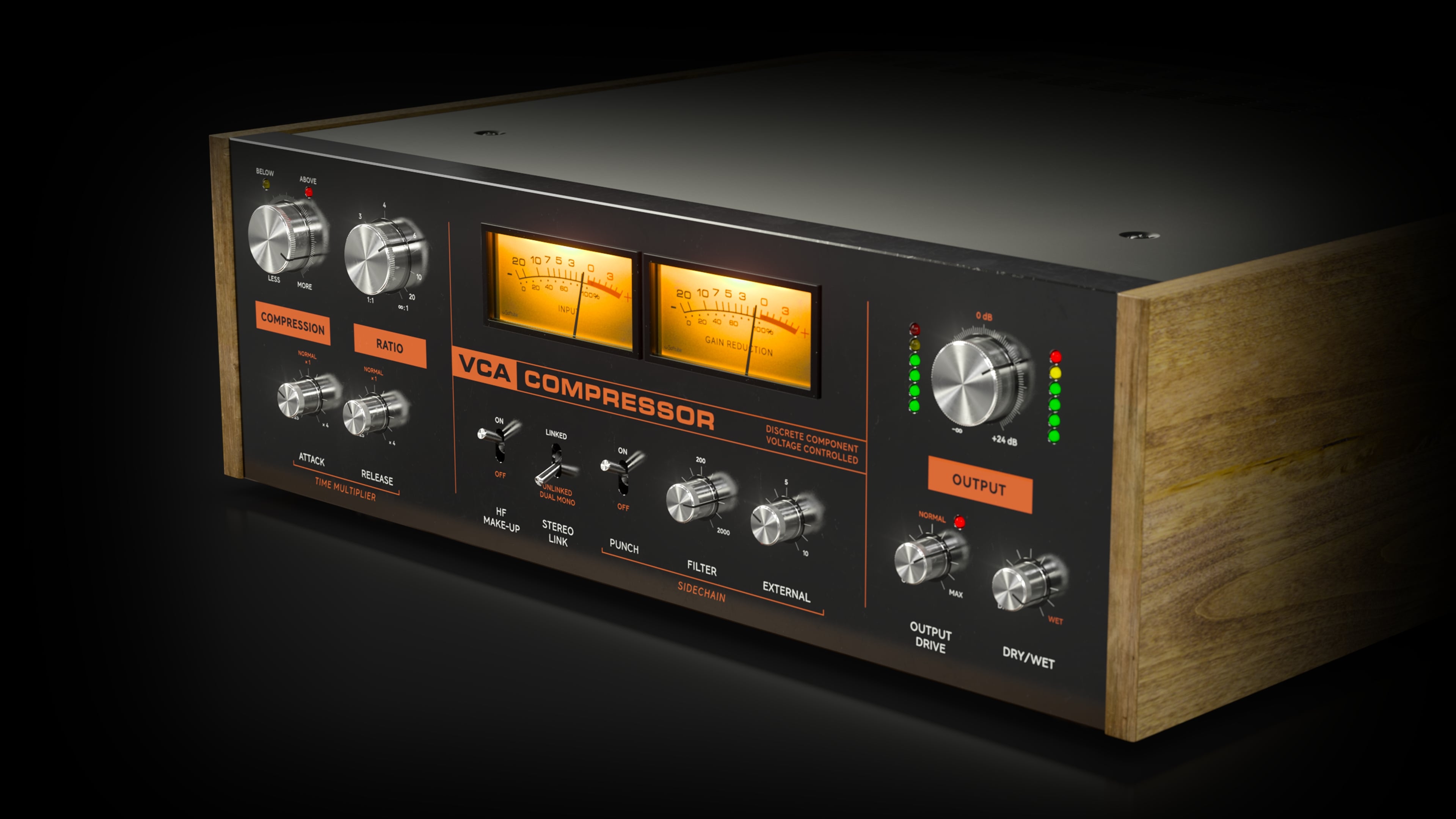
Quirky and characterful, the legendary hardware Softube used to model their VCA Compressor is unique and highly acclaimed. Much of that is owed to its famed hard knee compression curve and the harmonic content it adds in the gain stages.
They left the grabby, vintage character and unique attributes—such as RMS level detection and feed-forward gain reduction—intact but gave VCA Compressor a slate of modern features for mixing and production. The combination delivers snap and sheen in spades, plus superior Softube sound quality and an enhanced workflow.
Designed by Experts, Built on Legacy
Softube have been emulating professional audio gear for two decades. With partnerships with premium brands like Tube-Tech, Solid State Logic, Chandler Limited, and Marshall Amplification, they have a strong record of accurately recreating analog standards in software form.
VCA Compressor builds on this legacy, delivering nothing less than the same classic character as the original hardware, superior sound quality, and added modern features.
Mod Features
VCA Compressor delivers the snappy, analog character beloved by many, plus DAW-friendly attributes and expanded parameters. The added Sidechain section (with punch, filter, and external gain) and Dry/Wet. Drive gives you the possibility to add more harmonic content. With Stereo Link, you can toggle from Stereo Linked mode, with linked Left and Right gain reduction, to Unlinked Dual Mono for independent gain reduction for Left and Right channels. The High Frequency Make-up feature allows you to offset the minor loss of higher frequencies when compressing sound sources. It's the go-to comp for a snappier snare sound, but it is also excellent for adding texture, sheen, and attack to guitars, as well as low-end glue and weight on bass sounds.
In Short
- An authentic emulation of a must-have compressor and its signature snappy sound
- Great for easily adding warmth, weight, and glue to your bass, guitars, and vocals, for getting aggressive, snappy snares or blown-up room channels
- Added modern features, such as Drive, a Sidechain section, Stereo Link, a High Frequency Make-up feature, and Dry/Wet
System Requirements
- macOS Big Sur 11, Monterey 12, Ventura 13
- Windows 10 (64-bit), Windows 11
- Softube account
- iLok account
- Computer with AU, VST, VST3, and/or AAX-compatible DAW host software
- Internet access (for downloading installers and managing licenses)
Supported CPU Families
- Apple macOS computers with Intel Core i3/i5/i7 or Apple silicon (M1 or newer) CPU. Apple silicon is supported natively.
- Windows computers with quad-core Intel Core i3/i5/i7 or AMD quad-core processors with SSE 4.2 support.
- Other Intel processors (Celeron, Pentium, and Xeon) are compatible if they support SSE 4.2 instructions.
Supported Host Software (DAW)
Any 64-bit VST, VST3, AU, or AAX (Pro Tools 11.0.2 or higher) compatible host application should work. However, due to plug-in host differences between DAWs—and our rigorous standards—Softube only officially test their plug-ins and instruments in the most recent versions of Pro Tools, Logic Pro, Cubase, Ableton Live, Studio One, and Reaper. Softube plug-ins are not tested regularly in non-listed systems. They will likely work if the system requirements are met. However, the manufacturer cannot guarantee a solution for issues in unsupported systems.
Softube strongly recommend using VST3, as some of their plug-ins have features that are not present in the older VST format. Supported sample rates: 44.1, 48, 88.2, 96, 176.4, and 192 kHz, in both mono and stereo. The most recent maintenance release of your DAW application is recommended. AAX DSP is not currently in active development. TDM/VENUE/RTAS are no longer supported. See Legacy Installers.
Important Note: Make sure that you always use the latest iLok License Manager. It is not included in the Softube installer but can be downloaded from www.ilok.com


