


 Log In
.jpg)
Free gifts available with your purchase
An Obsessively Accurate Emulation Of API’s Flagship Compressor
Now compatible with any soundcard on Mac and PC
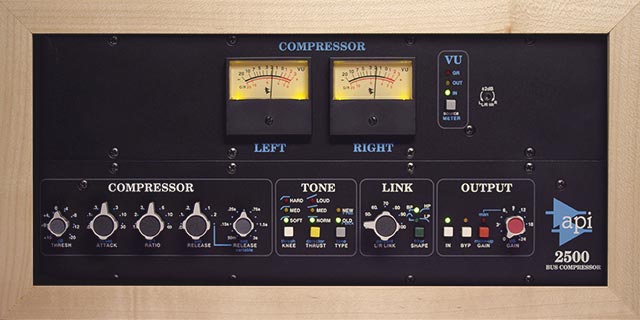
The API 2500 Bus Compressor is a permanent fixture on the stereo bus of many of the world's top engineers and producers. Considered the best of the Paul Wolff-era API circuit designs, this famed compressor adds energy, movement, and tone to stereo mixes and subgroups unlike any other compressor.
The API 2500 Bus Compressor plug-in is a spot-on emulation of this classic compressor, capturing its all-discrete signal path with Thrust® circuitry — and features a fanatically detailed modeling of API's custom transformers and 2510 and 2520 op amps.
The Only End-to-End API 2500 Emulation
Poring over proprietary "for-your-eyes-only" schematics made available to Universal Audio by API, our team of DSP experts analyzed two classic API 2500s — rackmount and in-console — ensuring one of UA's tightest behavioral circuit models to date. Working together with API's engineers, we scrutinized every facet of the plug-in against its analog counterpart, delivering the definitive representation of this iconic compressor. Early beta testing with UA artists confirmed that the plug-in ranks among the most accurate analog emulations in UA history.
Built for the 2-Bus
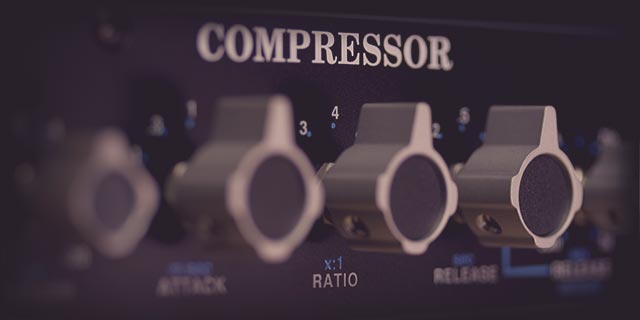
API designed the 2500 compressor with program material firmly in mind. Its Release control includes fixed or variable options, while the Attack, Threshold, and Ratio controls offer musical tweaking throughout their range, making the API 2500 a toneful dynamics overlord for your stereo bus.
Thrust Control for Unmatched Punch
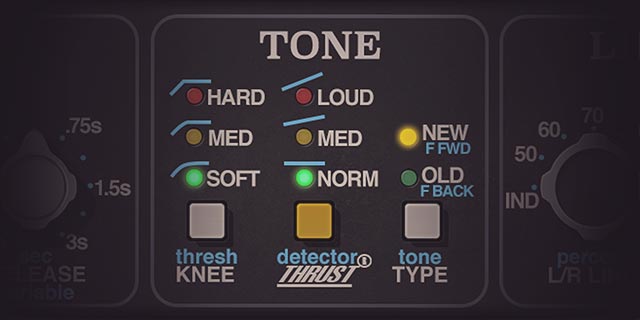
Taken from their Paragon series of consoles, the API 2500’s Thrust feature puts a filter before the RMS detector, evening high and low frequency energy — so neither triggers the compressor more than the other. This gives you a tight hallmark API punch beyond any other compressor.
Enhance Energy and Motion
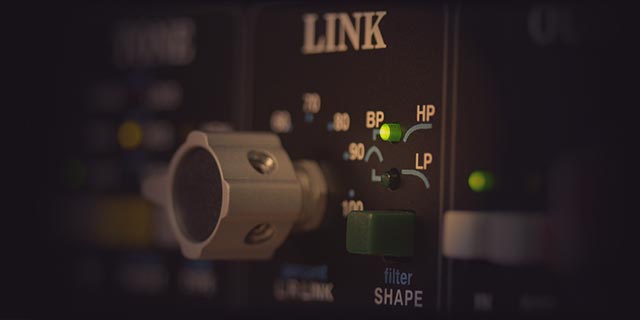
Most compressors only allow you to turn left/right linking on or off. The API 2500 Bus Compressor Link parameters allow for precision control of your mix's L/R dynamic interaction. Set exactly how much dependence — or independence — you want your L/R spatial dynamics field to have, and hone your dynamic contours even further with the Shape control.
Features
- Use any audio interface, with both UAD Native and Apollo Realtime/UAD-2 versions included
- Glue together your stereo mixes and subgroups with the world’s finest circuit emulation of the iconic API 2500 compressor
- Select between "Old” and "New” compression, with feedback or feed-forward sounds
- Sharpen your workflow with plug‑in‑only Mix and Headroom controls
- Punch up low frequencies with API's patented Thrust technology
- Contour your mix's stereo interaction with percent-based L/R Link controls
- Mix with artist presets from Jeff Balding (Faith Hill), Vance Powell (Jack White), Ryan Hewitt (Red Hot Chili Peppers), and more
Versions Included with your Purchase
- UAD Native: Runs on your Mac or PC without any UA hardware
- Apollo Realtime & UAD-2: Runs accelerated on Apollo interfaces and UAD-2 hardware
- macOS Big Sur 11, Monterey 12, Ventura 13, Sonoma 14, Sequoia 15 and Tahoe 26
- Windows 10 or Windows 11 (64-bit editions)
- Intel, AMD, or Apple silicon processor
- Internet connection to download software and authorize UAD Native plug-ins (UADx)
- Free iLok account
- Compatible with iLok USB (2nd generation or higher) but not required
- Free UA Connect application for managing UAD Native plug-ins (UADx)
- A supported DAW compatible with VST3, AU, or AAX plug-in file formats.
Reviews Summary
While it aims to provide a helpful overview, it may not capture every perspective or detail. We encourage you to read individual reviews to make an informed decision.
Customers highly recommend this UAD compressor plugin, praising its versatility, value, and presets. Reviewers noted its effectiveness for gluing drum buses and raising RMS, with many considering it a top-tier addition to their VST collection.


