


Buy Addiction Synth, get a free gift with purchase:
Get Addicted to the Power of Subtractive Synthesis
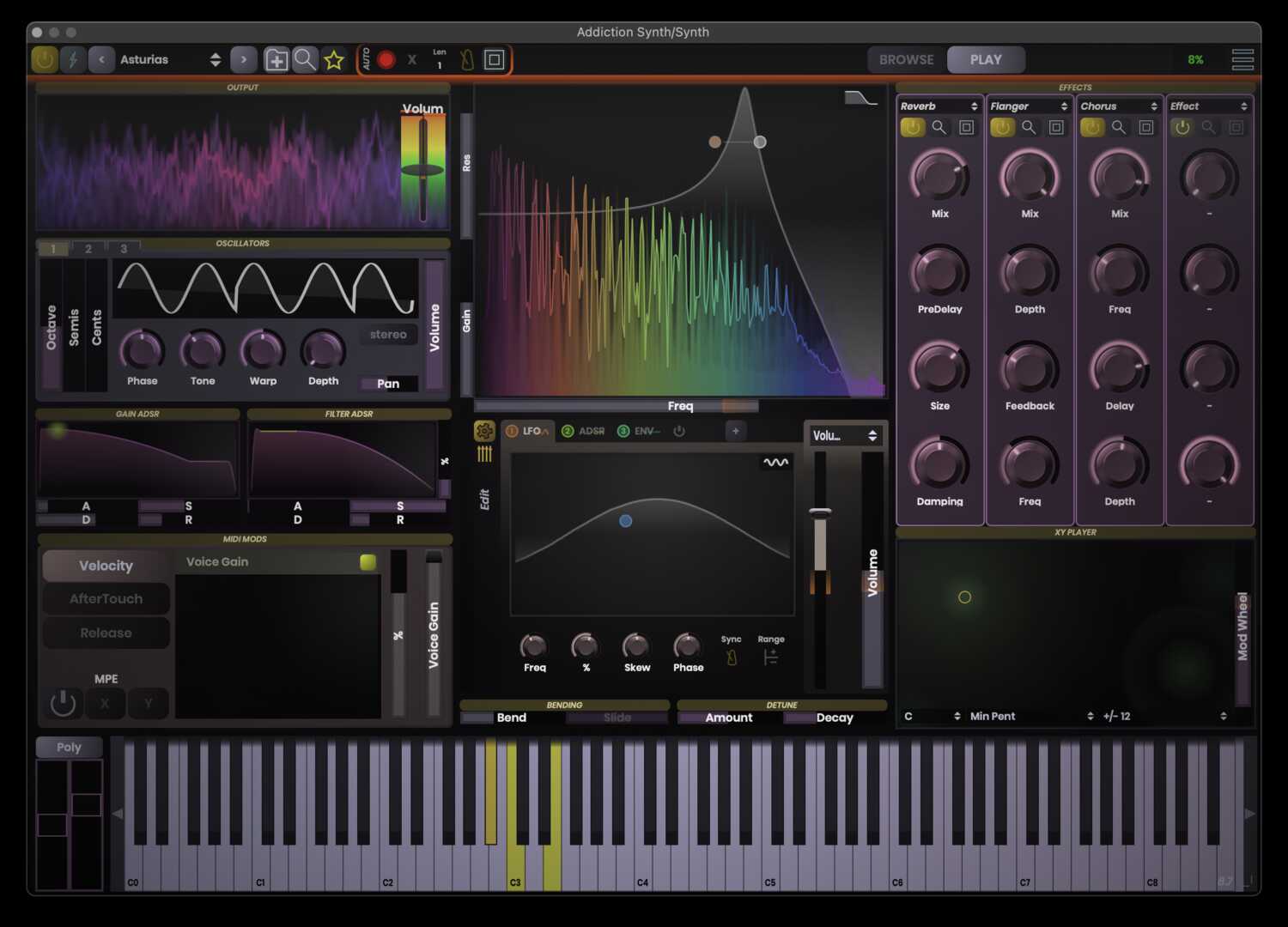
Addiction synth is a professional, intuitive, and versatile subtractive synthesizer. Shape the sound easily through the synth’s user-friendly interface. Watch as the sound changes and evolves on the synth’s beautiful spectrum display. Create almost any kind of sound you like, from a sweet organ ideal for playing light chord pads to a sharp, funky clav capable of satisfying all your groovy needs.
Addiction Synth allows you to play with multiple voices and contains a high level of velocity sensitivity as well as mono/polyphonic switching, versatile LFOs and filter, and a variety of effects.
Designed with the Novice User in Mind
Addiction Synth is designed to help novice users understand how the different elements of a synthesizer fit together. With this synth, anyone can create amazing synths right out of the box.
The philosophy behind Stagecraft's design principles is that the software should show you visually what it does. Because of that, every knob or button produces a visual change as well as a sonic one. This unique approach lets you see exactly how the sound is changing and evolving throughout the track.
Unique Spectrum Display for Unprecedented Visual Feedback
The fundamental building blocks of any subtractive synthesizer are waveform generators (voices), a filter (where the tone is shaped), and effects (or mods).
Addiction Synth includes a high-definition auto-filter with a unique spectrum display showing you exactly how the sound is being shaped at every moment. This level of audio and visual feedback is unparalleled.
Automate Sounds and Effects with Perfect Precision
Use automation to create unique sounds, from that dubstep-characteristic wobble to voices coming in and out at random intervals, and effects fading in and out with perfect quantized precision.
Features
- MPE and Aftertouch support.
- Three Oscillators with independent volume, pan and pitch.
- Filter bank with auto filter style display.
- Full automation of any or all parameters.
- LFO for filter sweeping.
- Advanced quantization options for all parameters.
- Waveform skewing (Pulse Width modulation for all oscillators and LFOs).
- Over a dozen effects and full effects chaining, including bit crusher, reverb, delay, and chorus.
- Better anti-aliasing and waveform control.
- More presets, and full preset sharing between users.
- 30-day FREE trial.
System Requirements
All downloads are full versions that can be used for free for a 30 days trial period.
Mac
- macOS 10.13 or newer (Intel / M1 Apple Silicon supported) (64-bit only)
- AAX, AU, VST 3, Standalone
Windows
- Windows 7 or newer (64-bit only)
- AAX, VST 3, Standalone
Synthtopia
“Simple and intuitive, but with the depth of any professional subtractive synth.”
Windows Installation
1. Download and run the installer. This can be found in your Plugin Boutique User Account under option 2.
2. Open the .zip (Windows) or .pkg (Mac) and unzip the files.

3. Place the two VST files (the DLLs) in whatever directory you prefer to keep VST plugins in, on your system.
(Please note: The two plugin files are identical except that one is 32 bit, and the other is 64. Keeping both ensures that you can run this on any VST host).

4. Use a VST plugin host to scan the directory that contains the plugin files.
5. Find the "SC Addiction Synth" plugin on your host's plugin list and double click it.
6. Enter your serial number (which can be found in your Plugin Boutique User Account) and enter the email address in which the plugin will be registered to).

Your plugin will now be ready to use!
Mac Installation
1. Download the Mac installer from your Plugin Boutique user account.
2. Once downloaded, open the .pkg file.
3. Follow the instructions in the installer.

4. Select the destination where you wish to install your plugin.

5. If you're happy with the install location, click 'Install'. If not, click 'Change Install Location' and select ano different folder.

6. Your plugin will now be fully installed.

7. Open your host DAW and open the plugin.
8. Enter your serial number (which can be found in your Plugin Boutique User Account) and enter the email address in which the plugin will be registered to.


