


 Log In
Should I Buy a 25-Key, 49-Key, 61-Key or 88-Key MIDI Controller?
MIDI controller keyboards come in four distinct sizes. Which one is right for you? We’ll give you the considerations you need to take before buying your next keyboard
If you’re looking for a MIDI controller keyboard, there are a lot of options out there, and many considerations to make before you come up with the one that’s right for you. One ‘key consideration’ is the number of notes the device has on it. In this article, we’ll discuss the benefits and drawbacks of different size keyboards in order to help you make up your mind about which one is right for you.
There are four standard sizes that most MIDI controller keyboards come in. We’re dividing the article using the following categories, but be aware that there are some rare options that fit in between.
- 25 Keys: two octaves of keys, often miniature keys, designed to provide portability and a low price. Good for quick note input, but tough to perform on.
- 49 keys: a four-octave keyboard gives more opportunities for playing and recording, but that a professional wouldn’t be very happy to use.
- 61 keys: often enough for performance and learning, gives a range that covers enough notes to be versatile, and can feature semi-weighted keys.
- 88 keys: the same range as a grand piano, often with weighted keys to recreate the piano feel. The most uncompromising option, but the most expensive.
Things to look for when choosing your MIDI keyboard’s size
There are a number of factors that will influence your choices here. Some are obvious considerations, such as price and size; but some you might not have thought about yet. After finishing this section, we’ll move onto where each size of MIDI controller fits in with these considerations.
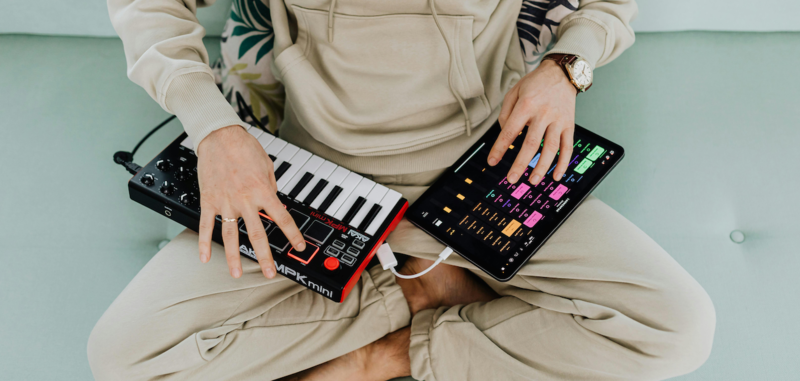
Photo By: Kaboompics.com from Pexels
How much does it cost?
This is the most obvious factor, and is likely your main one. The price of MIDI controller keyboards ranges from about £50 for a small unit (€50 / $65, but even lower if second-hand) to over £1000 (€1000 / $1300) for a tightly integrated professional device.
If looking at a mid-range unit, you may pay the same price for a 49-key controller with better features and a more spartan 61-key controller. This is where you'll need to consider other factors.
What range does it have?
This question is even more obvious than the price, but take a second to consider the implications of the number of notes you have. An octave contains 12 notes, so a 25-note keyboard gives you two octaves to play with; a 49-note keyboard offers four octaves, and a 61-key gives you five octaves. If you’re using the ‘board for note entry, a smaller range is fine, but if ‘playing’ and ‘performing’ with it, your range will determine what you can achieve.
It’s usually possible to switch the octave range of a smaller keyboard. This means those two octaves can be switched between playing low notes and high notes, so you can record a bassline one moment, then switch the range to record a lead the next, but this can only be done between subsequent plays.
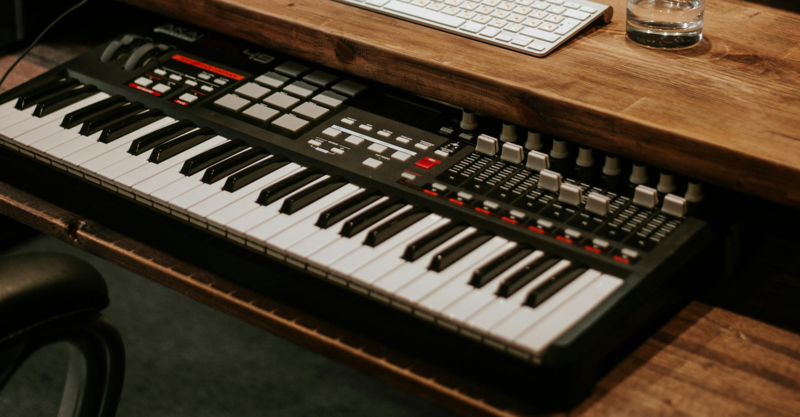
Photo by John Taran from Pexels
How much will you actually use it?
Some people revolve around their MIDI controller whenever their DAW is open; some people only use it once or twice in a blue moon to try out some sounds but still appreciate having it there. You may not know what type of person you are until you start using a MIDI controller – or not using a MIDI controller.
The same goes for the additional functions that come along for the ride. Some MIDI keyboard controllers have drum pads, display screens and faders, which look nice but are often not mission-critical. If you buy a keyboard with these additions, you’re paying for them, whether you end up using them or not.
How big are the keys?
25-key keyboards often achieve their smaller size and price by slimming down individual keys, making them “mini MIDI keyboards”, technically speaking. Depending on your usage and budget, this may be fine for you, but for many, this will be a turn-off.

Photo by Alina Matveycheva from Pexels
Will you take it anywhere?
Whether you’re planning to play your MIDI keyboard on the bus like you’re in a YouTube ad, or take your 88-key keyboard out to a live performance every fortnight, or if you move between studios or homes regularly, it’s worth considering your keyboard’s size in relation to this. Smaller keyboards favour portability over size, but there are also larger keyboards that sacrifice extra functions to stay lightweight and slimmer.
How well can you play it?
Are you a seasoned keyboard wizard, or a ham-fisted hunter-pecker? The higher someone’s talent at playing keys, the less satisfied they’ll be with miniature keys, and only 25 or 49 of them at that. A full-size grand piano offers 88 keys, and 61 keys isn’t very far away from that, so both are usually preferable for keen players.
Even if you’re not an accomplished player right now, factor in the chances that you could be one day. If you’re learning scales, chords and fingering, a small keyboard will be less useful as you improve.
//img: Synth_01
Photo by Elviss Railijs Bitāns from Pexels
Are the keys weighted or semi-weighted?
If a MIDI controller’s keys are weighted, it means that they simulate the feel of a real piano, whose action moves behind the scenes to throw real hammers at real strings. A trained piano player will be far happier with the feel and sensitivity of weighted keys. 88-note MIDI keyboards often have weighted keys, but there’s an increase in price attached to this. 61-note and 49-note keyboards can be semi-weighted, gaining some feel for a moderate increase in price.
What additional features does it have?
A keyboard is a keyboard, but many models offer more than just keys. A few CC knobs can be almost expected, as can a pitchbend wheel (‘pitch wheel’) and modulation wheel (‘mod wheel’), but other additions can include additional CC knobs, faders, drum pads, screens, extra buttons to improve functionality, and many more potential other things.
Not everyone will use all the additional bells and whistles, and some may prefer to say that “a keyboard is a keyboard”, but knowing where you fall on that spectrum will be useful in making your decision.
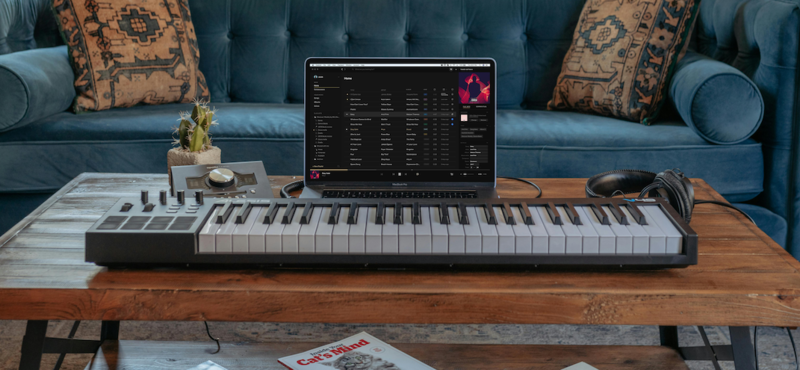
Photo by Vollume from Pexels
Will you use it to show off?
Nothing says “Music Studio” like a large keyboard in a prominent place. And yet, you can achieve a full music studio workflow from start to finish, without ever actually touching the thing. It may be shallow, but some producers value the presence of a large keyboard as a calling card in their studio, hoping it can win them business when seen on images or in the background of a video.
Does it come with bundled software?
Some keyboard manufacturers are also successful software developers, and so they often encourage producers to get into their ecosystem by combining both things. Good examples are Native Instruments, who offer their Komplete Select bundle with certain keyboards; and Arturia, who offer their Analog Lab Intro and other software by third parties, including Loopcloud.
Other companies partner with software companies to offer bundled software, even if they don’t make any themselves. Bundled software can represent a huge saving to the costs of buying the individual contents alone, but keep in mind that you probably wouldn’t have bought those things for yourself anyway.
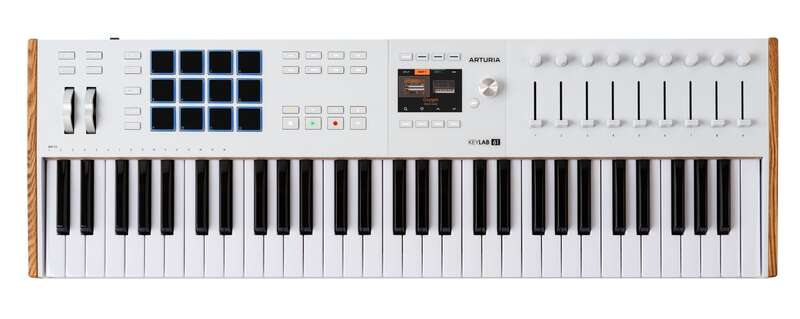
Photo by Arturia
What does it connect to?
Almost every keyboard you buy today will connect to your computer over USB. Check out whether that’s USB-C or the more traditional connection. Large keyboards, however, will often add more connectivity to the back of the device: MIDI ports and pedals (sustain and expression) may be useful for a realistic, piano-like playing experience.
Also, check whether your larger keyboard needs an external power source to function. Often this power source can be provided by your computer – especially if connecting through USB-C – but it’s still possible that a larger device will need to be plugged in at the wall, while a smaller model will likely be less power-hungry.
How much space do you have?
A 25-key MIDI controller can be a welcome addition to a desk, but an 88-key controller will usually need its own stand and maybe even a seat. The amount of space in your current setup should be taken into consideration.

Photo by Kate Trifo on Pexels
Should you buy a 25-Key, 49-Key, 61-Key or 88-Key MIDI Controller?
Let’s sum up the options available to help you make the final decision. Here, we’ll put all four options together, each with its own summary, combining the considerations made above. Your objective should be to identify one type that satisfies as many ‘Pro’ points that actually matter to you, and whose ‘Con’ points don’t bother you in your unique situation.
25-key MIDI controllers: advantages and disadvantages
- PRO: Small and portable
- PRO: Budget friendly – sometimes very
- PRO: Doesn’t take up much desk space, can be ‘pulled out’ as needed
- PRO: Often comes with valuable bundled software
- CON: Miniature keys can be flimsy and hard to play
- CON: Build quality and durability is usually worse
- CON: Doesn’t let you play or perform over many octaves at once
- CON: Generally less connectivity like MIDI ports
49-key MIDI controllers: advantages and disadvantages
- PRO: Relatively small size, good portability
- PRO: Some space for additional features
- PRO: Acceptable range for playing MIDI passages
- PRO: You may find some additional connectivity
- PRO: Bundled software might add to the purchase value
- CON: Unlikely to have even semi-weighted keys
- CON: May not have sustain and expression connections
61-key MIDI controllers: advantages and disadvantages
- PRO: A range that most players will be happy with in most cases
- PRO: Semi-weighted keys provide more realism
- PRO: Can still remain relatively cheap if you sacrifice functionality
- PRO: Connectivity is often better in these larger models
- PRO: Durability may be increased, but not necessarily
- CON: Often not portable unless you choose a slim, lightweight one
- CON: More expensive than smaller models
88-key MIDI controllers: advantages and disadvantages
- PRO: A serious, heavyweight keyboard professionals will like
- PRO: Weighted keys, where included, provide a real piano experience
- PRO: More scope to play and learn music
- PRO: Sustain and expression inputs should be expected
- PRO: Durability may be increased, but not necessarily
- CON: Least portable MIDI keyboard model
- CON: Most expensive size of MIDI controller
Other articles
Unmissable Bundle Deal from Girls Make Beats – Sharing Spotlight
Play it forward with our latest Sharing Spotlight deal – come away with a great deal and give to a good cause while you do so. We are continuing our support for music-making communities with Sharing Spotlight, an initiative that highlights organizations working toward diversifying the music industry. We do this by offering a bespoke bundle of discounted plugins curated by our featured organization. When you purchase through its unique link, 15% of each sale goes towards supporting that comm
Recreating a Classic Analogue Mix Chain with Plugins
Digital audio production is the modern standard, yet it lacks the colour and life of classic analogue hardware. Learn how to breathe life into your mix bus As music production has overwhelmingly shifted to the digital domain over the last few decades, producers and artists now face the reality that working purely in the box often creates cold, dry, harsh, and lifeless recordings. That’s why many producers are turning to analogue-simulating software to breathe life and warmth of classic hardwa
Analogue Emulation Plugins: A Buyer’s Guide for Mixing with Character
These VSTs are some of the top choices to turn your DAW from a cold, sterile piece of software into a warm, colourful, lived-in studio setup Music software has come a long way, and while we used to use technology to remove imperfections and small problems in the real-world studio, today we actively use it to put these things back into our music. The number of analogue emulating plugins that are out there is truly astounding, with each one doing a slightly different thing on your mix channe
The Best Music Software Deals This Week [Live List]
As the music production landscape evolves week by week, so does the opportunity to save on powerful creative tools. New plugin releases, flash sales on VSTs and limited-time deals on music software can appear from any angle, making it harder than ever to keep track of what’s worth your attention. Whether you're looking for the latest bundles on offer, or even deals on exciting virtual instruments, it's as important as ever to stay up to date on what we have to offer. That’s where our live


